-

Originally Posted by
zillah
I followed these steps:
$ sudo cfdisk
then select -> Print
then select -> Table
anyfilename (leave it blank)
[/code]
doh!  ....you are right! My apologies...I've been doing -s-o- many things at once, I forget the specifics between different forums/users, and / or get confused sometimes . I guess I "originally" asked for it that way to see if you indeed had an 0x05 entry, or an 0x0f, or 0x0c like I have for hda1 (0c) and hda2 (0f) -- I tried bolding that entry with the tags, but it seems [b ][/b ] isn't working in this forum while "within" [code ] tags.
Excellent 
BTW - I've seen that error before (on my box) with one of these Linux disk utilities -- it's just the drive translation thing -- I don't "think" it's anything to be too concerned about
Similar Threads
-
By seskanda in forum Hdd Install / Debian / Apt
Replies: 1
Last Post: 03-24-2007, 08:52 PM
-
By tgjb007 in forum Hardware & Booting
Replies: 2
Last Post: 09-15-2005, 02:18 AM
-
By rrfish72 in forum General Support
Replies: 3
Last Post: 10-30-2004, 02:17 PM
-
By bigboss97 in forum Hdd Install / Debian / Apt
Replies: 0
Last Post: 01-12-2004, 02:44 AM
-
By Thomas Bettler in forum General Support
Replies: 0
Last Post: 07-26-2003, 09:13 AM
 Posting Permissions
- You may not post new threads
- You may not post replies
- You may not post attachments
- You may not edit your posts
-
Forum Rules


OEM 45w T-Tip Power Adapter charger for Apple macbook air 2012-2017 A1436 A1466
$19.99
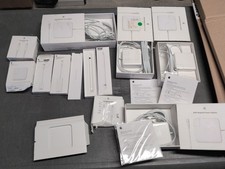
Lot Of Apple Cords And Accessories All OEM Genuine Apple Pencil, Magsafe Power
$109.99

OEM Apple Data Migration Toolkit for A1706 A1707 MacBook Pro PN 076-00236
$499.99
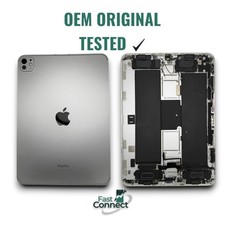
iPad Pro 11 M4 A2837 Silver Back Housing Frame Genuine Apple OEM Grade AB
$189.99

Genuine Apple OEM A2164 30W USB-C AC Power Adapter with USB-C Cable, Very Good
$20.59

Genuine OEM Apple Power Adapter Extension Cable for MacBook Pro Air
$8.99

Genuine OEM Apple 60W MagSafe Power Adapter A1344 ~ FREE S/H
$12.99

OEM Apple 45W A1436 Power Charger AC Adapter for MacBook Air MagSafe 2
$12.99
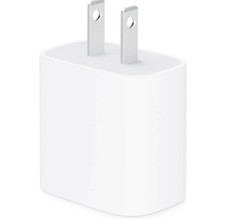
apple oem 20w charger usb-c power adapter
$9.99

Genuine Apple Power Adapter Extension Cable 6FT White OEM MacBook MK122LL/A
$10.99



 Reply With Quote