-
Administrator
Site Admin-

Originally Posted by
Terry Kemmerer
I think I am set up as a LAN connected directly to broadband....at least, after playing with it and deleting it several times, that is where I am at right now....Seems to work. So did the CABLE setting when I tried that. HA HA HA
In all of my use of Knoppix and all of my experience here in these forums I have never found a verifable case of Knoppix making any such change to the hard disk except for use of the swap file where there was one. There have been some reports similar to this one that say Knoppix did something, but if resolved at all it always turns out to have been something else.
Knoppix certainly does identify itself as hostname Knoppix to the network. If some device giving out the DHCP lease saw this and is now insisting that the IP address is associated with the hostname Knoppix, that does not mean that your hard disk was changed. I'm still not sure about your broadband configuration; apparently you are not either. If you are getting DHCP configuration from a cable company then they might be part of the issue. I know some cable systems do some strange thinks like lock your service to a particular mac address and I don't use cable and don't have a good understanding of all the strange things that they do. But this does bring up the advice that I feel would solve over half of all networking problems we see here, my generic answer #4. Yiou can get one this week for under $10 after rebate at CompUSA., and if the ISP is the problem this would resolve it. It's a good idea anyway.
There are certainly tests that you could do to prove if Knoppix is or is not making any hard disk changes. You could make a md5 profile of all of your files with your hard disk based OS. Then before running Knoppix reboot and check that profile against the files to catch fies that do get changed by your OS (such as logs). After running Knoppix do the md5 test again and see if any other files are changed. If none are then it should be apparent that Knoppix didn't make changes. Another approach would be to get your old system working, then shut it down before running Knoppix and physically disconnect the hard disks. Boot Knoppix. After you shut down reconnect your hard drives and run your old OS. If it again thinks that the host name is Knoppix then this information must be coming from the network.
Similar Threads
-
By cezar in forum Hdd Install / Debian / Apt
Replies: 3
Last Post: 01-26-2007, 12:59 PM
-
By honigbaer in forum Hdd Install / Debian / Apt
Replies: 3
Last Post: 01-16-2005, 01:31 PM
-
By leq75 in forum General Support
Replies: 2
Last Post: 02-28-2004, 05:39 AM
-
By kclawson in forum General Support
Replies: 1
Last Post: 12-03-2003, 02:18 AM
-
By StuartP in forum Networking
Replies: 4
Last Post: 06-03-2003, 11:58 PM
 Posting Permissions
- You may not post new threads
- You may not post replies
- You may not post attachments
- You may not edit your posts
-
Forum Rules


Intel Core i7-9700 Octa-Core 3 GHz Desktop Processor LGA 1151
$79.99
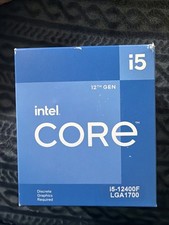
Intel Core i5-12400F 2.50GHz 6 Core SRL5Z 12 Thread LGA 1700 CPU- check Images
$170.00

INTEL CORE I7-870 SLBJG 2.93GHZ LGA1156 4 CORE CPU PROCESSOR
$23.00

Lot of (7) Intel Core CPU Processors
$219.00

Intel Core i9-9900 3.10GHz CPU Processor SRG18
$165.00

AMD Ryzen 5 5600X Desktop Processor (3.7GHz, 6 Cores, AM4 CPU) 100-100000065
$135.00

Intel Core i7-7700 3.6GHz Quad-Core Desktop CPU Processor SR338 LGA1151
$40.00

Intel Core i5-7500 SR335 3.4GHz 4-Core LGA 1151 CPU PROCESSOR
$14.99

INTEL CORE I9-10940X X-SERIES PROCESSOR | 3.30GHZ | SRGSH
$179.99
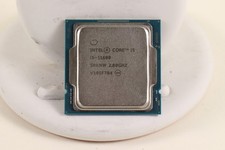
INTEL CORE I5-11600 2.80GHZ PROCESSOR | SRKNW
$109.99



 Reply With Quote