-
Junior Member
registered user
Questions on setting up a Persistant Hard drive image
Now that I've gotten Knoppix to work and connect to the net I need to do a couple of other things to finish setting up for regular use. I am using Knoppix version 4.0.2. First off, I have available on my hard drive a FAT formatted 10GB partition that can be dedicated to Knoppix/Linux use. Since I would prefer to free up my CD drive I need to transfer the Knoppix image to that hard drive partition and use the boot time cheat code. Am I correct in thinking that this should be done before I set up the persistant disc image/home directory with the persistant image using only the space remaining after transferring the Knoppix image? How to best go about this? Use a single partition or divide it into two? Second, when booting the system should the cheat codes for FromHD and Home=scan be entered separately or combined and if combined what would be the correct format?
Thanks,
Alice R.
Similar Threads
-
By johnmd in forum Tips and Tricks
Replies: 3
Last Post: 12-05-2010, 04:38 PM
-
By BrianC in forum General Support
Replies: 11
Last Post: 12-13-2005, 08:28 PM
-
By rstoeck in forum Hdd Install / Debian / Apt
Replies: 1
Last Post: 09-17-2004, 05:49 AM
-
By punkass in forum General Support
Replies: 2
Last Post: 05-08-2004, 05:20 PM
-
By bruceg in forum Hardware & Booting
Replies: 2
Last Post: 05-06-2004, 03:51 PM
 Posting Permissions
- You may not post new threads
- You may not post replies
- You may not post attachments
- You may not edit your posts
-
Forum Rules

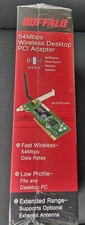
Buffalo AirStation WLI2-PCI-G54 Wireless G PCI Adapter 54Mbps NEW NOS Vintage
$49.99

Vintage HP 21MX 1000 M-Series Minicomputer Chassis Backplane Parts AS-IS
$228.19
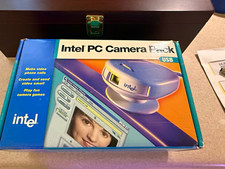
Vintage Intel PC Camera Pack USB CICP3 825118 NOS Open Box Complete 2000
$39.99

Lot of 2 Vintage Plextor PX-43CS SCSI CD-ROM Caddy Drives + 4 Caddies Used
$55.99
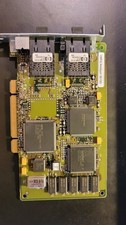
Compaq 242506-001 Netelligent 100 FDDI DAS Fiber SC PCI Network Adapter Vintage
$249.00
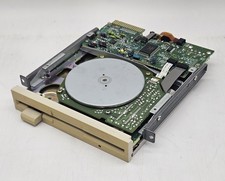
Vintage Canon 5.25" Floppy Disk Drive MD 5501 K-61435-18 UNTESTED
$59.99

Original Vintage Old Style STANDARD Black CD Jewel Case (Heavy Duty) 90g Lot
$316.95
Commodore C128 Computer + 1571 Floppy Drive Bundle Tested Working Vintage
$322.50
vintage Gateway motherboard, socket 370 1ghz cpu, 256mb ram, cables, power switc
$62.99
vintage Motherboard Socket 370 with Celeron 1.30 Ghz 256MB
$62.99



 Reply With Quote