-
Senior Member
registered user
C-SPAN
I was using surfing the internet the other day, testing out the different capabilities of firefox on knoppix v3.8 and on kanotix, and I ended up on http://www.c-span.org I tried clicking on a video link on the main c-span page but it would not play, firefox spit out a message saying "Firefox doesn't know how to open this address, because the protocol (rtsp) isn't associated with any program" I notice that the link on the website references a javascript functionjavascript layClip(clip06) how do I associate a program with the mentioned protocol,is there a plugin that I need to download, because under Internet Explorer in Windows, the link triggers Internet Explorer to open Real Player, any information about firefox and streaming audio players would be greatly appreciated as firefox under windows seems to have the same problem, is firefox just not capable of playing clips from links formatted in the fashion that they are on the c-span site? Also, does anyone think that this thread would have been better placed in the general support section of the forums, I wasn't sure because the issue is not knoppix specific.
-
Senior Member
registered user
got an answer via pm, it is simply me needing plugins
-
Senior Member
registered user
well, when I first believed I had gotten the answer I had not yet performed any linux hd install on my machine. The answer I got via pm, I didn't understand that I had to edit the preferences under the prefs.js file for firefox, here is the article that details what you have to do after you have the correct player installed just indicate in the second argument where your realplayer executable is and you are good to go just be sure to not edit the file while firefox is running as one of the responses to the article suggests please note, I am speaking of firefox as included with kanotix 2005-04) I don't know if newer versions of firefox come preconfigured to play rtsp protocol or not.
http://www.mcgladrey-family.us/kayne...&poll_ident=30
-
1. Exit your browser.
2. Edit: ~/.mozilla/firefox/#####.default (the ##### is an arbitrary string... just look in the directory)
3. Insert: user_pref("network.protocol-handler.app.rtsp","/usr/local/bin/realplay");
You can also just launch RealPlayer, press CTRL-L then copy/paste the link into the dialog box.
-
Senior Member
registered user
Here is a more gui oriented way of doing things:
http://ubit.buffalo.edu/linux/ublinux4/rtsp.php
 Posting Permissions
- You may not post new threads
- You may not post replies
- You may not post attachments
- You may not edit your posts
-
Forum Rules


Intel Xeon E5-2680 V2 2.8GHz 10-Core 25MB 8GT/s SR1A6 LGA2011 B Grade Server CPU
$7.95

Intel Xeon Phi 5110P 60-Core 1.053GHz Coprocessor
$50.00

Dell Precision Tower 7810 Xeon E5-2630 v3 @ 2.40GHz , 32GB Ram, NO HDD, NO OS
$239.99

Dell Precision T1700 Workstation Intel Xeon 16G Ram 256GG SSD Nvidia 600 Win 10
$109.99

Dell T7910 Workstation Tower Homelab AI Server PC - Xeon CPU - NO HDD/RAM/GPU
$279.99

Lenovo ThinkStation P520c Intel Xeon W-2133 6-Core 3.60GHz -NO RAM/ HDD/ GPU/ OS
$127.54
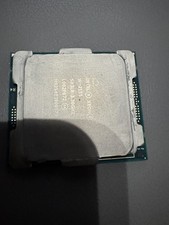
Intel Xeon W-2155 SR3LR 3.30GHz, 10 Cores Processor.
$99.00

Dell Precision T5820 Workstation 3.70GHz W-2135 No RAM/ GPU/ HDD/ OS
$179.98

Dell EMC PowerEdge R440 Xeon silver 4215 2.5GHz 16 GB ram 2x 550W PSU No HDD
$275.00

HP Z440 Workstation TWR Xeon E5-1603 v3, 8GB RAM, NVS310, SB1570, NO SSD/OS #95
$89.99



 Reply With Quote