-
Unable to mount /tmp/app/1
Unable to mount /tmp/app/1 
I have all the entries in the /etc/fstab and all the kernel checks are ok.
using ubuntu breezy
please help me.
here is the output
mandu@steppenwolf:~$ sh -x ${HOME}/.zAppRun skype
+ export PATH=/sbin:/usr/local/sbin:/usr/local/bin:/usr/sbin:/usr/bin:/sbin:/bin:/usr/bin/X11:/usr/games
+ PATH=/sbin:/usr/local/sbin:/usr/local/bin:/usr/sbin:/usr/bin:/sbin:/bin:/usr/bin/X11:/usr/games
+ '[' -z '' ']'
+ export DIALOG=Xdialog
+ DIALOG=Xdialog
+ pidof -x kdeinit
+ export DIALOG=kdialog
+ DIALOG=kdialog
+ pidof -x gnome-panel
+ export DIALOG=zenity
+ DIALOG=zenity
++ tty
+ GUIMODE=/dev/pts/3
+ echo /dev/pts/3
+ grep '/dev/tty[:digit:]'
+ test :0.0 == ''
+ case $DIALOG in
++ cat /etc/fstab
++ grep app/7
+ '[' -z '/tmp/app/7/image /tmp/app/7 cramfs,iso9660 user,noauto,ro,loop,exec 0 0' ']'
++ perl -e '$newcmd=shift(@ARGV);foreach $arg (@ARGV){ @part=split(/\=/,$arg); foreach $part (@part){ (-e "$ENV{PWD}/$part") && ($part="$ENV{PWD}/$part");}$newcmd.=" ".join ("=",@part);} print "$newcmd";' skype
+ NEWCMD=skype
+ set -- skype
++ dirname /home/mandu/.zAppRun
+ DIRNAME=/home/mandu
+ '[' -z skype ']'
+ CMG=skype
+ shift
+ case $CMG in
++ pwd
+ CMG=/home/mandu/skype
+ NUMBERS='7 6 5 4 3 2 1'
+ for NUMBER in '$NUMBERS'
+ '[' -e /tmp/app/7 ']'
+ MNTNUM=7
+ for NUMBER in '$NUMBERS'
+ '[' -e /tmp/app/6 ']'
+ MNTNUM=6
+ for NUMBER in '$NUMBERS'
+ '[' -e /tmp/app/5 ']'
+ MNTNUM=5
+ for NUMBER in '$NUMBERS'
+ '[' -e /tmp/app/4 ']'
+ MNTNUM=4
+ for NUMBER in '$NUMBERS'
+ '[' -e /tmp/app/3 ']'
+ MNTNUM=3
+ for NUMBER in '$NUMBERS'
+ '[' -e /tmp/app/2 ']'
+ MNTNUM=2
+ for NUMBER in '$NUMBERS'
+ '[' -e /tmp/app/1 ']'
+ MNTNUM=1
+ case $FS in
+ MOUNT=/tmp/app/1
+ mkdir -p /tmp/app/1
+ ln -s /home/mandu/skype /tmp/app/1/image
+ mount /tmp/app/1
/tmp/app/1/image: No such file or directory
+ derror 'Unable to mount /tmp/app/1'
+ case $DIALOG in
+ zenity --error --text 'Unable to mount /tmp/app/1' --title=klik
+ CMDLINE=yes
+ tty
+ grep '^/dev/tty'
+ tty
+ grep '^/dev/pts'
+ CMDLINE=
+ '[' '' = yes ']'
+ /tmp/app/1/wrapper
/home/mandu/.zAppRun: line 134: /tmp/app/1/wrapper: No such file or directory
+ umount /tmp/app/1
umount: /tmp/app/1 is not mounted (according to mtab)
+ rm -f /tmp/app/1/image
+ rm -r /tmp/app/1/
++ dirname /home/mandu/skype
+ CMGDIR=/home/mandu
+ '[' x = x ']'
+ KDEHOME=/home/mandu/.kde
++ find '/home/mandu/*.cmg'
+ CMGFILES=
+ rm -rf '/home/mandu/.kde/share/applnk/klik/*.cmg.desktop'
mandu@steppenwolf:~$ sh -x ${HOME}/.zAppRun skype
+ export PATH=/sbin:/usr/local/sbin:/usr/local/bin:/usr/sbin:/usr/bin:/sbin:/bin:/usr/bin/X11:/usr/games
+ PATH=/sbin:/usr/local/sbin:/usr/local/bin:/usr/sbin:/usr/bin:/sbin:/bin:/usr/bin/X11:/usr/games
+ '[' -z '' ']'
+ export DIALOG=Xdialog
+ DIALOG=Xdialog
+ pidof -x kdeinit
+ export DIALOG=kdialog
+ DIALOG=kdialog
+ pidof -x gnome-panel
+ export DIALOG=zenity
+ DIALOG=zenity
++ tty
+ GUIMODE=/dev/pts/3
+ echo /dev/pts/3
+ grep '/dev/tty[:digit:]'
+ test :0.0 == ''
+ case $DIALOG in
++ cat /etc/fstab
++ grep app/7
+ '[' -z '/tmp/app/7/image /tmp/app/7 cramfs,iso9660 user,noauto,ro,loop,exec 0 0' ']'
++ perl -e '$newcmd=shift(@ARGV);foreach $arg (@ARGV){ @part=split(/\=/,$arg); foreach $part (@part){ (-e "$ENV{PWD}/$part") && ($part="$ENV{PWD}/$part");}$newcmd.=" ".join ("=",@part);} print "$newcmd";' skype
+ NEWCMD=skype
+ set -- skype
++ dirname /home/mandu/.zAppRun
+ DIRNAME=/home/mandu
+ '[' -z skype ']'
+ CMG=skype
+ shift
+ case $CMG in
++ pwd
+ CMG=/home/mandu/skype
+ NUMBERS='7 6 5 4 3 2 1'
+ for NUMBER in '$NUMBERS'
+ '[' -e /tmp/app/7 ']'
+ MNTNUM=7
+ for NUMBER in '$NUMBERS'
+ '[' -e /tmp/app/6 ']'
+ MNTNUM=6
+ for NUMBER in '$NUMBERS'
+ '[' -e /tmp/app/5 ']'
+ MNTNUM=5
+ for NUMBER in '$NUMBERS'
+ '[' -e /tmp/app/4 ']'
+ MNTNUM=4
+ for NUMBER in '$NUMBERS'
+ '[' -e /tmp/app/3 ']'
+ MNTNUM=3
+ for NUMBER in '$NUMBERS'
+ '[' -e /tmp/app/2 ']'
+ MNTNUM=2
+ for NUMBER in '$NUMBERS'
+ '[' -e /tmp/app/1 ']'
+ MNTNUM=1
+ case $FS in
+ MOUNT=/tmp/app/1
+ mkdir -p /tmp/app/1
+ ln -s /home/mandu/skype /tmp/app/1/image
+ mount /tmp/app/1
/tmp/app/1/image: No such file or directory
+ derror 'Unable to mount /tmp/app/1'
+ case $DIALOG in
+ zenity --error --text 'Unable to mount /tmp/app/1' --title=klik
+ CMDLINE=yes
+ tty
+ grep '^/dev/tty'
+ tty
+ grep '^/dev/pts'
+ CMDLINE=
+ '[' '' = yes ']'
+ /tmp/app/1/wrapper
/home/mandu/.zAppRun: line 134: /tmp/app/1/wrapper: No such file or directory
+ umount /tmp/app/1
umount: /tmp/app/1 is not mounted (according to mtab)
+ rm -f /tmp/app/1/image
+ rm -r /tmp/app/1/
++ dirname /home/mandu/skype
+ CMGDIR=/home/mandu
+ '[' x = x ']'
+ KDEHOME=/home/mandu/.kde
++ find '/home/mandu/*.cmg'
+ CMGFILES=
+ rm -rf '/home/mandu/.kde/share/applnk/klik/*.cmg.desktop'
-
Same here...
I am getting similar results. I am using Kubuntu Breezy.
OUTPUT:
Code:
$ sh -x ${HOME}/.zAppRun firefox.cmg
+ export PATH=/sbin:/usr/local/sbin:/usr/local/bin:/usr/sbin:/usr/bin:/sbin:/bin:/usr/bin/X11:/usr/games
+ PATH=/sbin:/usr/local/sbin:/usr/local/bin:/usr/sbin:/usr/bin:/sbin:/bin:/usr/bin/X11:/usr/games
+ '[' -z '' ']'
+ export DIALOG=Xdialog
+ DIALOG=Xdialog
+ pidof -x kdeinit
+ export DIALOG=kdialog
+ DIALOG=kdialog
+ pidof -x gnome-panel
++ tty
+ GUIMODE=/dev/pts/1
+ echo /dev/pts/1
+ grep '/dev/tty[:digit:]'
+ test :0 == ''
+ case $DIALOG in
+ DIALOG_OPTIONS=' --caption klik'
+ KLIKDIR=:klikdir
++ cat /etc/fstab
++ grep app/7
+ '[' -z '/tmp/app/7/image /tmp/app/7 cramfs,iso9660 user,noauto,ro,loop,exec 0 0' ']'
++ perl -e '$newcmd=shift(@ARGV);foreach $arg (@ARGV){ @part=split(/\=/,$arg); foreach $part (@part){ (-e "$ENV{PWD}/$part") && ($part="$ENV{PWD}/$part");}$newcmd.=" ".join ("=",@part);} print "$newcmd";' firefox.cmg
+ NEWCMD=firefox.cmg
+ set -- firefox.cmg
++ dirname ${HOME}/.zAppRun
+ DIRNAME=${HOME}
+ '[' -z firefox.cmg ']'
+ CMG=firefox.cmg
+ shift
+ case $CMG in
++ pwd
+ CMG=${HOME}/Desktop/firefox/firefox.cmg
+ NUMBERS='7 6 5 4 3 2 1'
+ for NUMBER in '$NUMBERS'
+ '[' -e /tmp/app/7 ']'
+ MNTNUM=7
+ for NUMBER in '$NUMBERS'
+ '[' -e /tmp/app/6 ']'
+ MNTNUM=6
+ for NUMBER in '$NUMBERS'
+ '[' -e /tmp/app/5 ']'
+ MNTNUM=5
+ for NUMBER in '$NUMBERS'
+ '[' -e /tmp/app/4 ']'
+ for NUMBER in '$NUMBERS'
+ '[' -e /tmp/app/3 ']'
+ for NUMBER in '$NUMBERS'
+ '[' -e /tmp/app/2 ']'
+ for NUMBER in '$NUMBERS'
+ '[' -e /tmp/app/1 ']'
+ case $FS in
+ MOUNT=/tmp/app/5
+ mkdir -p /tmp/app/5
+ ln -s ${HOME}/Desktop/firefox/firefox.cmg /tmp/app/5/image
+ mount /tmp/app/5
/tmp/app/5/image: No such file or directory
+ derror 'Unable to mount /tmp/app/5'
+ case $DIALOG in
+ kdialog --error 'Unable to mount /tmp/app/5' --caption klik
+ CMDLINE=yes
+ tty
+ grep '^/dev/tty'
+ tty
+ grep '^/dev/pts'
+ CMDLINE=
+ '[' '' = yes ']'
+ /tmp/app/5/wrapper
${HOME}/.zAppRun: line 134: /tmp/app/5/wrapper: No such file or directory
+ umount /tmp/app/5
umount: /tmp/app/5 is not mounted (according to mtab)
+ rm -f /tmp/app/5/image
+ rm -r /tmp/app/5/
++ dirname ${HOME}/Desktop/firefox/firefox.cmg
+ CMGDIR=${HOME}/Desktop/firefox
+ '[' x = x ']'
+ KDEHOME=${HOME}/.kde
++ find '${HOME}/Desktop/firefox/*.cmg'
+ CMGFILES=
+ rm -rf ${HOME}/.kde/share/applnk/klik/firefox.cmg.desktop ${HOME}/.kde/share/applnk/klik/mysql-query-browser_1.1.6-1sarge0.cmg.desktop
I wonder if a recent upgrade has caused this problem.
-
Senior Member
registered user
What precisely is the problem/error?
-
I'm also getting this error on Ubuntu 5.10... little point posting a log since they're all caused by the same thing.
I installed Klik as per the instructions on the homepage. That all worked. But whenever I try to run anything with it, I get the problem outlined above: it stops with the error "Unable to mount /tmp/app/1".
I've checked, and "/tmp/app/" is in place, but the folder "/tmp/app/1" isn't being created. If I create it myself, it has the same error, but with "/tmp/app/2".
-
Senior Member
registered user
I have no ubuntu here to test with at the moment. But please make sure that you haven't installed klik as root, but as regular user!
Greetings,
probono
-
I'd installed it as a regular user.
Anyway - bizarrely, since I've installed KDE and replaced kwm with gwm, Klik installs have started working, but once the install is done and the application tries to run, I get a blank error message - just a window with the error icon and an OK button, no title or text.
-
Senior Member
registered user
It seems to have mounting issues. Please try mounting a cmg file by hand and watch for errors.
You could:
- try to mount by hand: su ; mount ~/Desktop/XXX.cmg /mnt/test -o loop -t cramfs ; /mnt/test/wrapper
- or unpack the cmg: cramfsck -x ~/Desktop/XXX.cmg /opt/XXX ; /opt/XXX/wrapper
-
same problem here with firefox. using ubuntu 5.10
Code:
$ ./.zAppRun Desktop/firefox.cmg
./.zAppRun: line 17: /bin/pidof: Permission denied
./.zAppRun: line 18: /bin/pidof: Permission denied
mount: no permission to look at /dev/loop#
./.zAppRun: line 50: Xdialog: command not found
./.zAppRun: line 134: /tmp/app/1/wrapper: No such file or directory
umount: /tmp/app/1: not mounted
This seems to be a bug, how do we submit bugs? And how do I revert the changes made by klik in my system?
-
I was having the same problem as xmonkee. Turns out i needed cramfs support in my kernel. Quick fix. Now amarok beta is coming up no problem, tried skype also. Thanks for the great software, I'll be keeping an eye on it!
PS. These tests were performed on Gentoo.
-
Senior Member
registered user
To all with the problem above: do you use the original Ubuntu kernel?
Greetings,
probono
Similar Threads
-
By kkomw in forum Hardware & Booting
Replies: 0
Last Post: 10-23-2009, 09:41 PM
-
By f15catnip in forum Hardware & Booting
Replies: 1
Last Post: 10-14-2009, 01:38 AM
-
By Sandeep in forum Hardware & Booting
Replies: 1
Last Post: 04-24-2007, 09:13 AM
-
Replies: 13
Last Post: 05-09-2005, 04:19 PM
-
Replies: 2
Last Post: 04-21-2005, 11:39 AM
 Posting Permissions
- You may not post new threads
- You may not post replies
- You may not post attachments
- You may not edit your posts
-
Forum Rules


Apple Computer cards VTG 670-8020-B 607-0103-C 607-0291-C AST -Orange Micro ++
$169.00

Vintage Apple iMac G4 15" Lamp 700MHz 512MB Mac OS X 10.4.6 W/ Pro Speakers
$300.00
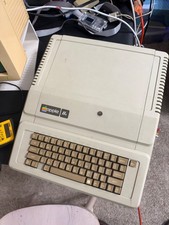
Apple IIe Vintage Computer A2S2064 Powers On Apple II Untested For Parts/repair
$149.99

Vintage Apple II Avant-Garde Creations Super Shape Draw And Animate 1981
$295.00

Rare Vintage Macintosh Apple Wooden Disk Storage Box Dovetailed
$69.95

LARGE LOT Vintage Apple Macintosh Mouse Cables Accessories SCSI etc - UNTESTED
$80.00

Lot of 3 VIntage Apple Computer Rainbow Logo Sticker Decal Macintosh 1980s NOS
$7.00

Vintage Apple iBook G3 12.1” 500MHz 2001 Restored, SSD Upgraded Mac OS 9.2/OS X
$180.00

Vintage Apple Multiple Scan 15av Display Monitor M4681
$299.99

Vintage Apple PowerBook 15” G4 “Aluminum” (1.25GHz/2gb/150gb/Tiger) 2
$109.99



 Reply With Quote