

 Reply With Quote
I also encountered a similar problem in my fc4.


I do, yes. uname -r says:Originally Posted by probono
Code:2.6.12-10-686I would appreciate if we could make this work as it is supposed to work (click-n-run) in ubuntu as well. thanks.
I also encountered a similar problem in my fc4.
We need someone with a FC4 system to find out why mounting doesn't work, so that we can fix it.
i have similar issues with my suse 10 oss edition system. klik worked great for a while, but after upgrading my system, from the stable sources even, klik dies with the same error message, cannot mount /tmp/app/1.
i tried mounting manually, but got this
mount: could not find any device /dev/loop#
which confuses me.
anyway, it's a tribute to how great a system klik is when i end up losing most of my apps when it breaks...
i just tried unpacking it also, but don't have the cramfsck command
alright, klik is working now. simply enough, i reverted to my old kernel. for some boneheaded reason the kernel update from the stable sources for opensuse didn't have support for cramfs compiled in. ahh... atanks is back...
Hello,
I am using last kanotix and everithing was great with klik downloads. But now I always get:
1st: Unable to mount /tmp/app/1
2nd: /home/moli/.zAppRun: line 132: /tmp/app/1/wrapper: No such file or directory
I can't remenber all that I did in order to undo it. and get all klik apps back to work.
Is there a pattern iot solve this issue? Thank you very much!
I am having the same problem on Ubuntu 6.06 LTS - the Dapper Drake, and its not on every klick. Skype works fine, but LPhoto2 gives the same error as written above (cant mount, and wrapper error).
but as i said.. skype starts every time, and the same goes for installing skype.
As I wasn't able to solve it, I reinstalled kanotix and now all perfect. Well, almost, as some installations keep on giving errors like files not found, permissons denied, etc. But behavior is not the same as in the previous kanotix installation, before starting those errors in my post above. I am now paying more attention to see if I find a clue...
(Like ehasting, my skype always worked 100%)
same here. Updated the kernel in suse (ver 9.2), and klik stopped working.
 Posting Permissions


Vintage DEC Digital Equipment Flip-Chip Module Lot Parts
$59.99

Vintage Digital VR241-A color CRT monitor, powers on, DEC Rainbow or terminal
$150.00

Vintage DEC Digital T1043 DWMBB/B VAXBI XMI Adapter 5018232-01 C1 VAX Board
$109.99

Vintage DEC Digital XMI-A1 5017293-01A1 LWPR BE3-0 VAX Circuit Board T2012
$74.99

DEC Digital DECmate III PC238 PDP-8 6120 RX50 Dual Floppy Vintage Computer
$649.95

Vintage DEC Digital Equipment DELNI 8-Port Ethernet Local Network Hub VAXstation
$79.95

Vintage DEC LK201 Digital Equipment Corporation (DEC) LK201-AA Computer Keyboard
$149.99
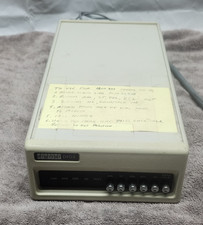
Rare Vintage DEC DIGITAL DFO3 modem ~Powers Up but UNTESTED #1
$75.00

Vintage DEC Digital Starion 200 Desktop PC Powers On Boots To BIOS NO HDD - DW
$269.99

Vintage DEC/Mostek memory systems MK 8015 AA-00 6805-08015 1100 REV C(B7)
$279.99