

 Reply With Quote
I also encountered a similar problem in my fc4.


I do, yes. uname -r says:Originally Posted by probono
Code:2.6.12-10-686I would appreciate if we could make this work as it is supposed to work (click-n-run) in ubuntu as well. thanks.
I also encountered a similar problem in my fc4.
We need someone with a FC4 system to find out why mounting doesn't work, so that we can fix it.
i have similar issues with my suse 10 oss edition system. klik worked great for a while, but after upgrading my system, from the stable sources even, klik dies with the same error message, cannot mount /tmp/app/1.
i tried mounting manually, but got this
mount: could not find any device /dev/loop#
which confuses me.
anyway, it's a tribute to how great a system klik is when i end up losing most of my apps when it breaks...
i just tried unpacking it also, but don't have the cramfsck command
alright, klik is working now. simply enough, i reverted to my old kernel. for some boneheaded reason the kernel update from the stable sources for opensuse didn't have support for cramfs compiled in. ahh... atanks is back...
Hello,
I am using last kanotix and everithing was great with klik downloads. But now I always get:
1st: Unable to mount /tmp/app/1
2nd: /home/moli/.zAppRun: line 132: /tmp/app/1/wrapper: No such file or directory
I can't remenber all that I did in order to undo it. and get all klik apps back to work.
Is there a pattern iot solve this issue? Thank you very much!
I am having the same problem on Ubuntu 6.06 LTS - the Dapper Drake, and its not on every klick. Skype works fine, but LPhoto2 gives the same error as written above (cant mount, and wrapper error).
but as i said.. skype starts every time, and the same goes for installing skype.
As I wasn't able to solve it, I reinstalled kanotix and now all perfect. Well, almost, as some installations keep on giving errors like files not found, permissons denied, etc. But behavior is not the same as in the previous kanotix installation, before starting those errors in my post above. I am now paying more attention to see if I find a clue...
(Like ehasting, my skype always worked 100%)
same here. Updated the kernel in suse (ver 9.2), and klik stopped working.
 Posting Permissions


IBM System X3850-X5 Server w/4x Intel Xeon E7-4870 CPU , 512 GB DDR3 RAM,NO HDD
$1299.99

IBM QRadar xx29 2x Xeon E5-2650v4 2x 900W PSU M5120 12x 3.5" Bay Server No RAM
$179.99

Unused IBM 09P0037 MAINBOARD For RS/6000 7044-170 P-Series
$375.00

IBM ADP Server Type 7870 AC1 NO HDD | 128GB RAM PC3L | 2 x Xeon E5620
$199.99

IBM Power 8 S822L Server 8247-22L POWER8 Enterprise 256GB RAM 2x 00KV626 CPU
$999.99

Compaq ProLiant 1500R 5/100 rack server, Series 3155, with IBM 2.1GB HD, VINTAGE
$295.00

IBM System x3550 M3 1U Server 2x Xeon E5645, 192GB RAM, 2x 300GB HDD (7944-AC1)
$150.00

1 X IBM 720 POWER SERVER WITH 32 GB RAM
$344.97

IBM System X3650 M3 Server Xeon E5620 2.4 GHz 16 GB Ram Raid M5015 No OS No HDD
$87.96
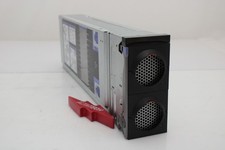
IBM 00FN709 X3850 X6 Compute Book 3837 Barebone
$114.99