-
FC4 & Gnome
Does klik work with this setup and if so how? I installed it via the
Code:
wget klik.atekon.de/client/install -O -|sh
command and it told me to restart firefox. I do so, and yet it still can't handle klik. Do I need to create any kind of symbolic link to a specific file like I do with some other things?
-
Senior Member
registered user
Please start Firefox, close it again.
Install the klik client.
Open Firefox again.
Does it work?
If not, you can set it up manually:
In your address bar type "about:config" and press Enter.
Right-click anywhere in the browser portion of the Firefox window and select "New->String".
Type the preference name as "network.protocol-handler.app.klik" and press Enter.
For the string value enter "~/.klik" and press Enter. This will have completed entering the handler for klik:// URLs.
Again right-click in the window and this time select New->Boolean.
Type the preference name as "network.protocol-handler.warn-external.klik" and press Enter.
Type the value as "true" and press Enter. This will make the browser prompt you before launching klik. If you don't want the browser to warn you then select "false" for this value.
(Taken from http://klik.atekon.de/wiki/index.php/User%27s_FAQ)
-
Thanks. I actually got it working late yesterday with a similar method. I had restarted the machine and nada, so I installed it again, restarted firefox then it came up. Seems to be working okay. Are klik packages distribution dependent or anything? I tried to install dosbox last night (and it gave me alist of things it was going to download, which all seemed like debian packages) but I thought I'd give it a go anyway, and it ended up failing after downloading the files.
Similar Threads
-
By HatGuy in forum General Support
Replies: 4
Last Post: 09-02-2007, 03:29 PM
-
By Jameson in forum The Lounge
Replies: 11
Last Post: 01-17-2005, 08:58 PM
-
By beforewisdom in forum Ideas
Replies: 9
Last Post: 12-23-2003, 02:10 PM
-
By Adeel in forum General Support
Replies: 2
Last Post: 10-23-2003, 09:31 PM
-
By papasi in forum General Support
Replies: 0
Last Post: 07-30-2003, 09:50 PM
 Posting Permissions
- You may not post new threads
- You may not post replies
- You may not post attachments
- You may not edit your posts
-
Forum Rules


Yealink T48S VoIP/SIP Phone, 2 x Gigabit Ports PoE 7" Color SIP-T48S | TESTED
$34.95

Grandstream WP810 Portable Cordless Wi-Fi IP Phone
$49.28

Cisco 8861 Gigabit IP Phone Phone 5-line business-class VoIP Wifi Bluetooth
$39.99

Poly CCX 400 Desktop Business Media Phone VoIP 2200-49700-019
$49.99
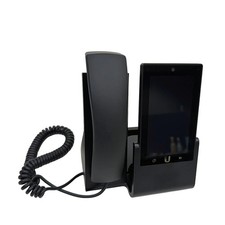
UBIQUITI UVP-TOUCH VoIP Desktop Touchscreen Smart Phone
$55.00
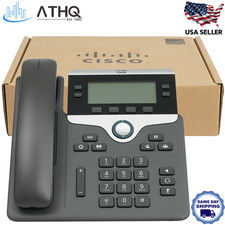
Cisco CP-7841-K9 4-Line Gigabit VoIP IP Phone PoE Office Desk 3.5" Display NEW
$89.99

Yealink SIP-T33G IP Phone 4-LineSpeakerphone VoIP Desk Phone Black w/ Power Sply
$25.00

Cisco/Linksys SPA2102 VoIP Phone Adapter Router 2FXS (Unlocked)
$17.99
Polycom Poly ObiHai OBI302 VOIP Adapter FREE S/H
$29.99

Yealink MP54 - VoIP Phone - Black Teams phone Android POE WIFI Bluetooth
$49.95



 Reply With Quote