

i attempted to create a remastered iso for a cd image using the knoppix remaster script indicated in the sticky at the top of this forum (i downloaded the newest release version 0.1-6). i am basing my image off a knoppix 3.8 cd (only because it's all i have). i created a 10gig partition for the purpose of performing this operation.
i'm working on a computer with very limited ram, so i intended to perform the operation exclusively from the hard drive by reserving a portion of the drive for swap.
before i started the operation, i verified that i was able to read from and write to the partition, and i was successful.
upon starting, i created a gig of swap space. it was happy. then it came time to start transferring files for the source. it got to 80% at which time it indicated that there was not enough drive space available. however, only a 1/3 of my partitioned drive was consumed.
did i miss something? the current used drive space on my partition after the aborted attempt is 3.3gig. according to the remastering howto in the documentation on this site, i shouldn't need more than 3 gig plus swap. what gives?
 Posting Permissions


HP ProLiant MicroServer Gen8 G1610T @2.3 GHz, 16GB, 712317-001 NO HDD/OS
$199.00

$280.00

Supermicro CSE-937 3U Storage Chassis No CPU No HDD No Ram Tested & Reset
$129.99

Supermicro CSE-216 No CPU No Ram No HDD Tested & Reset
$149.99

HP PROLIANT TPS-W003 MICRO- SERVER TOWER Gen 8, 16G RAM
$195.00
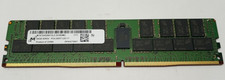
Micron 64GB 4DRX4 PC4-2400T-LE2-11 MTA72ASS8G72LZ-2G3B2MG DDR4 Server RAM KD313
$249.98

Supermicro Superserver CSE-836 Xeon E5-2609 v4 1.7GHz No RAM No Drives No OS
$249.98

Supermicro 2U X10DRU-i 2x E5-2680 v3 2.5ghz 32gb Ram 240gb SSD 2x GPU *READ*
$369.99

Supermicro CSE-937 3U Storage Chassis No CPU No HDD No Ram Tested & Reset
$129.99

Supermicro CSE-216 No CPU No Ram No HDD Tested & Reset
$149.99


 Reply With Quote