

 Reply With Quote
and before you say it, yes, i've unchecked the "read only" box and set owner/group/others to "read and write" but i'm STILL doing something wrong ...
I apologize for the elementary question.


Hi.
I have used Knoppix to boot a computer which has a Linux (Debian) hard drive which currently refuses to boot ... I want to copy some of the files to a USB thumb drive to try to recover them ... but I can't get them to copy ... sometimes I get the message that I can't read the file I want to copy, and other times I get the message that I can't write to the device ....
I'm sure I'm doing something stupid, but I can't figure it out .... can anyone help, or point me to a howto that might get me started?
thanks
and before you say it, yes, i've unchecked the "read only" box and set owner/group/others to "read and write" but i'm STILL doing something wrong ...
I apologize for the elementary question.
If your trying to save data from a dying hard drive, consider getting a gmail account and emailing yourself the critically important stuff, rather than tryng to get knoppix to figure out your hardware. Gmail gives you 2 gigs of storage. Yahoo will give you another gig or so for free.
Otherwise how is your usb stick formatted? You could post the output (froom a root sheel) of fdisk -l, and maybe : df (disk free). Also : mount.
HTH
in addition, you might check to make sure the usb drive is not formated in ntfs instead of fat32. also, the checkmarks are not enough to make the drive writable. (depending on your release version) you need to right click on the drive and select 'actions' and 'make drive read write' <- or something similar.
before you try copying critical files, create a small text file (call it 'test' or some such) with one of the many text editors provided in knoppix and see if you can save it to your thumb drive. if you can, then you will be able to write the files you are attempting to salvage.
not too sure why you might be getting the 'can't read file' message, but maybe the above information will give you a little more to go on.
there's probably a slick shell command that will allow the drive to be mounted as writable, but i don't know if your standard "mount mnt/dev/" string will do that or not. have to try that myself next time i drop into knoppix.
 Posting Permissions


Vintage Computer Keyboard Northgate OMNIKEY Ultra
$120.00

🔥 RARE VINTAGE HP 2112A 21MX M-SERIES 16-BIT MINICOMPUTER HP
$299.99

🔥 RARE VINTAGE HP 2113A 21MX 1000 E-SERIES MINICOMPUTER CHASSIS BACKPLANE
$249.00

Lot of 2 Vintage Plextor PX-43CS SCSI CD-ROM Caddy Drives + 4 Caddies Used
$55.99
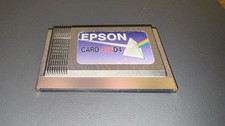
Epson Card 486D4 Single Board Computer Card PCMCIA Vintage Industrial
$906.39
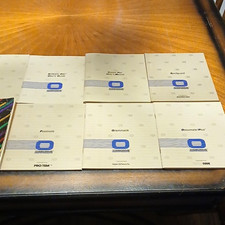
Osborne Vintage Computer CP/M User Guide Thom Hogan & Software User Manuals Lot
$45.00

Original Vintage Old Style STANDARD Black CD Jewel Case (Heavy Duty) 90g Lot
$316.95
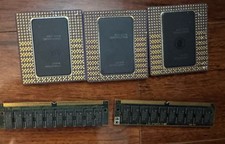
Vintage Intel Pentium Pro CPU Lot 3 Gold Ceramic Processors + 2 RAM Untested
$249.99

HP 5060-8359 8K Semiconductor Memory Module 5080-9747 Vintage HP Computer
$224.72

Vintage Hewlett Packard HP 13181-60074 Circuit Card Assembly / Interface Board.
$135.37