-
Linksys wusb54g & knoppix
Hi I wondered if anyone could help or point me in the right direction. Ive experimented with a couple of linux distro's being linspire, ubuntu and suse. I manged to get suse to install but the others failed on just the live cd. Knoppix seems pretty good at first glance, the live cd loaded flawlessly. Anyway, im using knoppix 3.9 live cd which im hoping to install to a partition later in the gradual process migrating from win xp. Im up against it a bit as im on a wireless device, the linksys wusb54g, which (even though my linksys router has linux components) they dont offer linux drivers for my usb device. Could someone help with configuring my wireless device for the knoppix 3.9 live cd. Or point me in the right direction of a guide, wiki that may help. Thanks
Also using version 4 of the wusb54g
-
Junior Member
registered user
Follow these instructions.
http://www.knoppix.net/forum/viewtop...ighlight=kwifi
I have a Linksys WUSB54GV4 I could not get DHCP to work but other wise the device works.
After you have followed those instructions, run the menu item
Knoppix -> Network / Internet -> Network card configuration
Give the device an IP that is not in use, you should be able to find the ssid using KWiFiManager after that.
Hope this helps.
-

Originally Posted by
dosdragon
Follow these instructions.
http://www.knoppix.net/forum/viewtop...ighlight=kwifi
I have a Linksys WUSB54GV4 I could not get DHCP to work but other wise the device works.
After you have followed those instructions, run the menu item
Knoppix -> Network / Internet -> Network card configuration
Give the device an IP that is not in use, you should be able to find the ssid using KWiFiManager after that.
Hope this helps.
Thanks i will give this a go, im not concerned about dhcp as its switched off from my router, so a static ip is fine. I will first attempt this with my wep encryption off also.
-
Originally Posted by
dosdragon
Follow these instructions.
http://www.knoppix.net/forum/viewtop...ighlight=kwifi
I have a Linksys WUSB54GV4 I could not get DHCP to work but other wise the device works.
After you have followed those instructions, run the menu item
Knoppix -> Network / Internet -> Network card configuration
Give the device an IP that is not in use, you should be able to find the ssid using KWiFiManager after that.
Hope this helps.
Im still having difficulties, could you confirm, have you managed to get this working on the live version and not after a HD install. Thanks
-
Junior Member
registered user
Similar Threads
-
By Jonah in forum Networking
Replies: 0
Last Post: 05-18-2009, 06:35 PM
-
By sruckh in forum Networking
Replies: 1
Last Post: 06-06-2006, 03:13 AM
-
By Crockaliptics in forum Networking
Replies: 1
Last Post: 10-10-2005, 03:57 AM
-
By biosin3 in forum Networking
Replies: 2
Last Post: 05-24-2005, 10:47 AM
-
By tmtim in forum Networking
Replies: 0
Last Post: 02-20-2005, 07:13 PM
 Posting Permissions
- You may not post new threads
- You may not post replies
- You may not post attachments
- You may not edit your posts
-
Forum Rules


Dell Poweredge R720 8SFF 2.5" x Xeon E5-2680 v2 2.8GHz 20-Cores 128gb 4x Trays
$349.99

Dell EMC PowerEdge R440 Xeon silver 4215 2.5GHz 16 GB ram 2x 550W PSU No HDD
$275.00

Dell PowerEdge R730XD Server 2x E5-2695 V4 = 36 Cores H730p 32GB RAM 4x trays
$649.99

Dell Poweredge R720 8SFF 2.5" 2x Xeon E5-2680 v2 2.8GHz 20-Cores 64gb 4x Trays
$259.99

Dell PowerEdge R620 2x Xeon E5-2630 v2 3.1GHz 2.5" 4-BAY 32GB RAM No OS 2x 495w
$174.95

Dell Poweredge R630 2x Xeon E5-2680 v3 2.5ghz 24-Cores / 64gb / Raid / 2x 1Tb
$374.99
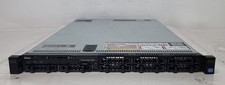
Dell PowerEdge R620 Dual Intel Xeon E5-2640 v2 @2.00GHz 192GB RAM No HDD H710P
$250.00

Dell Poweredge R530 Server Dual Xeon E5-2660v3 CPU's 160GB DDR4 Ram NO HDD NO OS
$499.99

Dell PowerEdge R530 2x E5-2630v4 H330 iDRAC8 Port Card Riser No PSU/RAM/HDD
$99.99

DELL R640 10SFF Server 2x Gold 6152 2.1GHz =44 Cores 64GB H730p 4xRJ45
$959.00



 Reply With Quote