-
Question - Virus Removal from WinXP with Knoppix
So here's the thing, I've gotten F-Prot to scan the hard drive and it found a ton of stuff on my friend's XP box. I've used grep to find the key words: Infection, dropper, & "security risk" and dropped them each into their own little .txt file. Now, other than parsing each file and manually deleting each infected or risky file, is there an easy way to use these files to make a script to automatically delete each file? Bear in mind I've barely gotten my feet wet inasmuch as Knoppix is concerned.
For those that want to know, I'm using the disk that came with "Knoppix Hacks" (O'Reily) and its rather friendly installation of F-Prot. I believe it's based off of 3.4. I'll be using Captive to write to an NTFS file system (yes, I'm aware of the risks...but if you know of something better to use, I'm game).
Thanks in advance,
'Goon
-
Senior Member
registered user
Question - Virus Removal from WinXP with Knoppix
Doesn't F-Prot have an "automatically delete" feature?
I could write and test a script I would be happy with in an hour or so, but, it would be easier to just connect the drive to another windoze box and then do a virus scan from a native ntfs operating system.
Either way, an operating system with "a ton of stuff" is unlikely to be the same after removal if it even boots. Backup any important data and reload.
-
...it's the principal of the thing tho
Well yes, I could pop, swap and scan but I'd rather not break into 2 boxen when I could just nuke the borked up files while running Knoppix. As for whether F-Prot can auto-fix/delete I can only say, not as I've seen running from the live CD (Knoppix Hacks - remastered by the author Kyle Rankin using Knoppix 3.4 as a base). I mean I could do the whole back it up and reinstall but I would rather do this just to know I can. 
Thank-you though for the response!
'Goon
-
Administrator
Site Admin-
Re: ...it's the principal of the thing tho

Originally Posted by
RandomGoon
.... I could pop, swap and scan but I'd rather not break into 2 boxen when I could just nuke the borked up files ..... I mean I could do the whole back it up and reinstall but I would rather ......
It has been established over and over again that captive is just not safe. It often destroys the file system in a way that is apparent immidately, but it can also damage the file system in ways that seem to work at first and only take the file system out later after you have done even more work. So even if you could manage to delete the viruses with Knoppix and this technique (and I don't think you can), you would still have to do the whole backup and reinstall if you didn't want something worse happening soon. My advice is to bite the bullet and make a real fix, not try to rig a quick fix that will only get worse later.
-
Agreed, but still...
I actually want to do it the "hard" way...just less hard than it could possibly be. I mean sure, before I monkey with captive I save any important data so I'm not in danger of loosing anything other than the time I'd have to invest to attempt the cleaning and/or reinstall. It's not a truly critical machine so I am free to play with it somewhat.
At any rate, risking the standard HK numbered response, what's the current "best" way to write to an NTFS partition via Knoppix? I only ask because I have thusfar had good luck with captive but I do feel the lightning seeking me out...
As always, thanks,
'Goon
-
Administrator
Site Admin-
Re: Agreed, but still...
Originally Posted by
RandomGoon
.... what's the current "best" way to write to an NTFS partition via Knoppix? I only ask because I have thusfar had good luck with captive but I do feel the lightning seeking me out...
I don't know of any current best way. My advice to anyone dead set on trying this would be to find an old copy of Knoppix before captive was removed from it.
The numbered responses are big time savers, and they allow me to give a quick response to questions that I otherwise would likely not respond to since they are so common in these forums. And some people actually have appreciated the feedback and thanked me for it. Maybe I should write a numbered section about captive (even though #6 brushes the topic slightly). But most people who know about captive seem to know it's bad for you, they just think they want to do it anyway, so I don't know what that section can tell them.
---
Verifying of md5 checksum and burning a CD at slow speed are important.
-
Senior Member
registered user
Question - Virus Removal from WinXP with Knoppix
In that case, start learning some shell scripting or ... perl. The issue is certainly straightforward and the technique is actually quite simple.
Post back with your results or problems.
-
The numbered responses are big time savers, and they allow me to give a quick response to questions that I otherwise would likely not respond to since they are so common in these forums. And some people actually have appreciated the feedback and thanked me for it.
Count me in that number, Harry, I do appreciate them and thank you for your efforts.
In that case, start learning some shell scripting or ... perl.
Oh noes! More learning!  I'll just tack it on the list of things to do. Right then, guess I'd better get crackin' on it.
Thanks a bunch guys, I really do appreciate the help.
'Goon
-
Senior Member
registered user
this is more of a question than a reply, but would the idea of using a script to delete questionable and possibly infected files on a windows machine work alright if it were formatted with fat32 instead of ntfs? I assume that it would but if there is an issue in that I am not considering please let me know 
-
Administrator
Site Admin-
Originally Posted by
dvryknopper
this is more of a question than a reply, but would the idea of using a script to delete questionable and possibly infected files on a windows machine work alright if it were formatted with fat32 instead of ntfs? I assume that it would but if there is an issue in that I am not considering please let me know
You can certainly delete files on a FAT32 partition. I certainly am not telling you to use a script to delete files on your Windows system, as bad things can and do happen that way, as McAfee users are just finding out today! The concept works, but don't you suspect that software running under Linux is likely to recognize all of Windows as a virus and kindly remove it for you?
Similar Threads
-
By mid1700s in forum MS Windows & New to Linux
Replies: 3
Last Post: 04-09-2007, 04:32 PM
-
By Jyn in forum Hdd Install / Debian / Apt
Replies: 10
Last Post: 07-13-2006, 06:38 AM
-
By Ekoi Panot in forum General Support
Replies: 1
Last Post: 03-13-2006, 10:25 PM
-
By bread in forum General Support
Replies: 4
Last Post: 02-15-2006, 02:34 AM
-
By HitmanKB in forum MS Windows & New to Linux
Replies: 2
Last Post: 09-22-2004, 03:37 AM
 Posting Permissions
- You may not post new threads
- You may not post replies
- You may not post attachments
- You may not edit your posts
-
Forum Rules


Yealink T48S VoIP/SIP Phone, 2 x Gigabit Ports PoE 7" Color SIP-T48S | TESTED
$34.95
Cisco IP Phone CP-8821 No Battery C2-F3
$185.00

SIM Bank 32 SIM Card Slots Ethernet SIM Server for GoIP
$400.00

Grandstream WP810 Portable Cordless Wi-Fi IP Phone
$49.28

Yealink SIP-T33G IP Phone 4-LineSpeakerphone VoIP Desk Phone Black w/ Power Sply
$25.00

Yealink SIP-T44W VoIP Phone 12-Line Gigabit Speakerphone RJ-45 Gray/Black
$44.00

5 Allworx Verge 9312 VoIP IP Phone 12-Line Speakerphone Black RJ-45 MPN 8113120
$999.00
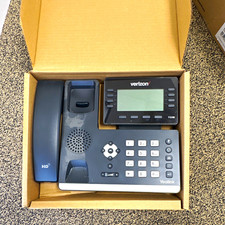
Yealink T53W Black IP Phone Verizon VoIP LOT OF 4 Business Desk Phone
$150.00

Poly CCX 400 Desktop Business Media Phone VoIP 2200-49700-019
$49.99
NEW Cisco Mitel 6930 IP Phone VoIP Business Phone Black Sealed
$89.99



 Reply With Quote