

Edit the file
/usr/sbin/sambastart
remove everything out of it except the stop and start command.
open a root window and execute the command
Do that for each user you want to add, the user must also be a user on that machineCode:#smbpasswd -a <username>
you may add a password or no password to the user name "nobody"
Edit the file
/etc/samba/smb.conf
Add a section for the shared path
The above is just a sample, make sure the path is shared.Code:[scratch] comment = Marty's Scratch directory writeable = yes path = /scratch public = yes
Run samba
You should now see that machine from any windows machine.
 Posting Permissions


Intel Core i7-3770K 3.5 GHz Processor
$39.00

Intel Core i7-9700 3.0 GHz Octo-Core (SRG13) Processor
$79.00
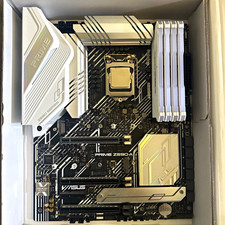
CPU-RAM-MOBO COMBO- 32gb DDR4 3600MHz, i5 CPU, Asus Prime Motherboard
$370.00

HP ProDesk 405 G8 Desktop AMD Ryzen 5 PRO 5650GE 16GB RAM 512GB SSD W11P
$319.99

Intel SRG17 Core i7-9700T Desktop Processor CPU
$74.99

Intel Core i7-9700 SRG13 3.0 GHz Desktop CPU
$80.00

Intel Core i5-14600KF Unlocked Desktop Processor
$259.99

Matched Pair _ Intel Xeon E5-2698 V4 2.2GHz 20-Core Processor CPU LGA2011 SR2JW
$94.99

AMD Ryzen 7 PRO 8700GE 8-Core/16-Thread Up to 5.1GHz AM5 (FL1)
$175.00

PS5 Over Heating Problem Solver 1.5 Grams Liquid metal thermal paste CPU, GPU
$15.99


 Reply With Quote