

 Reply With Quote
Typical, as soon as I asked the question, I figured it out, at least most of it.
You simply place the script in the /etc/init.d/ directory, and then run update-rc.d on it. After rebuilding it, it will execute the script on startup.


Hey folks,
I'm ok with Linux, but no master, so I request the help of some of the sagely contributors here. I've searched, but couldn't find the answer to my question.
What I need to do is have a user boot a system using customized knoppix CD, launch at runlevel 2, and automatically execute a script so that they never see the command line, only respond to prompts by the script. Now, booting into runlevel 2 by default is easy enough, but how do you force the system to autorun a script? Thanks in advance for any help you can give me.
Typical, as soon as I asked the question, I figured it out, at least most of it.
You simply place the script in the /etc/init.d/ directory, and then run update-rc.d on it. After rebuilding it, it will execute the script on startup.
 Posting Permissions


Intel Core i7-3770K 3.5 GHz Processor
$39.00

Intel Core i7-9700 3.0 GHz Octo-Core (SRG13) Processor
$79.00
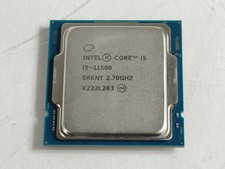
Intel Core i5-11500 2.70 GHz LGA 1200 Desktop CPU Processor SRKNY
$94.99

OEM Dell Optiplex 3080 5080 7080 MFF Fan ONLY JV47V 0JV47V
$11.40

Intel 4th Gen Core i7-4790 SR1QF 3.60GHz (Turbo 4.00GHz) 8M 4-Core LGA-1150 CPU
$39.99

Intel Core i7-7700T 2.9GHz 8MB Socket LGA1151 Quad Core Processor SR339
$39.99

Intel i7-8700 Coffee Lake 3.2GHz 6-Core Max Turbo 4.6GHz Processor
$69.99
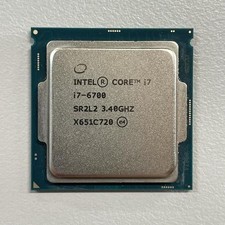
Intel Core i7-6700 3.40 GHz QUAD Core (4 Core) Desktop Processor 8MB LGA 1151
$29.99

LAST BATCH *Brand New-Sealed* AMD Ryzen 9 9950X3D2 Dual Ed. 4.3GHz 16Core AM5
$798.00

Corsair RM750e 750W Fully Modular 80 Plus Gold ATX 3.1 PSU Certified Refurbished
$44.99