

 Reply With Quote
See answer #3.


How can I connect to internet? It's much different in windows?
See answer #3.
---
Verifying of md5 checksum and burning a CD at slow speed are important.
I understood nothing. I'm newbie. So explain me very detailed. please.
I use modem (56.6kb/s) to connect internet.
OK Harry,
Booted Knoppix CD (LDE) on a DELL Inspiron 531S with a Dual core Athlon 64 3800+
connected to a Belkin router (wired) through a Time warner Cable modem.
Get a network dissconnected in lower right icon. No "edit connections will come up.
Using UNIX for 40 years, just haven't RTFMed Knoppix yet.
WHat's the basic setup pieces.
The basics are that Knoppix does a DHCP handshake with the router at boot time and you are on the network when you boot.
The only router that I have had this fail on was an old Belkin 802.11b router. It would not handshake properly with Knoppix (apparently was only tested with Windows). But a newer Belkin 802.11g and many other routers all worked fine for me. Are you sure that you are not on the network? What is the output of ifconfig?
---
Verifying of md5 checksum and burning a CD at slow speed are important.
on next reboot network connected - ifupdown eth(0)
ifconfig gave:
knoppix@Microknoppix:~$ ifconfig
eth0
Link encap:Ethernet
HWaddr 00:1a:a0:5f:e7:8e
net addr:192.168.2.6
Bcast:192.168.2.255
Mask:255.255.255.0
inet6 addr: fe80::21a:a0ff:fe5f:e78e/64
Scope:Link
UP BROADCAST RUNNING MULTICAST MTU:1500 Metric:1
RX packets:192 errors:0 dropped:0 overruns:0 frame:0
TX packets:10 errors:0 dropped:0 overruns:0 carrier:0
collisions:0 txqueuelen:1000
RX bytes:45317 (44.2 KiB)
TX bytes:1876 (1.8 KiB)
Interrupt:253 Base address:0xc000 lo
Link encap:Local Loopback
inet addr:127.0.0.1
Mask:255.0.0.0
inet6 addr: ::1/128
Scope:Host
UP LOOPBACK RUNNING MTU:16436 Metric:1
RX packets:0 errors:0 dropped:0 overruns:0 frame:0
TX packets:0 errors:0 dropped:0 overruns:0 carrier:0
collisions:0 txqueuelen:0
RX bytes:0 (0.0 B)
TX bytes:0 (0.0 B)
the belkin 802.11g sees the IP 192.168.2.6
firefox has a "Bus error" when started from a terminal and will not start from the task bar at all.
What's next?
Well, you are getting an IP address set up by DHCP, so we know that you network interface works with Knoppix and that you can talk to the router. The data looks valid also.
I'm not sure why you can't get the browser working. There has been some discussion here about problems some people have had with IPv6 vs. IPv4 where the IPv6 wasn't working quite right. My ISP isn't supporting IPv6 at all (as far as I know) so I have not run into this myself, but if I remember right (and I frequently don't) they had found some configuration setting in Firefox to disable IPv6 and that resolved the issue. The only other thing other than looking for such a setting that I can suggest that may tell you more is to try the following test:
in a console ping 67.212.237.18
if that works, ping knoppix.net
If the first ping works and the second ping fails you have a DNS issue. Maybe the DNS didn't get set correctly by the DHCP, and perhaps you could run netcardconfig and correct it. If both pings get responses then you have Internet connectivity and just have a browser issue. netcardconfig might even correct that if you point to a differnt DNS server without IPv6 support (this is, of course, all just theory).
Please report back what you learn.
pinged both ip address and name
netcardconfig window is wrong for my 1440x900 flat panel display
still tried all options and nothing changed.
I can ftp. Downloaded files from ftp.microsoft.com ( just for testing an outside connection )
Will research IPv6 and DNS change.
I'm running Knoppix 6.??????????
Should I try an older version?
ip link show - did not give any new info.
downloaded firefox 3.0 onto hard drive
tar -jxvf'ed it
runs fine now. writing this from knoppix- firefox3.0
firefox on CD still Bus errors
onto the next test.
tried to build ruby from source. almost got to the end of the configure script and failed on "cpp preprocessor check"
Log shows "cpp" with ten different option strings failing. even "cpp -std" with an UNKNOWN error!
What flavor of gcc/cpp does knoppix use?
Got Live Dvd 5.3.1 burned
booted from DVD and everything is much better.
Firefox runs from the distribution.
and various packages build from source with gcc without intervention. (emacs23.1, ruby, HACK)
much more included programs and just a better, stable CDROM boot.
after comparing 6.0.1 CD to 5.3.1 DVD go with the DVD (or try Ubuntu) :^0
 Posting Permissions


Crucial MX500 1TB 2.5" SATA III Internal SSD CT1000MX500SSD1
$102.99

Samsung 2.5" 870 EVO SSD SATA III 250GB 500GB 1TB Internet Solid State Drive Lot
$90.00

Samsung 860 EVO 250GB SSD MZ-76E250 2.5" SATA III Solid State Drive
$39.99

Samsung New SSD 970 EVO Plus 2TB 1TB 500GB 250GB NVMe M2 Internal Hard Drive Lot
$79.99

Western Digital PC SN740 256GB M.2 2280 NVMe Internal SSD (SDDPNQD-256G)
$34.99

Netac 2TB 1TB 512GB 256GB Internal SSD 2.5inch SATAIII Solid State Drive lot
$549.00

Fanxiang 1/2/5/10Pcs 2.5'' SATA SSD Lot 1TB 2TB 4TB 512GB 256GB TLC Internal SSD
$129.99
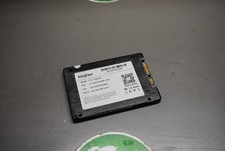
KingFast F10 256GB 2.5” SATA III SSD Tested Working 2710DCS23BF-256
$22.89

Netac 120GB 256GB 1TB 2TB Internal SSD 2.5'' SATAIII 6Gb/s Solid State Drive lot
$119.99

Micron MTFDDAK256TBN 256 GB, Internal ,2.5" SSD
$23.00