

 Reply With Quote
you will have to modify the bootup sequence to use LOOPBACK instead of CLOOP. And when making the compressed iso file, you would leave out the make_compressed_fs part.


Dear all,
I am customizing Knoppix and have reduced the file size to 640MB. Now I want to burn the CD without using the compression technique. Mainly because, I have a PI machine w/32MB RAM which takes a long time to start the WM.
Can anyone can tell me what command should I use so as not to use the Knoppix compression technique for CD?
Thanks.
-Regards Anurag
you will have to modify the bootup sequence to use LOOPBACK instead of CLOOP. And when making the compressed iso file, you would leave out the make_compressed_fs part.
Hello,
Can you be a bit more verbose wrt cloop and loopback part? How exactly can I change the boot sequence?
I have searched the forum but have not been able to learn more.
About not using the compression, I hope you meant the command, create_compressed_fs and not make_compressed_fs .
Awaiting reply.
-Regards Anurag
No, there will not be much info here. AFAIK, no-one has made a non-comressed knoppix, so you're on you're own with that one. And yes, i meant create_compressed_fs.
As for changing the boot sequence, you'll have to change the scripts in miniroot ( inside boot img ) to mount your knoppix iso with loopback not cloop.
 Posting Permissions


AMD Ryzen 5 5500 Processor ( read Description)
$59.00

INTEL CORE I9-10940X X-SERIES PROCESSOR | 3.30GHZ | SRGSH
$179.99

Intel Core i7-4770 3.40GHz Quad Core SR149 LGA 1150 CPU Processor tested
$35.00

Intel Core i7-10700 8-Core 16-Thread 2.9GHz Desktop CPU LGA1200 SRH6Y Z490 Z590
$129.00

Intel Core i7-3770K 3.5 GHz Processor
$39.00

Intel Core i7-9700 Octa-Core 3 GHz Desktop Processor LGA 1151
$79.99

Intel Core i5-12500T SRL5W 2GHz 18MB 6 Core Socket LGA1700 Desktop CPU Processor
$114.99

Intel i7-8700 Coffee Lake 3.2GHz 6-Core Max Turbo 4.6GHz Processor
$67.99
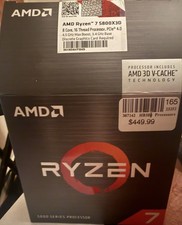
AMD Ryzen 7 5800X3D 8-Core 16-Thread CPU Processor
$380.00

INTEL CORE I9-10980XE PROCESSOR | 3.00GHZ | SRGSG
$299.99