-
Getting wireless network adapters working
I was trying to get my internet working yesterday after doing my hdinstall, but I wasn't successful. I have a microsoft wireless usb adapter and router, which my dsl modem connects to. I noticed that after the hdinstallation the device was not listed in the Info Center under USB adapters, however it was recognized when i ran from the CD. Also, when I used the DSL configuration tool (after the hdinstall) it found the ethernet device wlan0 (which i figured meant wireless lan), but then when its trying to set it up, it gives me several "network is down" errors in the shell and finally tells me that "Access Concentrator of your provider did not respont or another pppoe process which controls the modem is running"
Can anyone offer advice?
tia
-
Senior Member
registered user
Getting wireless to work from a hd install is not hard per se, but I haven't had any experience with wireless usb adapters. I'm curious to find out if it will work though.
Let's start with this and see if it provides any information that others can use to help.
Do you get any error messages when you run "dmesg |less"
Also does that reveal any info regarding your adapter.
Do you see it when you run usbview.
Have you searched google regarding this issue and your device (try "linux + wireless usb adapter" and possibly specify your manufacturer and model)? You may get some information that way that is worth bringing back here for others to look at.
-
thanks for your reply,
dmesg doesn't give any error messages regarding usb (only hd errors, related to a queue)
when i run usbview i don't see it, in fact when i execute usbview from the shell it gives me an error message saying it
cannnot openfile /proc/bus/usb/devices
verify that you have USB compiled in your kernel, have USB core modules loaded, and have the usb devfs file system mounted.
So i guess i have to get that fixed also, but i don't think that's the only problem, because I tried booting from the cd again and it recognized the adapter in usbview, but the dsl configuration tool gave me the same error.
I had done a search on google but i wasn't very successful, only thing i found out remotely useful is a review on the adapter (about a year old) saying linux support wasn't yet possible, but should be in the future (as in now  ) since it uses the same chip as many other wireless devices (forgot the name). Good suggesstion though.
Similar Threads
-
By simplyskate in forum Networking
Replies: 0
Last Post: 04-29-2005, 10:11 PM
-
By bob58 in forum Hardware & Booting
Replies: 0
Last Post: 03-30-2005, 05:12 PM
-
By ant in forum Hardware & Booting
Replies: 0
Last Post: 03-19-2005, 01:21 AM
-
By phoenix07 in forum Networking
Replies: 3
Last Post: 04-09-2004, 10:48 AM
-
By Anssi in forum Networking
Replies: 2
Last Post: 04-29-2003, 06:38 AM
 Posting Permissions
- You may not post new threads
- You may not post replies
- You may not post attachments
- You may not edit your posts
-
Forum Rules

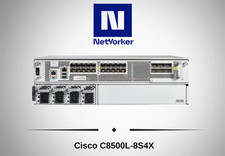
Cisco Catalyst 8500 C8500L-8S4X 4x SFP+ 8x SFP 4x10GE 8x1GE Router-Fast Ship
$6299.99

Cisco Acacia DP04QSDD-E25-840 400G QSFP-DD Coherent DCO Transceiver Module
$699.99

Cisco C9300-48UXM-A Switch 9300 Series 48-port UPoE Network
$874.99

Qty 20 New Cisco QSFP-100G-FR-W2 10-3659-01 Module Hologram Brand New 20 Pack
$260.00
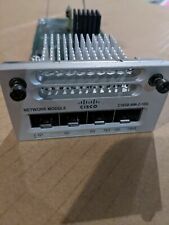
Cisco C3850-NM-2-10G 2 Port Network Exp.Module for 3850
$18.90
Cisco ISR4331 Intergrated Service Router K9 4300series
$45.99
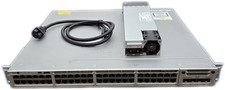
Cisco Catalyst 3850-48F-L 48-Port UPoE Gigabit Switch NM-4-1G
$59.99

Cisco C3850-NM-2-10G Catalyst 3850 2 x 10GE Network Module
$30.00

Cisco Catalyst C9130AXI-B WiFi 6 802.11ax Wireless Access Point Brand New
$101.99

Cisco Catalyst 2960-48TT-L 48-Port Fast Ethernet Managed Rackmount Switch
$46.99



 Reply With Quote