-
Not recgnising hardware! Two NIC's left stranded :(
Hey all,
Always been a closet linux fan (Read: Used to get voyeuristic pleasure from watching over other users shoulders) but after hearing about live cds i decided to bite down and blaze a noob trail. D/led a bunch of live dvds and the only one that worked for me was knoppix 4.0.2. so after successfully logging into the gui (and experiencing first hand the bliss that is kde) i discovered that my trusty stalwart i.e. my wireless connection was not up and running instantly. After having been mollycoddled by windows for years, i overcame the initial befuddlement, then i took stock and decided to read up about this stuff in various fiorums.
Ok. So i figured that my NIC was the problem. It apparently turned its back on the live dvd (though i burned it on a quality dvd, mind you, the pamapered lil nic #$#$) and refused to be recognised at all. I ran every one of the network related wizards and config tools. I did get some ping results from one of the said wizards, but i had a strong hunch that i was, in fact, pinging myself.( Primarily because i had all 0 ms return times). The one of the wizards told me that i had no wireless card.
This is a blatant lie. I have two wireless cards. One is pci based - a netgear 108 mbps wireless wg311T card. I do not have the first card installed under windows. I mean it just sits in the pci slot but i never installed the drivers for it. The other is a Trendnet Tew424Ub wireless usb adapter. This is my mainstay card and it runs just fine under windows. Neither of the cards were recognised. As for the second one, i believe the company does nto support linux for the model. I did find some potential backup drivers for it by third party dogooders, but i have no clue how to go about installing the drivers for it while in the live session (if at all i can).
I am about as noob as noob can get. I mean i understand some technical terms such as command prompt and the ilk, but otherwise i have used windows all my life. If someone cuold please point the way to a solution with noob friendly instructions, you will have converted one more long suffering windows user into a believer. Thanks ahead!
P.S. also another small query. I was wondering if theres an way to switch between kde and gnome appearance while using live dvd? I mean i know about gnoppix but i did see a gnome style control panel in the live session.. any way to switch between both on the go ? Sorry for putting it up here but i thought it was too small a question to merit a seperate post elsewhere. thanks.
-
Senior Member
registered user
Not recgnising hardware! Two NIC's left stranded :(
Wonderful post!
Unfortunately, I am an old wired geek. I just haven't the need to try out these newfangled wireless devices, and therefore know little about your issues.
I do know that I have had trouble with wired netgear devices over the years as they sometimes use non-standard implementations. What you really need to know are the manufacturers of the actual controller chipsets as this will determine if a driver is available to you. Which brings us to the second issue. It is possible to insert drivers into your running kernel, however, this may not be straightforward. If your required driver is only available as a windoze inf, you will need ndiswrapper support. Search here for instructions.
The third issue is your choice of knoppix. You mention that you have tried several GNU/Linux distributions. Knoppix is not for the faint of heart, and modifying it is not for even some of the most knowledgable. There are several other distributions that are kept more current and purposefully maintain support for more hardware as well as use a more meaningful standard when it comes to applications and libraries. But this is a decision for the ultimate jump. A hard drive install.
And as far as using gnome over kde, either choose a distribution that uses the gnome desktop or gives you the choice, or roll your own with debian (it is easier than you may think). Gnome is not supported on the live cd.
One site I use regularly is www.linux-usb.org ( _the_ linux usb source ). For all around help, check out The Linux Documentation Project, www.tldp.org . News and distributions at http://linux.org . There is probably also a site that I am unfamiliar with for your wireless issues. Perhaps someone else will chime in.
Some useful commands will be: lspci -vvv ( list pci devices with the verbose switch 3 times will give you more than a screenful of sometimes too much information);
dmesg (piped through the less, more, head or tail utility will show you that part of your current boot log or a screenful at a time, which is by the way kept in the file /var/log/messages );
ifconfig for your current network configuration; iwconfig for your current wireless configuration; and of course the ubiquitous man command which will display the manual page for just about anything ( man interfaces for a description of the network interfaces configuration file); man head , man tail , man less , man more for ... and for finding out which man page has the information you are looking for, use: apropos followed by a search string ( apropos network ).
Please post back with any results or additional issues. We are here to assist.
Similar Threads
-
By honegod in forum Networking
Replies: 6
Last Post: 09-13-2005, 02:50 PM
-
By rec9140 in forum Networking
Replies: 1
Last Post: 04-30-2005, 12:29 AM
-
By 5417 in forum Networking
Replies: 1
Last Post: 11-29-2004, 09:35 AM
-
By Mica in forum Networking
Replies: 0
Last Post: 08-20-2003, 03:02 AM
-
By VeeDubb in forum Hardware & Booting
Replies: 7
Last Post: 03-20-2003, 02:13 PM
 Posting Permissions
- You may not post new threads
- You may not post replies
- You may not post attachments
- You may not edit your posts
-
Forum Rules


Juniper EX4100-F-12P Switch 12x 1GbE PoE 2x 10GbE Uplinks 4x 10GbE Stack Ports
$900.00

Juniper EX2300 12-Port Gigabit PoE+ Managed Network Switch P/N: EX2300-C-12P
$149.99
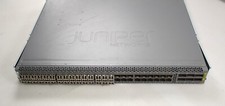
Juniper QFX5100-48S Switch 48x SFP+ 6x QSFP Ports w/ 30x SFP modules 1*DC PSU
$151.80

Juniper Networks EX2200-C 12T-2G 12 Port Gigabit Switch Compact + Cord Tested
$64.99

NEW JUNIPER QFX5120-48Y-AFO-T 48x 10/25GbE SFP28 8x 40/100GbE Switch Dual AC PS
$12500.00

Juniper EX2300-C 12 Port Compact Gigabit Switch EX2300-C-12p
$99.99
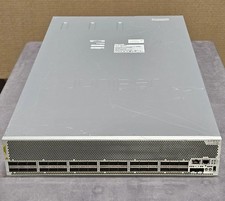
Juniper QFX10002-36Q 36-Port 40GbE QSFP+ 24x 100G Ethernet Switch
$649.99

Juniper EX2300-C-12P 12 Port Gigabit PoE+ 2x10G SFP+ Managed Compact Switch
$179.99

Juniper Networks EX2300-48P 48-Port Gigabit PoE Managed Ethernet Switch
$79.99

Juniper Networks AP33 Wireless Access Point Bluetooth WiFi 6 Cloud Managed NIB
$54.99



 Reply With Quote