-
Senior Member
registered user
Not recgnising hardware! Two NIC's left stranded :(
Wonderful post!
Unfortunately, I am an old wired geek. I just haven't the need to try out these newfangled wireless devices, and therefore know little about your issues.
I do know that I have had trouble with wired netgear devices over the years as they sometimes use non-standard implementations. What you really need to know are the manufacturers of the actual controller chipsets as this will determine if a driver is available to you. Which brings us to the second issue. It is possible to insert drivers into your running kernel, however, this may not be straightforward. If your required driver is only available as a windoze inf, you will need ndiswrapper support. Search here for instructions.
The third issue is your choice of knoppix. You mention that you have tried several GNU/Linux distributions. Knoppix is not for the faint of heart, and modifying it is not for even some of the most knowledgable. There are several other distributions that are kept more current and purposefully maintain support for more hardware as well as use a more meaningful standard when it comes to applications and libraries. But this is a decision for the ultimate jump. A hard drive install.
And as far as using gnome over kde, either choose a distribution that uses the gnome desktop or gives you the choice, or roll your own with debian (it is easier than you may think). Gnome is not supported on the live cd.
One site I use regularly is www.linux-usb.org ( _the_ linux usb source ). For all around help, check out The Linux Documentation Project, www.tldp.org . News and distributions at http://linux.org . There is probably also a site that I am unfamiliar with for your wireless issues. Perhaps someone else will chime in.
Some useful commands will be: lspci -vvv ( list pci devices with the verbose switch 3 times will give you more than a screenful of sometimes too much information);
dmesg (piped through the less, more, head or tail utility will show you that part of your current boot log or a screenful at a time, which is by the way kept in the file /var/log/messages );
ifconfig for your current network configuration; iwconfig for your current wireless configuration; and of course the ubiquitous man command which will display the manual page for just about anything ( man interfaces for a description of the network interfaces configuration file); man head , man tail , man less , man more for ... and for finding out which man page has the information you are looking for, use: apropos followed by a search string ( apropos network ).
Please post back with any results or additional issues. We are here to assist.
Similar Threads
-
By honegod in forum Networking
Replies: 6
Last Post: 09-13-2005, 02:50 PM
-
By rec9140 in forum Networking
Replies: 1
Last Post: 04-30-2005, 12:29 AM
-
By 5417 in forum Networking
Replies: 1
Last Post: 11-29-2004, 09:35 AM
-
By Mica in forum Networking
Replies: 0
Last Post: 08-20-2003, 03:02 AM
-
By VeeDubb in forum Hardware & Booting
Replies: 7
Last Post: 03-20-2003, 02:13 PM
 Posting Permissions
- You may not post new threads
- You may not post replies
- You may not post attachments
- You may not edit your posts
-
Forum Rules


Broadcom LSI 9305-16i 12Gbps SAS-3 PCIe x8 HBA 16-Ports Raid Controller
$64.99

EMC KTN-SL3 15-Bay Disk Array Enclosure w/2x 303-108-000E Cards, Dual PSU,No HDD
$239.99
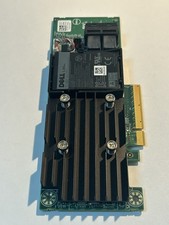
Dell 01M71J PERC H740P 12Gbps PCI-E SAS RAID Controller 1M71J
$70.00
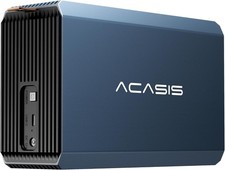
2-Bay RAID Enclosure for 2.5/3.5" SATA HDD/SSD External Hard Drive, USB 3
$59.99

OWC Mercury Elite Pro 2 Bay RAID Enclosure with USB 3.2 for Dual 3.5 inch HDDs
$87.99

Dell PERC H740p Mini Mono RAID Controller 8GB 0878M 5FMY4 GP6RN
$55.00

WAVLINK RAID 2 Bay Hard Drive Docking Station SATA 2.5/3.5'' SSD HDD Enclosure
$119.99

LSI 9260-8i 512MB SAS SATA 8-port PCI-E 6Gb RAID Controller Card US
$29.88

Broadcom MegaRAID 9480-8e Fujitsu PRAID EP540e SAS RAID Card (Replac 9380-8e) 8i
$228.00

CalDigit VR minin 2 Portable Raid Storage On The Go
$75.00



 Reply With Quote