

 Reply With Quote
yep.. letting the bootloader for any of them two distros handle things would be the easyest way to go. you could also use XOSL/GRUB or LILO. Depends on what you like the look of.


I would like to take a 128-512 mb thumb drive in the near future (whatever I can get my hands on) 3 partitions, one for the boot loader, one for Damn Small Linux and one for Puppy Linux. I was wondering which boot loader would be best for such a task, and what is the best method for the installation and setup of a boot loader on a thumb drive, should I use XOSL, grub, lilo, or some other boot loader? which is the best solution based? If letting one of the two distros being the primary partition / OS on the thumbdrive and letting its boot loader for that distro handle things is the best (a.k.a. easiest while still reliable) solution, feel free to let me know [/b]
yep.. letting the bootloader for any of them two distros handle things would be the easyest way to go. you could also use XOSL/GRUB or LILO. Depends on what you like the look of.
I figured as much, just wanted to get a little bit of confirmation, now all I have to do is get another thumb drive on the cheap.....
 Posting Permissions

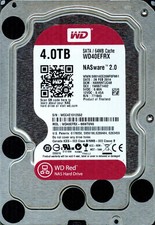
Western Digital WD Red 4TB NAS Hard Drive WD40EFRX SATA 64MB 3.5" HDD
$145.00

Western Digital HUS726T4TAL5204 4TB 7.2K SAS 12Gb/s 3.5" 512e HDD NetApp X375A
$64.00

Western Digital Blue (7200RPM, 3.5", SATA III, 64MB Cache) 1TB HDD
$19.90

DELL 2TB Enterprise HDD (7200RPM, 3.5", SATA III, 128MB Cache) HUS722T2TALA600
$49.95

Dell ST6000NM0034 1HT27Z-150 NWCCG 6TB SAS 3.5 7.2K ENTERPRISE SERVER DRIVE
$68.99

HGST HUS724040ALA640 4TB 7200 RPM SATA 3.5" Internal Desktop Drive 100% Health
$78.00

HGST HUA723030ALA640 3TB SATA 7200 RPM 3.5 in Enterprise HDD | 0F14044 (100%)
$45.00

Toshiba 14TB MG07 MG07ACA14TEY 7.2K RPM SATA 6Gb/s 512e 3.5" Enterprise HDD
$343.98

Western Digital 1TB 3.5" SATA III 7200RPM Desktop Hard Drive
$34.99

HDD 3.5" SATA Hard Drive with Windows 10/Win 11 64x Installed Legacy
$35.00