

Man, I love this little utility. It's a tiny GUI gem that will actually unmount a device when you want it to. If you have ever been frustrated by not having a device or drive unmount ("umount") when you want it to, you HAVE to get this!!
I keep it on my task bar now to get to it fast.
From the Debian website description:
wmmount runs in a 64x64 window, displaying the amount of free space on file systems. Simply by clicking on it you can mount and unmount file systems. This is especially suitable for removable disks such as floppies, CD-ROMs, ZIP drives etc.
There's nothing in the program that makes it *require* Window Maker, i.e. it works great with other window managers. But if you are looking for seamless integration on your desktop, wmmount in the Window Maker dock may very well suit your needs.
http://packages.debian.org/unstable/utils/wmmount
sakiZ
 Posting Permissions


(New) AMD Ryzen 7 5700X 8 Core 16 Thread AM4 Unlocked 3.4 GHz CPU OEM Tray
$169.99
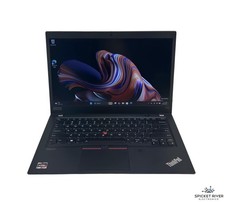
Lenovo ThinkPad T14S Gen 1 8-Core 4750U 1.70 GHz 512 GB SSD 16 GB RAM Win11Pro
$240.00

Intel Core i9-9900K SRG19 3.60GHz 16MB 8-Core LGA1151 B Grade CPU Processor
$175.00

HP Pavilion Laptop Computer 15.6 8-Core Intel i3 8GB RAM 628GB Storage, Open Box
$299.00

Intel Xeon E5 - 2667V2 / SR19W 3.30GHz 25MB 8-Core CPU Socket LGA2011
$30.00

AMD Ryzen 7 9700X 8-Core 16-Thread 40MB Cache Socket AM5 9000 Series Processor
$245.99
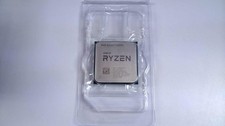
AMD Ryzen 7 5800X 8-core, 16-Thread Unlocked Desktop Processor
$189.99

Microsoft Surface Go 2 Laptop Core i5 1135G7 2.4GHz 8GB 128GB SSD
$179.99

Dell OptiPlex 5070 SFF i7-9700 (8-Core) 3.0GHz 16GB 256 SSD Windows 11
$250.00
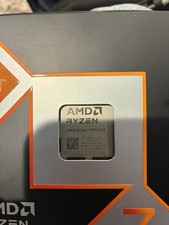
AMD Ryzen 7 9800X3D 8-Core 16-Thread AM5 CPU Processor Brand New Unused
$365.00


 Reply With Quote