

I downloaded the latest 4.0 DVD last nite and tried to boot today with the following results
The disk was seen, and the text boot prompt appeared.
Note this system has 512MB of ram with an integrated I910GL controller sharing memory. The video controlller is set for 128MB at the moment.
I selected knoppix, and later knoppix fb1280x1024 and the boot began.
The coloured text screen showing hardwared detection showed over 300MB allocated to the swap drive.
Detection continued for a while, stopping when the screen clears, and (I believe) the graphics display mode is entered.
At this point, multi-colored vertical lines started to appear on the display, (the text was gone).
Drive activity continued (probably unaware it was running in the video ram space.
Any suggestions?
Thanks for any help.
Jim
I've been able to boot to level three.
Running dmesg, shows the video card recognized.
I believe the problem is the shared memory is allocating space the is in the video card work space.
The smalles aperature I can set for the display is 128MB. I only have 512MB of ram in the system.
When running windows, only 11MB is shown as used.
 Posting Permissions

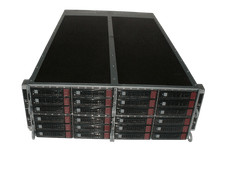
Supermicro 4U 32x 3.5 Bays 4-Nodes | 8x E5-2660 v3 2.6Ghz | 64gb RAM | 9207-8i
$699.99

Dell PowerEdge M630 Blade Server 2x Xeon E5-2680 v4, 2F3MP , 4GDP5 ,R10KJ ,JVFVR
$95.20

Dell PowerEdge M620 Blade Server 2x Xeon E5-2680v2 256GB DDR3 RAM NO HDD
$349.99
NEW Cisco UCSB-5108-AC2 Blade Server Chassis 8 Slot 6RU Chassis 4 X PSU - DW
$599.40

NETAPP HCI NAF-1701 SuperMicro Server 4X BLADE H410C 8X GOLD 5120 4 NODE SERVER
$1499.97

Dell Poweredge C6400 24x 2.5’’ 2x 2400W 4x C6420 Nodes H330 | 2x SFP | 8x Trays
$799.99

Dell PowerEdge FX2 FX2s Server 10GbE CMC Blade Enclosure Chassis
$274.99
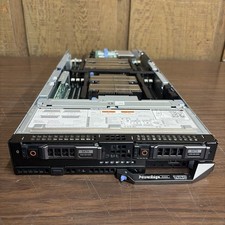
DELL POWEREDGE FC640 Server FHH8V W/×2 Intel Xeon Gold 6142,0KHKN5. *READ⬇*
$130.00

Dell PowerEdge M640 Blade Barebone Server Dell P/N: HHB006 Tested Working
$149.99
Nutanix Supermicro NXS2U2NL12G600 2x Node with Motherboards, Backplanes, & More
$450.00


 Reply With Quote