-
Able to create knoppix.img, but will not detect on startup
I am running ver 4.0.2 on a PIII 1GHz machine. I am not able to have my persistent image detected on startup. I am using a 80GB USB HD with 6 total partitions on it. The image file gets created on logical partition /mnt/sda7 (ext2) without error. I create a few files in the /home/knoppix folder to verify that I am able to write to the partition after the image is created. Now after I restart, the contents of my /home gets blown away with none of my files present. During the boot process, I get no prompt asking me if the persistent image file found should be loaded like the wiki stated. I also read somewhere that during bootup, I should see a message to the effect of "Mounting /mnt/sda7/knoppix.img as /home/.... I have never seen this message. I have also tried the following cheatcodes without success:
knoppix home=/dev/sda7
knoppix home=/mnt/sda7
knoppix home=scan
So what am I missing?
Everything that I have read about the persistent image says it should just work.
-
I'm haveing trouble with the persistent image too. I use the same at startup but want to mount the image on my usb drive [ knoppix home=/mnt/sda1/knoppix.img ] . My problem is that know matter what I do I always get a message that pops that it found the image and do I want to mount it. If I don't do anything it doesn't mount it. So I have to tell it to mount it each time I boot. Babysitting the boot up is a real pain. I'm trying to figure out how to not ask me to mount it... like maybe some switch that means mount and don't ask if it is ok.
-
Not exactly, I dont even get the message asking if I want to use the knoppix.img when I boot from the USB HD.
Another fact for the pool, using a zip 100 drive, Knoppix was able to find and boot from the image. The zip drive appeared on sda4. I didnt even have to type in any cheat codes at startup. I did notice that the primary partition on the zip disk was FAT 16 and was also marked as boot. Are either of these required for a persistent boot image??
Similar Threads
-
By Bluebones in forum Hardware & Booting
Replies: 2
Last Post: 10-08-2005, 12:47 PM
-
By ekr12 in forum Customising & Remastering
Replies: 1
Last Post: 04-06-2005, 09:30 PM
-
By technolamb in forum Networking
Replies: 0
Last Post: 03-05-2005, 07:30 PM
-
By openk in forum Hardware & Booting
Replies: 2
Last Post: 09-16-2003, 12:33 PM
-
Replies: 2
Last Post: 05-25-2003, 02:39 PM
 Posting Permissions
- You may not post new threads
- You may not post replies
- You may not post attachments
- You may not edit your posts
-
Forum Rules

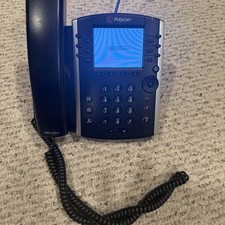
Polycom VVX 411 12-Lines Desktop VoIP Phone (2200-48450-025)
$20.00
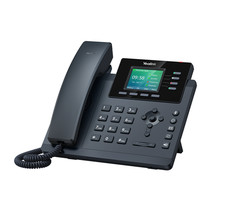
YEALINK T34W PHONE & 2 MONTHS OF PHONE SERVICE
$65.00

Grandstream WP810 Portable Cordless Wi-Fi IP Phone
$54.99

NEW Cisco IP Phone 7841-K9 4-Line VoIP Gigabit PoE CP-7841-K9
$49.95
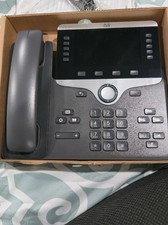
Cisco CP-8861-K9 8861 VoIP IP Corded Phone Charcoal New 9 available
$118.00

Cisco/Linksys SPA2102 VoIP Phone Adapter Router 2FXS (Unlocked)
$17.99
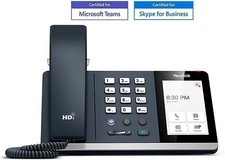
*New* Yealink MP54-Teams Smart Business IP Phone, PoE, Touch Screen
$75.00

Cisco / Linksys SPA2102 VoIP 2FXS Phone Adapter with Router (unlocked)
$18.99

Yealink MP54 - VoIP Phone - Black Teams phone Android POE WIFI Bluetooth
$49.95
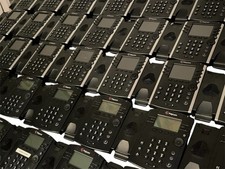
Lot of 35 Polycom VVX 300 & VVX400 IP Phones
$150.00



 Reply With Quote