-
ferretboy,
I am brand new to Linux (just downloaded Knoppix last night) but I think I can help you get Macromedia Flash to work on your computer. Here's how I did it:
1. Download the Flash Player here: http://www.macromedia.com/shockwave/...ShockwaveFlash
2. There should be an install .tar file in your home directory called install_flash_7_linux.tar.gz. Verify it's there and continue.
3. Open the Konsole terminal program and type this: tar -xvzf /home/knoppix/install_flash_7_linux.tar.gz and hit Enter. NOTE: You may not have to type all of that - after you type knoppix and the forward slash (/), just type the letter "i" and then hit the Tab key and the rest of it will complete by itself.
4. Step 3 basically extracts the files you need to install Flash Player and creates a folder. Now you need to change directories to get to this new folder (directory) by typing this in the terminal: cd install_flash_player_7_linux/. (Try the Tab key shortcut again after typing cd and then the letter "i".) Hit Enter and type this: ./flashplayer-installer and hit Enter. Again, you can use the Tab key shortcut after typing ./f
5. Follow the prompts in the terminal.
6. Go to nhl.com and see if it works.
If you have any problems, I found the information here (section 4.5.1.2): http://linux-newbie.sunsite.dk/html/lnag.html#2.19.How%20do%20I%20upgrade%20a%20Linux% 20distribution?|outline
Good luck,
DiverDown
Similar Threads
-
By plazzmex in forum General Support
Replies: 0
Last Post: 11-18-2005, 11:00 PM
-
By mattrock1988 in forum Ideas
Replies: 1
Last Post: 05-28-2005, 02:10 PM
-
By Distro-Don in forum General Support
Replies: 0
Last Post: 02-23-2005, 05:33 PM
-
By A.O.Q. in forum General Support
Replies: 5
Last Post: 12-31-2004, 01:09 AM
-
By dr_rude in forum General Support
Replies: 9
Last Post: 12-11-2004, 06:37 PM
 Posting Permissions
- You may not post new threads
- You may not post replies
- You may not post attachments
- You may not edit your posts
-
Forum Rules


Lot of 500 Cisco 10-3145-02 QSFP-100G-CWDM4-S 100G CWDM4 QSFP28 Transceiver
$1500.00

Cisco Catalyst C9120AXI-B Wi-Fi 6 Access Points
$36.00

Cisco WS-C3650-12X48UR-L 48-Port Stackable Layer 3 8x10G SFP+ Port Switch
$129.99

Cisco C3850-NM-2-10G
$75.00

Cisco C9300-48UXM-A Switch 9300 Series 48-port UPoE Network
$874.99

Cisco C3850-NM-2-10G Catalyst 3850 2 x 10GE Network Module
$30.00

Cisco | N3K-C3232C | 32-Port 100G QSFP Network Switch W/ 2x PSU, 2x Power Cords
$205.00
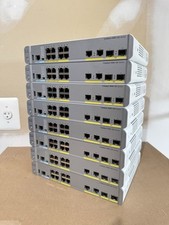
Cisco Catalyst WS-C3560CX-8PC-S Managed Switch 8 PoE+ Port | Quantity Available
$97.49
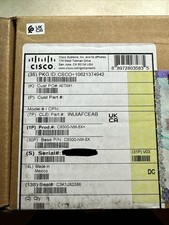
Cisco C9300NM8X Network Switch Module
$599.99

Cisco Catalyst C9130AXI-B WiFi 6 802.11ax Wireless Access Point Brand New
$101.99



 Reply With Quote