-
running stress test on openMosix
hi everyone,
Can anyone tell me how to run a stress test on openMosix? For this stress test, ive obtained an example of a coding name "Timewaster.c" and "start_Timewaster.sh" to test my cluster. Seriously i dont have any idea how to run the coding.So far, ive re wrote the both code and save it.When i try to run on root console, with the command "root@host1#time./start_Timewaster.sh",nothing happen and it stays that folder or file could not be found...can anyone help me??
tq 
-
Senior Member
registered user
-
Senior Member
registered user
I am new to using the openmosix kernel myself. I don't know what distro you are using the openmosix kernel with, but I am using ParallelKnoppix, its website is fairly helpful, and its forums are probably the best place to ask question reguarding clustering especially with the openmosix kernel since that is what ParallelKnoppix uses. I am still a newbie when it comes to clustering, but I believe I saw something on the P-KPX forums reguarding stress testing, if you posted in that forum maxIT, I'm sure you'd get an answer as I'm sure it is a pretty common problem getting hardware in multiple computers to work together in the cluster.
As for the error message about the folder not being able to be found imiziq, I think that is refering to the "Working Directory", which is a directory which must be created and mounted on all the master nodes, and slave nodes of the cluster in order for any work to be done, if you download and use ParallelKnoppix, it will walk you through all of the steps needed to set up the cluster including getting the Working directory running, it will also tell you about a command called mpirun which allows you to use the "Message Passing Interface" to communicate data for processing between the nodes of the cluster, mpirun works like this:
Code:
mpirun -np 2 nameoftheapp.extension
Hope I was of help, and for more detailed help and a tutorial, visit the ParallelKnoppix site 
Similar Threads
-
By imiziq in forum Tips and Tricks
Replies: 0
Last Post: 03-26-2006, 05:00 PM
-
By MikeF in forum General Support
Replies: 1
Last Post: 06-14-2005, 06:02 PM
-
By cybervet in forum General Support
Replies: 1
Last Post: 10-27-2003, 11:44 PM
-
Replies: 23
Last Post: 06-06-2003, 12:42 AM
-
By Duffin444 in forum Networking
Replies: 5
Last Post: 05-21-2003, 07:08 AM
 Posting Permissions
- You may not post new threads
- You may not post replies
- You may not post attachments
- You may not edit your posts
-
Forum Rules


Commodore 128 C128 Computer FOR PARTS / REPAIR Untested Missing Key No Cords
$149.99

Commodore VIC-20 Diagnostic Cartridge & Test Harness Set - USA seller
$39.99

TeensyROM+ TR+ v0.4 Cartridge for C64/128 - w/ Case & 32GB SD Preloaded
$89.50

Commodore OS USB | Bootable LIVE + Install | The Ultimate Gaming Linux OS | NEW
$11.99
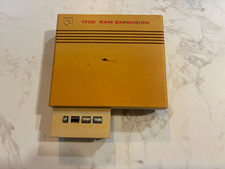
Commodore 1750 512K RAM Expansion REU for C128 / C64 – Tested & Working
$110.00

Commodore 64 Serial Cable 6PIN DIN 1541 1571 C64 128 C128 Disk Drive Printer USA
$10.49
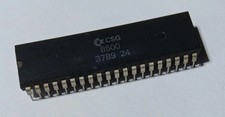
✅ CHIP CSG 8500 - Commodore C64-C, Tested and working.
$39.99

Commodore 1541 Emulator PI1541 HAT with ROTARY, OLED screen, USA Seller
$29.99
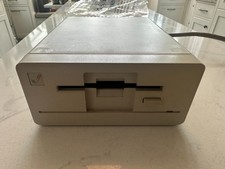
Commodore Amiga 1010 3.5" Floppy Disk Drive 880K WORKS GREAT
$179.00

Commodore 64 Dead Test & Diagnostic Cartridge & Test Harness Set - USA seller
$39.99



 Reply With Quote
I think would be a good idea to post the code instead of simply 'his file name'.