
Results 1 to 4 of 4

Thread: How to??

  1. #1
    Junior Member
    Join Date
    Apr 2003
    Location
    PHX AZ USA
    Posts
    4

    How to??

    $ echo "DEFAULT=userdef" | knoppix-customize --action set_syslinux_opt --image knoppix.iso

    In Linux command lines like the one above how do I make the vertical line between (userdef" ? Knoppix) ? I am using a 103 MS type keyboard! Or does one have to use it to complete the command?
    Thanks John

  2. #2
    Senior Member registered user
    Join Date
    Nov 2002
    Location
    USA, IL
    Posts
    1,041

    Re: How to??

    --That is known as the "pipe" character. On my keyboard it is shift-backslash. (\) Anybody know the ASCII value offhand?

    --For foreign (non-english) characters, I find it useful sometimes to cut+paste.

    Quote Originally Posted by fjon13
    $ echo "DEFAULT=userdef" | knoppix-customize --action set_syslinux_opt --image knoppix.iso

    In Linux command lines like the one above how do I make the vertical line between (userdef" ? Knoppix) ? I am using a 103 MS type keyboard! Or does one have to use it to complete the command?
    Thanks John

  3. #3
    Senior Member registered user
    Join Date
    Feb 2003
    Location
    Nova Scotia, Canada
    Posts
    2,479

    Re: How to??

    Quote Originally Posted by Dave_Bechtel
    --That is known as the "pipe" character. On my keyboard it is shift-backslash. (\) Anybody know the ASCII value offhand?
    I believe it is 166.

  4. #4
    Junior Member
    Join Date
    Apr 2003
    Location
    PHX AZ USA
    Posts
    4
    Right on! Thanks! John

Posting Permissions

  • You may not post new threads
  • You may not post replies
  • You may not post attachments
  • You may not edit your posts
  •  


GVP 50MHZ 68030 + 68882 Accelerator Card for Amiga 2000 A2000-030 Rev 8 READ picture

GVP 50MHZ 68030 + 68882 Accelerator Card for Amiga 2000 A2000-030 Rev 8 READ

$399.00


Commodore Amiga 500 Vintage Computer A500 No Power Supply picture

Commodore Amiga 500 Vintage Computer A500 No Power Supply

$249.95



ZuluSCSI Compact RP2040 - an affordable SCSI-2 (and 1) emulator w/ USB-C picture

ZuluSCSI Compact RP2040 - an affordable SCSI-2 (and 1) emulator w/ USB-C

$45.00
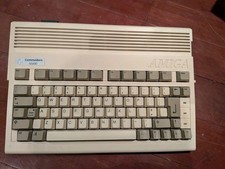


Commodore Amiga 600 Computer w/ PIStorm Framethrower Recapped, Caffeine OS NTSC picture

Commodore Amiga 600 Computer w/ PIStorm Framethrower Recapped, Caffeine OS NTSC

$799.99
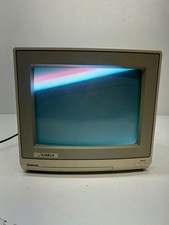


Vtg Amiga Computer Monitor Commodore 13

Vtg Amiga Computer Monitor Commodore 13" Screen W/ Power Cord Powers On As Is

$279.95
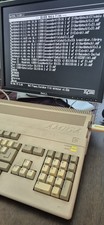


COMMODORE AMIGA 500 WITH GOTEK NTSC,NO PSU ,NO MOUSE ,NO MONITOR ,TESTED picture

COMMODORE AMIGA 500 WITH GOTEK NTSC,NO PSU ,NO MOUSE ,NO MONITOR ,TESTED

$355.00
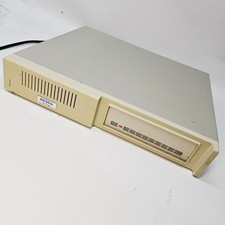


Vintage XETEC FASTRAK SH Series SCSI Hard Disk System FTCA Commodore Amiga 1 picture

Vintage XETEC FASTRAK SH Series SCSI Hard Disk System FTCA Commodore Amiga 1

$298.99



Amiga 1000 Computer w/ Monitor Keyboard Mouse Disc Drive Sidecar Expansion Discs picture

Amiga 1000 Computer w/ Monitor Keyboard Mouse Disc Drive Sidecar Expansion Discs

$1175.00


68000 CPU Amiga 2000 Slot Adapter picture

68000 CPU Amiga 2000 Slot Adapter

$25.00
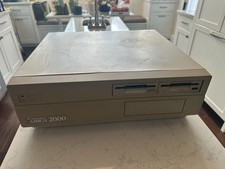


PAL Commodore Amiga 2000 Vintage Computer Works Dual 3.5

PAL Commodore Amiga 2000 Vintage Computer Works Dual 3.5" NICE READ

$529.00