-
no Internet conexion with ADSL & router
I have a problem connecting to the internet in Knoppix 4.0.2 (CD vers.) HD installed. I have configured the eth card correctly, cos the ping to 192.168.1.1
(router) is succesful. But when I try to open a web browser (firefox or konqueror) I get no response. Can enter to the router web configurator easily, but outbounds there, nothing.
My config is:
dhcp off
local ip: 192.168.1.2
netmask: 255.255.255.0
gateway ip: 192.168.1.1
The same config in windows XP works good.
I have also config the adsl/pppoe with the assistant, and gave it my dsl-provider data, user & login, but I am new to Linux & don't know what could be the problem. Thanks for any contribution (Sorry if my english is not good).
-
Administrator
Site Admin-
Re: no Internet conexion with ADSL & router

Originally Posted by
shirow
I have a problem connecting to the internet in Knoppix 4.0.2 (CD vers.) HD installed. I have configured the eth card correctly, ..... But when I try to open a web browser (firefox or konqueror) I get no response. Can enter to the router web configurator easily, but outbounds there, nothing.
Sounds like a potential DNS issue. Try to ping 216.32.81.146 and if that works then try to ping knoppix.net - which is the same address but involves a DNS lookup.
Originally Posted by
shirow
I have also config the adsl/pppoe with the assistant, and gave it my dsl-provider data, user & login, but I am new to Linux & don't know what could be the problem. Thanks for any contribution (Sorry if my english is not good).
If you are using a router then you do not run PPPoE software, the router takes care of that for you. Is there any good reason why you are not letting the router completely configure the Knoppix system by DHCP? People who do just boot the Knoppix CD and are on the Internet as soon as it boots with no configuration needed at all.
-
Thanks for trying, but I cannot ping anywhere beyond the router. Not numeric IP nor symbolic. It's a Zyxel Prestige 650HW, if that helps.
I'm not using DHCP cos I prefer to use a static local IP for NAT through the router. I have the proper ports open in the router config (same conf as winXP, that works pretty good).
Do I really not need to run PPPoE assistant?? If not, how do I pass to the system the connection parameters of my ISP?? (ADSL user login and password?)
Outside my LAN, my ISP (Telefonica - España) assigns me a public dinamic IP address. I post the output of some commands that could be useful:
Code:
root@nostromo:/# ifconfig
eth0      Link encap:Ethernet  HWaddr 00:0E:A6:66:22:AD
          inet addr:192.168.1.2  Bcast:192.168.1.255  Mask:255.255.255.0
          inet6 addr: fe80::20e:a6ff:fe66:22ad/64 Scope:Link
          UP BROADCAST RUNNING MULTICAST  MTU:1500  Metric:1
          RX packets:2752 errors:0 dropped:0 overruns:0 frame:0
          TX packets:2885 errors:0 dropped:0 overruns:0 carrier:0
          collisions:0 txqueuelen:1000
          RX bytes:710633 (693.9 KiB)  TX bytes:361361 (352.8 KiB)
          Interrupt:22 Memory:feaf8000-0

lo        Link encap:Local Loopback
          inet addr:127.0.0.1  Mask:255.0.0.0
          inet6 addr: ::1/128 Scope:Host
          UP LOOPBACK RUNNING  MTU:16436  Metric:1
          RX packets:10 errors:0 dropped:0 overruns:0 frame:0
          TX packets:10 errors:0 dropped:0 overruns:0 carrier:0
          collisions:0 txqueuelen:0
          RX bytes:500 (500.0 b)  TX bytes:500 (500.0 b)


root@nostromo:/# route -n
Kernel IP routing table
Destination     Gateway         Genmask         Flags Metric Ref    Use Iface
192.168.1.0     0.0.0.0         255.255.255.0   U     0      0        0 eth0
0.0.0.0         192.168.1.1     0.0.0.0         UG    0      0        0 eth0
...where eth0 is my netcard, a 3Com (3c940). Please help me. Thanks.
-
Administrator
Site Admin-
Originally Posted by
shirow
Thanks for trying, but I cannot ping anywhere beyond the router. Not numeric IP nor symbolic. It's a Zyxel Prestige 650HW, if that helps.
It is always best to give that information, on the chance that the people who are trying to help you do know the router. In this case I have no experience with Zyxel though and I'll assume that you can read the manual at least as good as I could. OK, we now think that it is not a DNS issue....
Originally Posted by
shirow
I'm not using DHCP cos I prefer to use a static local IP for NAT through the router.
Actually, you should still be able to have DHCP enabled in the router and assign static IP addresses to the Windows boxes if you wish. Almost all routers let you control the range of IP addresses that DHCP hands out. I typically let it hand out addresses in the range 192.168.x.100 to 192.168.x.200, for example, but use lower or higher addresses if I want to assign static addresses. And most (but not all) routers simply hand out their DHCP IP addresses in order, so if you just assign static addresses at the high end of the range you should be OK if your router lacks the ability to restrict the DHCP IP range. I would suggest trying a boot with DHCP and see if that does not help (but read the rest of this response first). Yes, you should be able to configure without DHCP (although DHCP makes working with a Live CD much simpler), but since you are having problems this would be a step worth taking.
Originally Posted by
shirow
I have the proper ports open in the router config (same conf as winXP, that works pretty good).
OK, this is extremely confusing. What do you mean you have the proper ports open? While most routers have the ability to block ports (to keep the kids off IRQ for example), you should not have to "open" any ports with normal router usage. And if you are forwarding ports for some reason then you can't forward the same ports to another computer also. So just what are you doing here?
Originally Posted by
shirow
Do I really not need to run PPPoE assistant?? If not, how do I pass to the system the connection parameters of my ISP?? (ADSL user login and password?)
In your router setup there should be configuration information where you tell it if you are using cable, DSL or some other type of system. If you select DSL you should have told the router what your username and password are. The router then logs into the ISP using the user name and password (or as you say, connection parameters), which takes care of the DSL login. It then assigns local private IP addresses to all of your computers (192.168.1.xxx addesses in this case). This is refered to as NAT. So the router logs in once for all of the network. If this is not what is happening for you then this is the most likely source of your problems. Once the router logs in the other systems don't need or want to run PPPoE software, life will be much better without it.
I saw nothing wrong in the ifconfig. The MTU might be a bit high for DSL, but this is not the source of the current problem and things should still work. I don't ever use the route command, so I'm less sure of what I'm seeing there. I don't like the 0.0.0.0 value for Gateway, but I can't say if it's a real problem of not. My suggestions are:
- 1. Resolve the issue of the router knowing your user/password and logging into the ISP for you
2. Remove all PPPoE software from Windows and don't use the PPPoE software in Knoppix.
3. Try booting with DHCP and see if that helps, and note the route table at that time.
-
Thanks a lot for your interest & time spent in my problem, but I got to connect to internet doing nothing new, exactly the same as the other times. I don't know why this is happening but is really strange. Bye, till next time I trouble you.  Thanks.
Similar Threads
-
By thunderchief in forum Networking
Replies: 3
Last Post: 06-05-2005, 07:20 PM
-
By drekidd in forum Networking
Replies: 26
Last Post: 08-25-2004, 09:12 PM
-
By ForbiddenSword in forum General Support
Replies: 7
Last Post: 07-31-2004, 05:26 AM
-
By kaen in forum Networking
Replies: 4
Last Post: 07-20-2004, 02:39 PM
-
By master_b in forum Networking
Replies: 3
Last Post: 05-14-2004, 04:31 AM
 Posting Permissions
- You may not post new threads
- You may not post replies
- You may not post attachments
- You may not edit your posts
-
Forum Rules


SK Hynix 64B PC4-2933Y Server Memory DDR4 RAM HMAA8GR7MJR4N-WM
$499.99
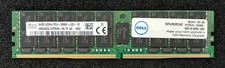
SK Hynix 64GB PC4-2666V RDIMM Server Memory RAM HMAA8GL7CPR4N-VK
$299.99

2 in 1 USB 3.0 Card Reader Micro TF card Reader usb adapter High Speed Cardreder
$3.99

MICRON MTA36ASF4G72PZ-2G6E1 | 32GB PC4-2666V ECC RDIMM Server RAM
$184.95

SK Hynix Server Memory 32GB (1x32GB) RAM DDR4 2400MHz HMA84GR7MFR4N Lot of 12
$1599.99

Kingston 32GB 64GB 128GB 256GB USB 3.0 Flash Drive Thumb Memory Stick Pen lot
$285.90
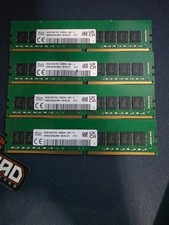
(4x32GB) Hynix DDR4 3200 MHz PC4 2Rx8 DIMM Desktop Memory RAM HMAA4GU6AJR8N-XN
$925.00

Major Brand 8 GB PC3L-12800 (DDR3-1600) 2Rx8 DDR3L Laptop Memory RAM
$10.99
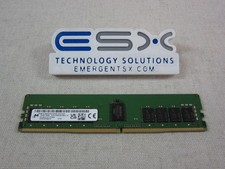
Micron MTA18ASF2G72PDZ-3G2J3 16GB 2Rx8 PC4-3200AA DDR4 ECC Server Memory RDIMM
$114.95

x4 Intel 128GB NMB1XXD128GPS Optane Memory 200 Series PMEM Module 3200 DDR4 RAM
$329.99



 Reply With Quote