-
what do I do with it?
So I downloaded Knoppix and put it on a disk and everything works fine...and now I'm like "now what?" When I downloaded Knoppix, I didn't have any particular use in mind. I was bored and had never used linux before so I decided to try it out. Now that I have it, what could I do with it?
-
Senior Member
registered user
websurfing; firefox, mozilla, konqueror, links...
mail; firebird, mutt...
IM; ( like with MSN, ICQ, AIM, Jabber, IRC...) gaim...
wordprocessing; abiword, openoffice...
simple games; chess, klickety, solitare...
rescuework; DDrescue, dvd/CDburning, qtparted, CFdisk, fdisk, dd, hexedit, grep...
looong list.
and you can ofcource use a USB disk/pen and create a permanent home and save configs, rescued/downloaded files...
-
Perhaps I should have been more specific. What can I do with knoppix that I can't in windows?
-
Senior Member
registered user
eeeh, that was a harder one, they both can do basically what the hardware is limited to (and sometimes if hardware is even supported).
A bootable Linux CD is what I would prefer for rescuework on a WIndows system, as the risk of Viruses affecting liniux is smaller than if it was a WIN system and a botable CD... none.
As Knoppix is a distribution of the Linux operating system (Based on Debian GNU linux) I would say that, what you do is up to you.
There are a bunch of toos for programing and debugging in several languages (C, C++, assembly...), and as you can get the sourcecode for, as far as I know, every program on the knoppix disk, you can modify to a level that is beyond what Windows can ofer.
And that opens for you to experiment.
Another thing is that it is a great environment to experiment with linux (and in some way lern UNIX) you may see it as a tool.
If you want something special there is a thing called Klik for instaling external programs to the knoppix disk.
to be honest I have not been in touch with the Windows world for a few months, and only place I feel Windows is better is when GAMES come in to equation, and then mainly as there are few Linux releases.
if you tell us/me more what you need/want we might point you in right direction, but listing everything Linux can do is... just weird.
 Posting Permissions
- You may not post new threads
- You may not post replies
- You may not post attachments
- You may not edit your posts
-
Forum Rules


Yealink T48S VoIP/SIP Phone, 2 x Gigabit Ports PoE 7" Color SIP-T48S | TESTED
$34.95

SIM Bank 32 SIM Card Slots Ethernet SIM Server for GoIP
$600.00

Grandstream WP810 Portable Cordless Wi-Fi IP Phone
$49.28

Poly CCX 400 Desktop Business Media Phone VoIP 2200-49700-019
$49.99
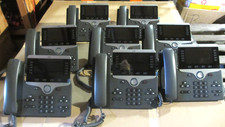
LOT 8 Cisco IP Phone 8851 VoIP Phone System CP-8851-K9
$239.99

Cisco / Linksys SPA2102 VoIP 2FXS Phone Adapter with Router (unlocked)
$18.99
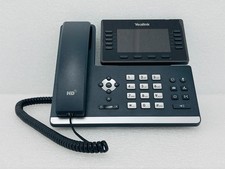
USED - Yealink SIP-T54W VoIP IP Phone 16-Line PoE Speakerphone W/
$50.00

Cisco/Linksys SPA2102 VoIP Phone Adapter Router 2FXS (Unlocked)
$17.99
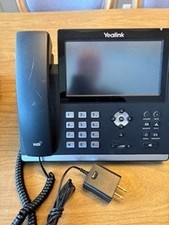
5 Yealink SIP-T48U 16 Lines USB Ethernet IP Phones + Cisco ATA191 Adapter
$349.99
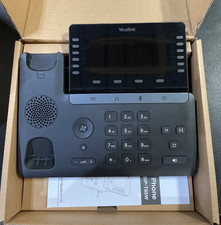
Yealink SIP Phone T85W
$153.99



 Reply With Quote