

so my laptop is running XP which has died on it's arse, and it looks like the only way out is to reinstall windows which means wiping the hard disk in this case. however i have a load of photos which i really dont want to lose.
knoppix boots fine, but im wondering, how on earth do i burn a CD or DVD? the CD writing software runs fine but the writing drive wont eject, obviously because the knoppix disk is in there. ive forced it to open by sticking a pin in it, and swapped the disks, but then it stops working of course. is there any way that this might work?
i assume copying my files over to an external hard disk would be an option but i dont want to have to buy one as im a poor student.
any ideas?
thanks,
rob
---
Verifying of md5 checksum and burning a CD at slow speed are important.
reinstall XP chosing Repair mode installation, not fresh-new installation, you will lose nothing
Hi Oscar, Capt. Cautious here. Thanks for that tip. I generally just use a external cd/dvd RW via usb & use k3b to burn I had not realized Winblow$ actually did that thing right. Appreciate it.
I Remain ~ In Service & In Health,
Captain Cautious
 Posting Permissions


Dell 6P85J 4TB ST4000NM0063 7.2k 6Gb/s 3.5” SAS SED Hard Drive with Tray
$39.99

Western Digital HUS726T4TAL5204 4TB 7.2K SAS 12Gb/s 3.5" 512e HDD NetApp X375A
$64.00
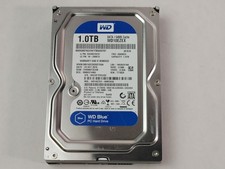
Western Digital WD Blue WD10EZEX 1 TB 3.5" SATA III Desktop Hard Drive
$23.99

DELL 2TB Enterprise HDD (7200RPM, 3.5", SATA III, 128MB Cache) HUS722T2TALA600
$49.95
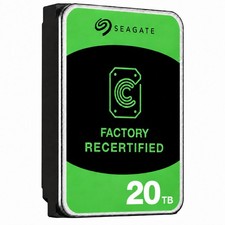
Seagate Exos ST20000NM003C 20TB CMR 7200RPM SATA6Gb/s 3.5" Enterprise Hard Drive
$509.99

Seagate Exos ST2000NX0253 HDD 2TB SATA 7.2K 2.5" 512b/s
$55.00

Dell ST6000NM0034 1HT27Z-150 NWCCG 6TB SAS 3.5 7.2K ENTERPRISE SERVER DRIVE
$68.99

Toshiba 14TB MG07 MG07ACA14TEY 7.2K RPM SATA 6Gb/s 512e 3.5" Enterprise HDD
$339.00

Western Digital 1TB 3.5" SATA III 7200RPM Desktop Hard Drive
$34.99

HUS726060ALA640 HGST Ultrastar 6TB SATA 6Gbps 7.2K 3.5" Hard Drive OF21860
$129.99


 Reply With Quote