

 Reply With Quote
A quick google search reveals you should try pci=noacpi or acpi=off. I find a cut and paste of any error into google will usually come up with a few revelant pages to help with solving the problem.


I have an HP Pavilion 4450 (few years old), Celeron 366MHz, 192MB RAM.
I try booting and one of the first lines says "PCI: cannot allocate resource region 4 of 00:07.1".
Everything works fine after this (I have display problems, so I type "knoppix xmodule=vesa" at the boot prompt and it's fine), except the ethernet card isn't detected (and I assume the above error is related).
I try installing it, but it won't take. I'm not sure what to do from this point. Suggestions?
A quick google search reveals you should try pci=noacpi or acpi=off. I find a cut and paste of any error into google will usually come up with a few revelant pages to help with solving the problem.
How can I type both this and the vesa thing in at the same time? Is there some kind of console I can type that into once Knoppix has already started? Or can I put them both on the same line? I'm sorry, I'm a complete and total idiot when it comes to Linux.
Nevermind, I used this:
knoppix xmodule=vesa acpi=off
I also tried pci=noacpi and neither worked.
Did you still get the error? Also what does the output of lspci -v in a console tell you is the card detected there. Try dmesg | less to see the boot messages one screen at a time to see if the card is detected at boot or if there is an error. What is the card model number, manufacturer? Also try pci=biosirq. Check in your bios to see if it is set for Plug'N'Play OS if so turn it off.
If you have an on-board graphics chip/integrated motherboard maybe try:
knoppix pci=biosirq xmodule=vesa
What kind of graphics chip does your computer have?
rock
It should read knoppix xmodule=vesa noacpi...Originally Posted by ti83programmer
So why can't it allocate that memory? I smell IRQ conflict. Do this in a term:
procinfo -f
That will tell you what is using what IRQ. As will
lspci -v
And let's not forget
dmesg
In your BIOS did you disable IRQ sharing? PCI BUS mastering? Automatic assignment of IRQ's?
Of course I don't know what options your BIOS has so I can't say for sure but you should hopefully see some options as I have posted above.
You could always try removing the card and booting to see if you still get the same error. Also moving the card to another slot might help.
I have the same comp and the same problem.After running lspci -v, this is what I get.
00:0a.0 Ethernet Controller:Lynksys Network Everywhere Fast Ethernet 10/100 model nc 100(rev11)
SubSystem:Lynksys:unknown device0574
Flags:BusMaster,medium devsal, latency 32
I/O ports at 1400[disabled][size=256]
Memory at f 4000000(32bit,non prefetchable)[disabled][size=1k]
expansion rom at <unasigned>[disabled][size=128k]
Capabilities: <available only to root>
You have an IRQ conflict somewhere follow rickenbacherus's advice and see what that tells you. I have the same type of card in my machine it uses the tulip module so you may want to try lsmod in a console to see if the module loaded after you sort out the IRQ there will be a 1 in the line for it if it is in use. My settings for reference:
As you can see mine gets a IRQ and as a result has a I/O port which yours doesn't.Code:00:0a.0 Ethernet controller: Linksys Network Everywhere Fast Ethernet 10/100 model NC100 (rev 11) Subsystem: Unex Technology Corp.: Unknown device d020 Flags: bus master, medium devsel, latency 64, IRQ 10 I/O ports at c800 [size=256] Memory at dffffc00 (32-bit, non-prefetchable) [size=1K] Expansion ROM at dffc0000 [disabled] [size=128K] Capabilities: <available only to root>
 Posting Permissions


Dell Poweredge R720 8SFF 2.5" x Xeon E5-2680 v2 2.8GHz 20-Cores 128gb 4x Trays
$349.99

Dell PowerEdge R730XD Server 2x E5-2695 V4 = 36 Cores H730p 32GB RAM 4x trays
$649.99

Dell EMC PowerEdge R440 Xeon silver 4215 2.5GHz 16 GB ram 2x 550W PSU No HDD
$275.00

Dell Poweredge R720 8SFF 2.5" 2x Xeon E5-2680 v2 2.8GHz 20-Cores 64gb 4x Trays
$259.99

Dell PowerEdge R620 2x Xeon E5-2630 v2 3.1GHz 2.5" 4-BAY 32GB RAM No OS 2x 495w
$174.95

Dell Poweredge R630 2x Xeon E5-2680 v3 2.5ghz 24-Cores / 64gb / Raid / 2x 1Tb
$374.99
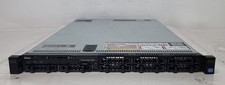
Dell PowerEdge R620 Dual Intel Xeon E5-2640 v2 @2.00GHz 192GB RAM No HDD H710P
$250.00

Dell Poweredge R630 2x Xeon E5-2680 v4 2.4ghz 28-Core | 32GB | HBA330 | 2x 1100w
$359.99

Dell PowerEdge R530 2x E5-2630v4 H330 iDRAC8 Port Card Riser No PSU/RAM/HDD
$99.99

DELL R640 10SFF Server 2x Gold 6152 2.1GHz =44 Cores 64GB H730p 4xRJ45
$959.00