-
Senior Member
registered user
Elaboration Mounting Home directory to usb drive
I have been combing through the forum searching for a solution to this and I found a post that comes close to answering my questions but is more geared for a more specific problem (disk space in homedir) and seems to be geared to the more linux savvy than I ; I was wondering if any of the more experienced posters here would be willing to elaborate on this post: http://www.knoppix.net/forum/viewtopic.php?t=22622 specifically how to mount the home directory in the first place and so that it will boot with the cheat code home=/mnt/uba1 and have the home directory mounted. I am assuming creating knoppix.img is an integral part of the process, if it is not please feel free to tell me 
I am a relative linux newb, I am running v3.8 of knoppix, I am trying to mount the home directory to a 128mb fat32 formatted thumbdrive, I am also curious as to how well mounting the home directory would work on a 64mb fat32 formatted thumbdrive
If my question has already been answered in a newb friendly way on other threads, please post the url's here so that I can read them and reply about their helpfulness, thanks! 
-
Senior Member
registered user
I found my own answer, I guess it should have occured to me to check the wiki, anyway, the answer was in the cheat code section of the knoppix wiki, and here it is:
home=scan
Set home directory. 'scan' will search for knoppix.img in the root of all partitions. To create a home directory, go K-menu -> Knoppix -> Configure -> Create persistant home directory. Be carefull when creating the home-dir, Do NOT use the entire partition unless you know what you are doing. Other options could be, home=/dev/hda1/knoppix.img home=/mnt/hda1/knoppix.img . If you are using a USB memory stick type home=/dev/sda1/knoppix.img but home=scan will probably do.
-
Hi im a linux newbie, i have set up the knoppix.img file on my usb drive. Now my question is:
Will my settings be saved automatically as I make them or do I have to do this after I make all my changes?
Thanks
-
Senior Member
registered user
first time the changes wil NOT be saved to your /home/knoppix, (things like your mailacountsettings, desktopbackground...)
but if you reboot everything should be saved just fine as you go.
-
Ok, thanks. I will have to play with that for a while. For now I saved my configuration to my USB drive.
Is there any big advantage to creating a persistent home directory vice just saving the configuration? Would you recomend that I save the home dir to a hard drive or will my USB drive be sufficient?
Similar Threads
-
By maestrobwh1 in forum General Support
Replies: 0
Last Post: 08-25-2009, 07:35 PM
-
By alexak in forum Tips and Tricks
Replies: 2
Last Post: 06-02-2009, 02:51 AM
-
By defiance in forum Hdd Install / Debian / Apt
Replies: 3
Last Post: 10-06-2005, 12:57 PM
-
By harryc in forum General Support
Replies: 5
Last Post: 04-09-2005, 03:01 AM
-
By jessjackson in forum Hardware & Booting
Replies: 0
Last Post: 02-16-2005, 08:26 AM
 Posting Permissions
- You may not post new threads
- You may not post replies
- You may not post attachments
- You may not edit your posts
-
Forum Rules


(New) AMD Ryzen 7 5700X 8 Core 16 Thread AM4 Unlocked 3.4 GHz CPU OEM Tray
$169.99

8-core 10-core GPU baseboard 8654 to PCIE 5.0x16 GPU expansion baseboard
$377.77
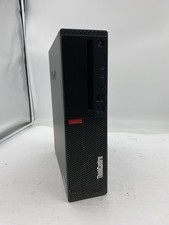
Lenovo ThinkCentre M920S Sff Intel Core i5 8600 8GB 256GB SSD Windows 11 Pro
$94.99

AMD Ryzen 7 7800X3D 8-Core 16-Thread 4.2GHz/5.0GHz Socket AM5
$275.00

AMD Ryzen 7 9800X3D 8-Core AM5 CPU 4.7GHz 96MB L3 8MB L2 100MHz
$389.99

Intel Core i9-9900K Coffee Lake 8-Core, 16-Thread, 3.6 GHz (LGA 1151)
$189.99

AMD Ryzen 7 7800X3D 8-Core 16-Thread AM5 Processor CPU - New Open Box
$305.00
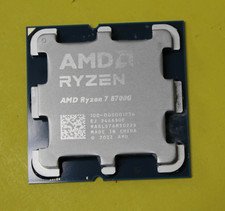
AMD Ryzen 7 8700G 8-Core 16-Thread Radeon 780M LGA 1718 4.2GHz Desktop Processor
$199.97

Apple MacBook Air 13.6” M2 8GB 256GB SSD 2022 MLY33LL/A 8‑Core CPU 8‑Core GPU
$529.95

CHUWI 15.6'' Laptop Computer Intel Core 8GB RAM 512GB SSD WiFi Windows 11
$269.99



 Reply With Quote