-
problems with boot use
Ok so I've never used linux in any form. My whole family is made up opf programers who do however so when I ran into a little virus problem and they recomended using Knoppix as a dvd/cd boot. (Yes I did the whole safemode and so on type stuff but this thing won't let me get rid of it)
So here's the deal. I've downloaded the iso and burned it, and knoppix boots up but says it can't find a knoppix file system and gives me the limited shell. My brother was going to walk me through fixing my computer over the phone, but was confussed when knoppix didn't fully boot up. I know I shouldn't have to install anything to make it work so I'm wondering did I burn the dvd wrong? What should I do?
My goal is:
I need to go into my windows directory and change the name of or just plain delete the files running the virus. I know which ones and where they are, but with them always running I can't get rid of them.
I would just use a dos boot if I had one, but its a laptop and so there's no floppy drive. If someone could help me get Knoppix either completely running or could even point me to a cd/dvd dos boot disk I'd be ever so greatfull.
-
Administrator
Site Admin-
Re: problems with boot use

Originally Posted by
AngelMercury
So here's the deal. I've downloaded the iso and burned it, and knoppix boots up but says it can't find a knoppix file system and gives me the limited shell.
See answer #1, but read the rest of my response below also.
Originally Posted by
AngelMercury
I need to go into my windows directory and change the name of or just plain delete the files running the virus. I know which ones and where they are,....
Since you didn't bother to tell us what windows system you are running we can only guess. I'll guess XP, and if I'm correct you very likely have NTFS partitions. With NTFS partitions you will not be able to rename or delete anything with Knoppix (a little gift from Microsoft, not Linux's fault). Answer #6 touches on this and also tells you what you need to know if you are not using NTFS partitions.
-
See answer #1, but read the rest of my response below also.
Ah sorry about that, I thought I had looked through everything but I suppose I hadn't.
Since you didn't bother to tell us what windows system you are running we can only guess. I'll guess XP, and if I'm correct you very likely have NTFS partitions. With NTFS partitions you will not be able to rename or delete anything with Knoppix (a little gift from Microsoft, not Linux's fault). Answer #6 touches on this and also tells you what you need to know if you are not using NTFS partitions.
Again sorry, I wasn't thinking about that but yes you're right. I'm using XP so I suppose this too won't work. Well thanks anyhow then.
If there is anyone who does happen to know how I can make a dos cd boot I'd apriciate it. For now I'll keep looking else where.
Thanks for your time.
-
Senior Member
registered user
You Need Bart's Win PE builder
Yes, sadly, Knoppix and Linux in general have a tough time with M$ proprietary NTFS file system.
Have you tried taking your XP install CD and booting into the command console? If you know what the offending files are, you should be able to delete them using that.
If not, then you should get a CD that will boot you into a limited Windows environment:
It's Bart's PE:
http://www.nu2.nu/pebuilder/
Good luck,
SakiZ
-
Senior Member
registered user
Re: problems with boot use
Originally Posted by
AngelMercury
I would just use a dos boot if I had one, but its a laptop and so there's no floppy drive. If someone could help me get Knoppix either completely running or could even point me to a cd/dvd dos boot disk I'd be ever so greatfull.
You could check http://www.ultimatebootcd.com/
It can boot to FreeDOS (http://www.freedos.org/) which is a lot like MS-DOS.
Just be carefull with it. It includes a lot of tools, some of which can be dangerous to use if you don't know what you are doing.
-
Administrator
Site Admin-
Bart PE should help, but I don't believe that either MS-DOS or FreeDOS can write to (or even read ) NTFS partitions.
---
Verifying of md5 checksum and burning a CD at slow speed are important.
-
Thanks for the help, I used Bart PE and it did just what I wanted. I was able to remove some of the adware/spyware, but there is still one thing left I can't seem to get rid of. I'll be trying a couple more things and if its still a no go then I'll have to find someone else who can do it for me.
Thanks again, sorry to be spamming your board with my virus type troubles.
Similar Threads
-
By Mooga in forum General Support
Replies: 2
Last Post: 11-19-2005, 11:49 PM
-
By michaa in forum General Support
Replies: 5
Last Post: 09-27-2004, 10:33 PM
-
By fishjg in forum General Support
Replies: 3
Last Post: 09-04-2004, 09:10 PM
-
By Loper in forum Hdd Install / Debian / Apt
Replies: 1
Last Post: 07-11-2003, 02:38 AM
-
By _CaLeB_ in forum Hardware & Booting
Replies: 5
Last Post: 03-31-2003, 06:20 PM
 Posting Permissions
- You may not post new threads
- You may not post replies
- You may not post attachments
- You may not edit your posts
-
Forum Rules


Atari XE 130XE Computer NTSC with Power Supply Powers On Untested
$159.95

Atari 130 XE/Atari 1050 Bundle W/ Cords And Extras (Powered On)
$300.00

DEFECTIVE Atari 810 Vintage Computer Disk Drive powers on Unit Only Boo G3D
$49.29

UNOCART-2600 SD card Multi Rom Cartridge for ATARI 2600 with CASE
$34.25

Fujinet 1.7.1 Atari 400 800 800XL 130XE 65XE XEGS Assembled, Tested, Working
$99.99

ATARI Mouse with Adapter for ST, STE, Mega STE, TT Optical - USA Seller
$29.99

INFO/soft Character Generator Manual for Atari 3000/5000/7000 NTSC
$40.00
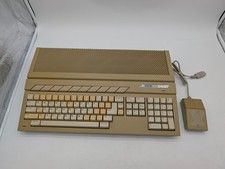
Atari 1040ST Vintage Home Computer w/ Original Mouse Untested Parts Repair AS IS
$228.32

Atari 800 8-bit Computer System Fully Tested Great Condition 48k READ
$350.00
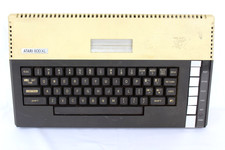
VTG Atari 800XL Home Computer System 800 XL ** Tested ** AS-IS Parts or Repair
$123.75



 Reply With Quote