

 Reply With Quote
just restart X, that will restart the mouse.
or even reconfigure the mouse, usually that should work aswell.


I have 3 computers set up with a KVM switch (p/s not USB). Every time I switch to another machine my Knoppix machine loses mouse function. I have to reboot to get it back. When this happens I just plug in a USB mouse I keep handy, but this is a pain. Any trick to get the mouse back working from within Knoppix? I am new to linux somewhat, but I'll try anything. Thanks.
Hal
just restart X, that will restart the mouse.
or even reconfigure the mouse, usually that should work aswell.
The thing is won't I have to shut down running programs to restart X? Or is there some way to do that? If I have to stop the programs I might as well reboot. I tried the reconfigure idea, but it didn't seem to help. Thanks anyway.
Hal
You can restart X by pressing Ctrl-Alt-Backspace.Originally Posted by hrobinson57
Or by running "sudo init 2" from konsole, and then "sudo init 5" to start X again.
 Posting Permissions


Dell ST6000NM0034 1HT27Z-150 NWCCG 6TB SAS 3.5 7.2K ENTERPRISE SERVER DRIVE
$68.99
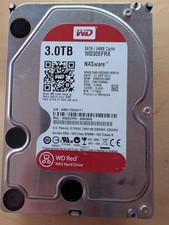
Western Digital WD 3.5" Western Digital Red 3TB SATA III 6Gbps HDD - Works great
$79.99

Western Digital HUS726T4TAL5204 4TB 7.2K SAS 12Gb/s 3.5" 512e HDD NetApp X375A
$64.00

Toshiba 1TB 2.5" SATA HDD MQ01ABD100V 5400RPM 9.5mm Laptop Internal Hard Drive
$53.99

HGST HUA723030ALA640 3TB SATA 7200 RPM 3.5 in Enterprise HDD | 0F14044 (100%)
$45.00

Seagate ST6000NM0115 6TB 256MB 7200RPM 3.5" SATA 6.0Gb/s Enterprise Hard Drive
$159.99

HGST HUS724040ALA640 4TB 7200 RPM SATA 3.5" Internal Desktop Drive 100% Health
$78.00

Hitachi / HGST Travelstar HTS541010B7E610 1TB 2.5" SATA III HDD
$29.99

HDD 3.5" SATA Hard Drive with Windows 10/Win 11 64x Installed Legacy
$35.00

HUS726060ALA640 HGST Ultrastar 6TB SATA 6Gbps 7.2K 3.5" Hard Drive OF21860
$129.99