
I have just installed my computer with knoppix 4.0.2 and now when i trying to set my WLan card it dont find the accesspoint, what shuold i do to fix it?[/b]


I have just installed my computer with knoppix 4.0.2 and now when i trying to set my WLan card it dont find the accesspoint, what shuold i do to fix it?
Hi Digimon
A command is set in "command" and hit enter
1. Start a console and type "su -" then you get access to root
2. In console as root type "iwconfig" then you get a listing of the cards.
2.B If you don't see the card type "lspci" and see if you can find the card in that listing.
3. If card found with iwconfig, then do the settings. Setting essid type "iwconfig eth0 essid "network name" " if you don't have a network name skip it.
4. Then I put in the channel I'm sending via, type "iwconfig eth0 channel (your channel number)"
5. If you use encryption it's time to set it now type "iwconfig eth0 enc xxxxxxxxxx" replace the x's with the encryption key
6. Now settings are done and you need to restart network type "network-setup" and go the wizzard choose wlancard and make it accept DHCP
Nine1one4u
ok, I'm confused nine1one4u, I only see you noting ethernet cards here, could you please elaborate on how you got the wlan card to accept dhcp? thxOriginally Posted by nine1one4u

Hi Digimonok, I'm confused nine1one4u, I only see you noting ethernet cards here, could you please elaborate on how you got the wlan card to accept dhcp? thx
A command is set in "command" and hit enter
1. Start a console and type "su -" then you get access to root
2. In console as root type "iwconfig" then you get a listing of the cards.
2.B If you don't see the card type "lspci" and see if you can find the card in that listing.
3. If card found with iwconfig, then do the settings. Setting essid type "iwconfig eth0 essid "network name" " if you don't have a network name skip it.
4. Then I put in the channel I'm sending via, type "iwconfig eth0 channel (your channel number)"
5. If you use encryption it's time to set it now type "iwconfig eth0 enc xxxxxxxxxx" replace the x's with the encryption key
6. Now settings are done and you need to restart network type "network-setup" and go the wizzard choose wlancard and make it accept DHCP
Nine1one4u[/quote]
thx for the tips i shall test it when i get my pc work (it stands still when i try to log in, "Initializing system services" it says and tilts)
I use Kwifi to see if knoppix identifies the card. Knoppix starts the wireless card looking for any open network so it always picks the neighbor instead of my wireless. So I change the settings with 3 commands.
My network is uses WEP 64. Key = ascii string "dweeb" ESSID = "home"
iwconfig -eth0 essid home
iwconfig -eth0 key s:dweeb
pump -i eth0
The pump command initiates a DHCP request for IP address.
 Posting Permissions

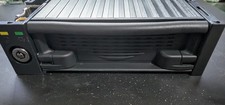
Vintage IDE Removable Hard Drive Mobile Rack 5.25 Bay 50-Pin Tray + Maxtor 40GB
$49.99

Vintage Jetway J-620BF Socket 370 Celeron AT Motherboard SiS 620 Brand New
$75.00

Vintage Computer - PC Innovation Intel 486DX2 - Dos Ver 6.2 Windows 3.1
$250.00

🔥 RARE VINTAGE HP 2112A 21MX M-SERIES 16-BIT MINICOMPUTER HP
$299.99
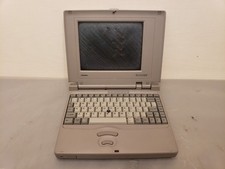
Vintage Toshiba T3400CT Mini Laptop 486SX-33, 4MB **NO POST, Bad Screen, AS-IS
$75.00
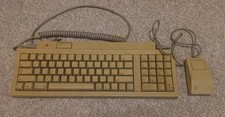
Vintage Apple Keyboard II Model M0487 & G5431 Mouse UNTESTED AS-IS
$59.99

Vintage Dysan 100 MD2HD 5.25” Floppy Disks 10 Pack Sealed Double Sided HD | IBM
$38.00
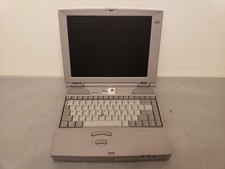
Vintage Toshiba Satellite Pro 490CDT Laptop PII 233MHz 96MB 4GB Win98 Bad Backli
$100.00

Vintage Microsoft Visual Studio.NET Professional Software suite Version 2002 New
$82.00

Vintage Hewlett Packard HP 13181-60074 Circuit Card Assembly / Interface Board.
$135.37

 Reply With Quote