-
How to get my wlan work
I have just installed my computer with knoppix 4.0.2 and now when i trying to set my WLan card it dont find the accesspoint, what shuold i do to fix it?  [/b]
[/b]
-
Re: How to get my wlan work
Hi Digimon
A command is set in "command" and hit enter
1. Start a console and type "su -" then you get access to root
2. In console as root type "iwconfig" then you get a listing of the cards.
2.B If you don't see the card type "lspci" and see if you can find the card in that listing.
3. If card found with iwconfig, then do the settings. Setting essid type "iwconfig eth0 essid "network name" " if you don't have a network name skip it.
4. Then I put in the channel I'm sending via, type "iwconfig eth0 channel (your channel number)"
5. If you use encryption it's time to set it now type "iwconfig eth0 enc xxxxxxxxxx" replace the x's with the encryption key
6. Now settings are done and you need to restart network type "network-setup" and go the wizzard choose wlancard and make it accept DHCP
Nine1one4u
-
Senior Member
registered user
Re: How to get my wlan work

Originally Posted by
nine1one4u
Originally Posted by
Mr.Digimon
I have just installed my computer with knoppix 4.0.2 and now when i trying to set my WLan card it dont find the accesspoint, what shuold i do to fix it?
[/b]
Hi Digimon
I'v just tested out two different pcmcia cards with knoppix 4.0 and just had to configure the wifi settings. I started a consol and changed to root ( su -) no password. Then I typed iwconfig and found lo, eth0 and eth1 so I tryed iwlist eth0/eth1 scan but the cards didt support it. Then I tryed to configure the cards with iwconfig eth0 essid "the network name" and it did't complain so then i set iwconfig eth0 channel 3 and then iwconfig eth0 enc xxxxxxxxxx where the x are my encryption key. The next thing I did was network-setup chosed wlancard to accept dhcp. Viola I'm on the net.
Nine1one4u
ok, I'm confused nine1one4u, I only see you noting ethernet cards here, could you please elaborate on how you got the wlan card to accept dhcp? thx 
-
Re: How to get my wlan work
ok, I'm confused nine1one4u, I only see you noting ethernet cards here, could you please elaborate on how you got the wlan card to accept dhcp? thx
Hi Digimon
A command is set in "command" and hit enter
1. Start a console and type "su -" then you get access to root
2. In console as root type "iwconfig" then you get a listing of the cards.
2.B If you don't see the card type "lspci" and see if you can find the card in that listing.
3. If card found with iwconfig, then do the settings. Setting essid type "iwconfig eth0 essid "network name" " if you don't have a network name skip it.
4. Then I put in the channel I'm sending via, type "iwconfig eth0 channel (your channel number)"
5. If you use encryption it's time to set it now type "iwconfig eth0 enc xxxxxxxxxx" replace the x's with the encryption key
6. Now settings are done and you need to restart network type "network-setup" and go the wizzard choose wlancard and make it accept DHCP
Nine1one4u[/quote]
-
thx
thx for the tips i shall test it when i get my pc work (it stands still when i try to log in, "Initializing system services" it says and tilts) 
-
I do like this
I use Kwifi to see if knoppix identifies the card. Knoppix starts the wireless card looking for any open network so it always picks the neighbor instead of my wireless. So I change the settings with 3 commands.
My network is uses WEP 64. Key = ascii string "dweeb" ESSID = "home"
iwconfig -eth0 essid home
iwconfig -eth0 key s:dweeb
pump -i eth0
The pump command initiates a DHCP request for IP address.
Similar Threads
-
By e2d in forum Networking
Replies: 2
Last Post: 06-03-2009, 06:11 PM
-
By ml2 in forum Hdd Install / Debian / Apt
Replies: 0
Last Post: 10-23-2007, 08:36 PM
-
By miami797 in forum Networking
Replies: 1
Last Post: 06-04-2006, 06:46 PM
-
By mostafa_dahir in forum Laptops
Replies: 0
Last Post: 04-11-2006, 06:38 PM
-
By knop in forum Networking
Replies: 1
Last Post: 01-30-2005, 03:11 AM
 Posting Permissions
- You may not post new threads
- You may not post replies
- You may not post attachments
- You may not edit your posts
-
Forum Rules


Apple Computer cards VTG 670-8020-B 607-0103-C 607-0291-C AST -Orange Micro ++
$169.00

Vintage Apple Monitor IIc 9" Green Monochrome 06/1985 A2M4090 October 1984 Stand
$275.00

Vintage Apple II Avant-Garde Creations Super Shape Draw And Animate 1981
$295.00

Vintage Apple iBook G3 12.1” 500MHz 2001 Restored, SSD Upgraded Mac OS 9.2/OS X
$180.00
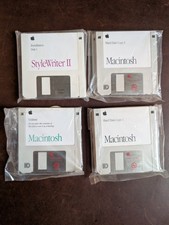
Vintage 1992 Mac System 7.1P1 Apple Software 3.5” Floppy Disks NOS
$35.00

Rare Vintage Macintosh Apple Wooden Disk Storage Box Dovetailed
$69.95

LARGE LOT Vintage Apple Macintosh Mouse Cables Accessories SCSI etc - UNTESTED
$80.00

Vintage Apple Rainbow Metal Case Emblem Logo rectangle
$49.99

Vintage Apple Multiple Scan 15av Display Monitor M4681
$299.99

Vintage Apple iMac G4 15" Lamp 700MHz 512MB Mac OS X 10.4.6 W/ Pro Speakers
$300.00



 Reply With Quote