-
formatting whole drives with knoppix
I am a noob so...... I have an old(ish) server that was hacked and I am pretty sure is now as viral as a chinese chicken.
ERGO I wish to format all (there are 8 of 'em) SCSI drives and reinstall an OS.
I am getting more and more interested in LINUX so project no1 (not including Smoothwall which ROCKS).
I want to examine the partitions via Knoppix.
Should I use fdisc or what I am a little confused here.
Any advice gratefully received.
It would be nice to examine the disks also before I send their data to the great electromagnet in the sky
Thnks folks 
-
Administrator
Site Admin-
Re: formatting whole drives with knoppix

Originally Posted by
niblok
It would be nice to examine the disks also before I send their data ...
So what are you asking here? If you have used Knoppix at all it should be simple to examine any partitions that are there, assuming the infections have not destroyed the partitions or the partition tables.
Originally Posted by
niblok
Should I use fdisc or what I am a little confused here.
There are several partitioning tools, including fdisk (not fdisc). fdisk should server you fine. It is worth noting that if you just go ahead and run a Debian installer (not Knoppix, Debian, one of the Linux distros intended for hard disk install) it will offer you the chance to just use an entire hard disk. You will want to go back and recover the space for the other seven on your own though, and again fdisk is a viable tool for this.
-
OK thanks for the response.
I know I could install Debian etc, thats not really what I menat, I would like to format all of the drives without installing anything. So what would be a good tool?
Also I must be doing something wrong with knoppix as I cant find a tool to examine the HDD's 
-
Senior Member
registered user
To view the partition table of the first scsi drive:
<code>
fdisk -l /dev/sda
</code>
What is called "formatting" in the DOS/Windows world is called
"making a file system" in Unix. There are a number of different
file systems available - the manual page will help you:
<code>
man mkfs
</code>
-
-
Administrator
Site Admin-
Without installing anything is somewhat cryptic. While you can certainly format the disks without installing an OS, what OS you plan to use the system with may influence your choice of partition types a lot. There are actually two parts to "formatting a disk"; deciding what type(s) of partitions you want and how many, which is partitioning, and then laying down the basics of the empty file system, which is formatting. But if the drives had old FAT partitions on them and you wanted to use Knoppix and FAT partitions then you could just format (which would wipe out any old infections on the partitions and start them fresh). But you might want to change the type of partitions to more native Linux partition types.
And while formatting will clean the partitions, it does not remove any virus that might be installed in the Master Boot Record. This might not be a problem if you only ever boot from Live CDs, but it is something that you should really deal with so that your infections don't come back to haunt you when you do install something to hard disk.
-
OK Harry,
well I intend to install Windows Server 2003 and Exchange to the box when its "clean" so the intention was to "wipe" all of the HDD's from the live Knoppix distro.
As to the file system I would ultimatly use it would be NTFS. I beleive that NTFS is invisible to Linux??
I would install Debian to this box but at the moment I have to stay with MS.
So to summarise. ..
I wish to "disinfect" by wiping the drives prior to a MS install, and I wish to do this via Knoppix ( so as to learn Knoppix tools)
I also wouldnt mind examining the discs, its not esentiall its again to learn Knoppix tools and for my own curiosity.
If I have understood you correctly though I am going to need to "wipe" the MBR to ensure that nothing nasty is lurking. How would I go about that ??
As to partitioning I wont be, or rather I shall leave each disc as an entire volume.
Thankyou for your patience
-
Senior Member
registered user
Originally Posted by
niblok
well I intend to install Windows Server 2003 and Exchange to the box when its "clean" so the intention was to "wipe" all of the HDD's from the live Knoppix distro.
WARNING! THIS WILL DESTROY YOUR DATA
To "clean" the HDD /dev/hda from everything, you can use
Code:
sudo dd if=/dev/zero of=/dev/hda bs=65536
This overwrites everything on /dev/hda with zeroes, including MBR, partition-table, and all partitions.
Just repeat this for all of the HDDs you have, and after that there won't be anything left on any of them.
ps. If you want to examine the disks, remember to do it before this command
(I'm not sure what to suggest for this.)
ps. There's also a small LiveCD with nice graphical partition-editor which you might like: http://gparted.sourceforge.net/livecd.php
-
Ok have managed (finally) to examine stuff using the Knoppix STD distro (good tool!)
Thanks for all the input! 
-
Administrator
Site Admin-
Originally Posted by
niblok
As to the file system I would ultimatly use it would be NTFS. I beleive that NTFS is invisible to Linux??
Just to clear out the one outstanding issue, NTFS is not invisible to Linux, that is, Linux can see (read) NTFS partitions just fine. But it can't write to them and it sure can't format them.
Similar Threads
-
By selinger in forum General Support
Replies: 7
Last Post: 03-21-2010, 03:12 PM
-
By pete1968 in forum Hdd Install / Debian / Apt
Replies: 1
Last Post: 09-10-2004, 07:08 PM
-
By Chuckbaker in forum General Support
Replies: 2
Last Post: 09-07-2004, 09:25 PM
-
By Noclaf in forum Hdd Install / Debian / Apt
Replies: 1
Last Post: 10-30-2003, 05:57 PM
-
By Spike in forum Hdd Install / Debian / Apt
Replies: 6
Last Post: 10-07-2003, 05:51 PM
 Posting Permissions
- You may not post new threads
- You may not post replies
- You may not post attachments
- You may not edit your posts
-
Forum Rules

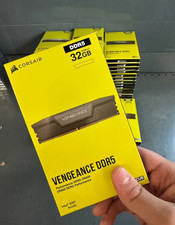
Corsair Vengeance DDR5 32GB (2x16GB) 6000MHz Desktop RAM Kit – New Sealed
$349.95

DDR4 Laptop RAM 4GB 8GB 16GB 32GB 2400 2666 3200 Samsung Hynix
$66.00

RAMAXEL Lenovo 32GB LPDDR5X CAMM2 7500MHz Laptop RAM | UNTESTED
$445.00
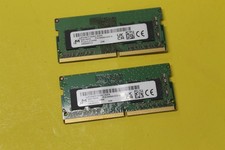
NEW Micron 16GB (2 x 8GB) PC4-3200AA DDR4-3200 SODIMM Ram MTA4ATF1G64HZ-3F2FA
$54.97

NEW Kingston 8GB DDR4 2666MHz Desktop RAM KCP426NS8/8 PC4-21300
$26.00

Crucial DDR3L 16GB 2 x 8GB 1600 MHz PC3L-12800 Laptop RAM Sodimm Memory 1.35V
$41.00

Kingston 16GB (SO-DIMM) (DDR4 SDRAM) Memory (KCP432SD8/16) DDR4-2666V
$155.00
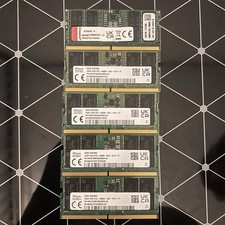
16gb ddr5 4800mhz Sodimm Laptop ram Sk Hinyx & Kingston
$149.00

Samsung 16GB DDR4 2666MHz PC4-21300 SODIMM RAM M471A2K43CB1-CTD Tested Working
$70.99
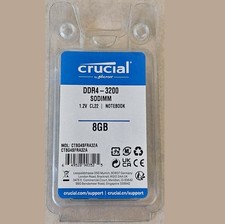
Crucial 8GB 3200MHz PC4-25600 Laptop DDR4 260-Pin SODIMM Memory (CT8G4SFRA32A)
$64.99



 Reply With Quote