-
Re: Knoppix on External USB HDD...Step by Step Please!!

Originally Posted by
Bit Hacker
Hi fellows. I'm tired really tired. I have spent hours on this, tried every trick on the forum. but since I'm new to the Linux...I cant make it out...Please for God sake, if anyone can mention a step by step tutorial on how to install Knoppix on external USB HDD (not flash drive). I'd be really thankful to you!!!
Well here's my first post to this forum...
I am successfully running the CD version (KNOPPIX_V4.0.2CD-2005-09-23-EN.iso) on a 1 gig USB flash drive and a 40 gig 2.5" laptop style drive that I've inserted into an external USB 2.0 case. I did not figure any of this out on my own. All of the following I gleaned from various web posts and such. These instructions for use with Windows XP...
Begin by downloading the Knoppix ISO file from www.knoppix.org. You'll need v4.0 or newer. I used KNOPPIX_V4.0.2CD-2005-09-23-EN.iso
Next download Syslinux from http://www.kernel.org/pub/linux/utils/boot/syslinux/. I used syslinux-3.11.zip.
Extract the syslinux files to C:\syslinux-3.11.
Insert your USB device into a USB slot in your PC and note the drive letter that it is assigned. Format your device with fat32. You can use the format tool within WinXP for a USB key. For a USB hard drive you will need the fat32format.exe tool found here...
http://www.ridgecrop.demon.co.uk/ind...at32format.htm
Run a command prompt in WinXP ("cmd" from the run menu entry)
"C:\syslinux-3.11\win32\syslinux.exe (target drive) (-f)" where the target drive is the letter assigned to your USB device. You will need the
"-f " for a hard drive only.
Example for a USB key "C:\syslinux-3.11\win32\syslinux.exe E:"
Example for a USB hard drive "C:\syslinux-3.11\win32\syslinux.exe E: -f"
Now mount the Knoppix ISO that you downloaded earlier. You can do this using a program like WinRAR or WinISO or by simply burning it to CD.
Copy the entire contents of the Knoppix CD onto the USB device.
On the USB device, navigate to the boot\isolinux directory and move it's contents up to the root of the drive.
Delete the boot directory.
Delete ISOlinux.bin from the root of the USB device.
Rename ISOlinux.cfg to SYSlinux.cfg.
Your USB key or USB hard drive should now run Knoppix just fine.
Similar Threads
-
By milzux in forum Hardware & Booting
Replies: 1
Last Post: 07-07-2009, 02:02 PM
-
By Antoine in forum Hardware & Booting
Replies: 2
Last Post: 04-11-2005, 02:26 PM
-
By Rod F. in forum Hdd Install / Debian / Apt
Replies: 2
Last Post: 03-02-2004, 04:04 AM
-
By Craig Caughlin in forum Customising & Remastering
Replies: 0
Last Post: 09-14-2003, 08:10 PM
-
By ktheking in forum Customising & Remastering
Replies: 0
Last Post: 03-30-2003, 11:51 PM
 Posting Permissions
- You may not post new threads
- You may not post replies
- You may not post attachments
- You may not edit your posts
-
Forum Rules


OEM Genuine 86WH 69KF2 Battery For Dell XPS 15 9500 Precision 5550 M59JH M15 M17
$45.49
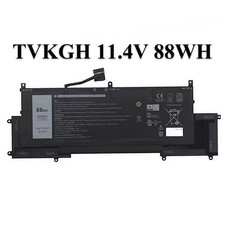
OEM TVKGH 88Wh Laptop Battery For Dell Latitude 9510 2-in-1 Latitude 9510 9520
$29.43
New Genuine OEM Dell Latitude 5420 5520 3560 4 Cell Laptop Battery RJ40G M033W
$49.95

OEM 68Wh 3HWPP Battery For Dell Latitude 5401 5501 5410 5510 E5411 E5511
$28.99
OEM Genuine 42WH WDX0R WDXOR Battery For Dell Inspiron 15 5567 5568 13 5368 7368
$29.79
Genuine OEM 6MT4T 62WH Battery For Dell Latitude E5470 E5570 6MT4T 07V69Y 7V69Y
$17.88
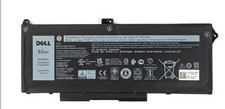
OEM Genuine 63WH RJ40G Battery For Dell Latitude 5420 5520 Precision 3560 M033W
$31.69

OEM 68Wh 3HWPP Battery For Dell Latitude 5401 5411 15 5501 5511 Precision 3541
$35.78
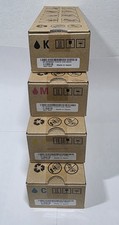
Dell Genuine Toner Full Set Of 4 CMYK 2130cn/2135cn CT201180-CT201183
$39.99
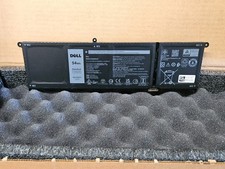
NEW OEM V6W33 Battery WV3K8 Dell Inspiron 3510 5510 Latitude 3320 3330 3515
$47.95



 Reply With Quote