-
Senior Member
registered user
rjarvis:
The key to your issue might be that it is a Sony laptop. They tend to use a particular vendor's optical drives that have been known to have issues reading certain DVD media. If it is a QSI drive, then you might need to use DVD+R media, instead of DVD-R. I also have several Sony notebooks and this is the exact solution I have found. Also be certain to burn the DVD at no higher than 4X, if not slower. Use good media also. It does make a difference. If you hold some of the "Bad" disks up to a good light source at an angle, you can usually see imperfections towards the outer edges of the disk. You might also want to check your ISO file for errors by using an MD5 tool to verify it. There is more information on this in the documentation section on this site.
The DMS cheatcode might also be helpful, but I have not needed it for my Sony laptops.
You might also want to try some Windows based tools on your drive, like the recovery console. It is usually not wise to write to an NTFS partition using Linux. It may corrupt the file system and render the partition unreadable. If you are using Knoppix in order to copy the files over to some other drive/system for recovery, then you are on the right track. If you need to boot into an XP environment, look up Bart PE. It's a useful tool for Windows machines using NTFS partitions. There are other live Linux diustribitions made specifically for Windows/Linux system recovery, and have some useful tools for those purposes also. Don't know if they are superior to Knoppix though, but they are available for download. Look at www.distrowatch.com or www.linux.org for info.
Good luck! Let us know how you make out.
Similar Threads
-
By krishna.murphy in forum Hardware & Booting
Replies: 2
Last Post: 04-01-2010, 02:13 PM
-
By aduncan in forum Hardware & Booting
Replies: 0
Last Post: 05-15-2009, 09:54 AM
-
By dennyk858 in forum Tips and Tricks
Replies: 1
Last Post: 03-29-2006, 04:08 AM
-
By StormCyko in forum General Support
Replies: 0
Last Post: 06-10-2004, 11:49 AM
-
By Alan in forum General Support
Replies: 12
Last Post: 06-11-2003, 10:24 AM
 Posting Permissions
- You may not post new threads
- You may not post replies
- You may not post attachments
- You may not edit your posts
-
Forum Rules


Acer Aspire 14" AI Copilot+PC Laptop Core Ultra 5 226V Gen 4 ARC 16GB 1TB Refurb
$490.58

IdeaPad Slim 3i Copilot PC - Intel Ultra 5 1 TB NVMe 120hz Touchscreen 16GB DDR5
$750.00

1TB SanDisk Extreme Portable SSD (Recertified) - A196-SDSSDE61-1T00
$150.99

NEW 2026 SGIN 18.5" Laptop Windows 11 PRO Intel N5095 16GB DDR4 1024GB SSD
$444.99

SAMSUNG T7 Portable SSD 1TB Indigo Blue USB 3.2 Gen2 External MU-PC1T0H/AM
$159.99

Acer Predator Helios Neo 16S AI 16" i9 275HX 2S RTX 5070 Ti 32GB 1TB SSD Refurb
$1775.56
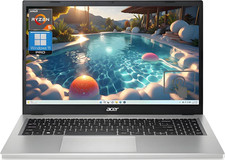
Acer Aspire 3 15.6" Ryzen 5 7520U 7000 Ser 16GB 1TB SSD Radeon Graphics Refurb
$390.24
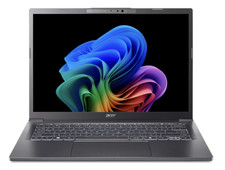
Acer Aspire 14" i9-288V Core Ultra 9 32GB 1TB SSD ARC 140V AI PC Refurbished
$837.06
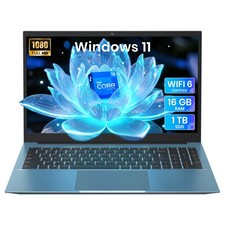
2026 NEW SGIN 15.6" Laptop Win11 Intel i3 16GB RAM 1TB SSD Wi-Fi 6 RJ45 USB-C
$302.99

External SSD 1TB 2TB 4TB Portable Hard Drive USB 3.0 Type-C High Speed PC Mac
$31.99



 Reply With Quote