-
How to automount USB-MassStorage dev on Desktop?
Hi, I've upgraded from 3.4 to 3.7 (old system), and decided to try debian-style install. OK generally, but usb mass storage camera doesn't automount on the desktop when connected as it does in regular knoppix-style HD install. What configuration do I need to do to get it to behave the same way?
I've got the following in /etc/fstab:
/dev/sda1 /mnt/camera vfat auto,user,noexec 0 0
Device detection is OK, the camera is automatically /dev/sda1, I can manually mount the camera. I want to set up so the camera automounts and an icon pops up on the desktop like in regular knoppix.
Thanks, Johnpipe
Similar Threads
-
By pulsar in forum General Support
Replies: 2
Last Post: 03-01-2009, 05:51 PM
-
By vijirin in forum Customising & Remastering
Replies: 1
Last Post: 09-09-2005, 02:55 PM
-
Replies: 0
Last Post: 12-21-2003, 06:53 PM
-
By andrei in forum General Support
Replies: 7
Last Post: 08-12-2003, 05:01 AM
-
By Tech1 in forum Hdd Install / Debian / Apt
Replies: 1
Last Post: 07-31-2003, 04:45 AM
 Posting Permissions
- You may not post new threads
- You may not post replies
- You may not post attachments
- You may not edit your posts
-
Forum Rules

Vintage Apple Macintosh Quadra 950 w/ Key - (FOR PARTS)
$199.90
Vintage Apple M2115 SCSI External Hard Drive for Macintosh POWERS ON
$119.89
Vintage 1988 APPLE MACINTOSH “3 Stooges” 512K Romsimm AP1127-02 VERY RARE
$399.00
vintage Rainbow Apple Logo Mouse Pad-Sealed New
$59.00
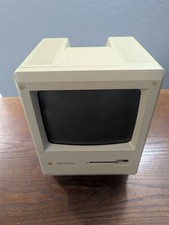
Vintage Apple Macintosh Plus 1Mb Computer (Model M0001A)
$100.00

Vintage Apple iBook G3 12.1” 500MHz 2001 Restored, SSD Upgraded Mac OS 9.2/OS X
$170.00
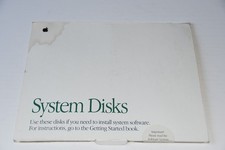
1991 Vintage Apple Macintosh System 7.0.1 (3) Disks 914-0363-b Software mac
$14.95
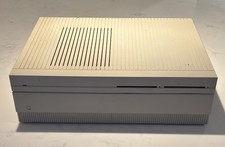
Vintage APPLE MACINTOSH II Desktop PC EMPTY CASE & Power Supply Only UNTESTED
$39.90

Vintage 1988 Apple Macintosh Plus 1MB M0001A Computer Keyboard WORKING See Video
$225.00
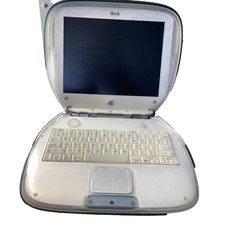
Vintage Apple iBook G3 Clamshell M2453 Dead HDD For Parts As is
$189.99



 Reply With Quote