-
ok, so after install, the directory where was installed has 2 empty folders "ip-down.d" and "ip-up.d", 3 text files "aol-secrets", "penggy.cfg" and "phonetab", and 2 Shell scripts "ip-down" and "ip-up".
when entered "penggy --screen-name=WST --access-method=dsl", it says " Screen name 'WST' not found in /etc/penggy/aol-secrets.
Bad configuration, exiting !"
The file "aol-secrets" contains the following data standard :
## Secrets for aol authentication
## screen_name secret
##
#dark s3kr3t
#vador p455w0rd
#luke f0rce
What now? what do i need to modify? what "secret" stands for? My AOL screen name?
The file *.cfg contains the following (please read and help me) :
## WELCOME TO PENGGY
## -----------------
##
## This is a sample configuration file for Penggy.
##
## The general format is lines with parameter = value pairs.
## Lines starting with a hash mark (``#'') and empty lines are ignored.
##
## This default Penggy config file shows what the defaults for
## various options are. If you don't need to change a
## default option, you needn't uncomment the line.
##
## Most of these paramaters can be overidden from the command line.
## Try penggy --help for more information
## GENERAL OPTIONS, useful for everybody
## --------------------------------------------------------------------
## Parameter: access_method
## Type: string
## Possible values: modem, tcpip, cable, dsl
## Description: sets the type of device used for connecting
## Default: modem
##
## Cable and DSL are not really implemented yet.
## If you have that kind of connection device, you should use tcpip instead.
##
# access_method = tcpip
## Parameter: protocol
## Type: string
## Possible values: p3, l2tp
## Description: Sets the protocol used for communicating
## Default: p3
##
## L2TP (also known as FLAP on AOL) is the new protocol used by AOL software
## its support isn't implemented yet. Don't change it.
##
# protocol = p3
## Parameter: interface_type
## Type: string
## Possible values: tun
## Description: sets the interface type.
## Default: tun
##
## Only tun is currently supported. This option is only here for the future.
##
# interface_type = tun
## Parameter: interface_name
## Type: string
## Description: sets the created interface's name.
## No default
##
## Default is to reserve the first tun interface available and it's a good
## choice.
##
# interface_name = tun0
## Parameter: secret_file
## Type: path
## Description: sets the file where your passwords are stored
## Default: /etc/penggy/aol-secrets
##
## Change this only if you really want to store your passwords elsewhere.
##
# secret_file = /foo/bar/aol-secrets
## Parameter: screen_name
## Type: string
## Description: sets the screen-name to be used for connection
## No default
##
## This option is used to tell penggy to connect on this screen name.
## You really need to change this parameter or pass it at the command line
## prompt, or penggy will complain about not having any screen name to
## connect as.
##
# screen_name = foobar
## Parameter: auto_reconnect
## Type: boolean
## Description: enable autoreconnection.
## Default: false
##
## If you set this option to true, penggy will automatically reconnect
## when it detects you were cut off.
##
# auto_reconnect = true
## Parameter: reconnect_delay
## Type: integer
## Description: sets the delay between reconnections.
## Default: 5
##
## This option will have no effect if autoreconnection is disabled.
## If set it to >0, penggy will wait this amount of time (in seconds)
## before attempting a new connection.
##
# reconnect_delay = 30
## Parameter: daemon
## Type: boolean
## Description: enables daemon mode, runs penggy in the background.
## Default: false
##
## If this option is set to true, penggy will work in the background
## and output will be done in (see syslogd( for more information).
## To end penggy you need to kill it with a :
## kill `cat /var/run/penggy.pid`
##
# daemon = true
## Parameter: debug_level
## Type: integer
## Possible values: 0 to 10
## Description: sets the verbosity level of the debug.
## Default: 0
##
## This option is probably only useful to developers.
##
# debug_level = 5
## Parameter: set_dns
## Type: boolean
## Description: set the when connected.
## Default: true
##
## The default(true) is to write the dns file (see resolv.conf(5) for more
## information) according to what the server gives.
## If you don't want this behavior (ex: you have your own DNS server), set
## this option to false.
##
# set_dns = false
## Parameter: pid_file
## Type: path
## Description: set the PID file to create.
## Default: /var/run/penggy.pid
##
## This is the file where penggy stores its current PID.
## Keeping the default is a good idea.
##
# pid_file = /foo/bar/penggy.pid
## Parameter: ip_up_script
## Type: path
## Description: set the script automatically called when IP is up.
## Default: /etc/penggy/ip-up
##
## This shell script is executed when IP tunneling is started.
## It may be useful to edit this script to change firewall rules or whatever.
## This script is also reponsible for making the connection up
## and setting the routing table, so very be careful when editing it.
##
# ip_up_script = /foo/bar/ip-up
## Parameter: ip_down_script
## Type: path
## Description: set the script automaticly called when IP is down.
## Default: /etc/penggy/ip-down
##
## As ip-up but when the connection ends.
##
# ip_down_script = /foo/bar/ip-down
## MODEM OPTIONS, only useful if you are using a modem to connect
## --------------------------------------------------------------------
## Parameter: modem_device
## Type: path
## Description: sets the serial device to use for the modem.
## Default: /dev/modem
##
## The default is probably good if /dev/modem is a link to your real serial
## device your modem is attached to. Otherwise change this parameter.
##
# modem_device = /dev/ttyS0
## Parameter: lock_path
## Type: path
## Description: sets path where locking files are stored
## Default: /var/lock on Linux
## /var/spool/locks on Solaris
## /var/spool/lock on others
##
## The default is what is used on Linux, other platforms should change this
## according to your platform policy.
##
# lock_path = /foo/bar
## Parameter: rtscts
## Type: boolean
## Description: enable hardware flow control.
## Default: true
##
## Nearly all modems support hardware flow control, so you don't want to change
## this parameter, unless you really have a good reason.
##
# rtscts = false
## Parameter: initstr1
## Type: string
## Description: sets the primary initialization string sent to the modem.
## Default: ATZ
##
## Hayes command to initialize the modem, keeping ATZ as primary init string
## is probably a good idea, you can complete with other string if you need.
## This command mustn't be longer than 58 bytes.
## Comonly used strings:
## M0 Speaker always disabled
## M1 Speaker enabled during connection
## M2 Speaker always enabled
## M3 Speaker enabled while connected
## L0 Set speaker at a very low volume (or muted)
## L1 Set speaker at a low volume
## L2 Set speaker at a normal volume
## L3 Set speaker at a high volume
## Q1 Ask modem to send responses (mandatory for penggy)
## X3 Do not add dial tone detection
## X4 Add dial tone detection (should be the default)
## V1 Set modem output to alphanumeric
## (alphanumeric output is mandatory for penggy)
## &F Set your modem in factory default (this is a good idea to add
## this command if you can't connect with ATZ)
## &Exxxx Set _ISDN_ MSN number (first 4 digits of your phone number)
##
## This commands are just here as example, they might not work on your
## modem.
##
# initstr1 = ATZ
## Parameter: initstr[2-9]
## Type: string
## Description: sets other initialization strings.
## No default
##
## Other Hayes commands to init the modem (see above).
##
# initstr2 = AT&F
# initstr3 = AT&E1234
# initstr4 =
# initstr5 =
# initstr6 =
# initstr7 =
# initstr8 =
# initstr9 =
## Parameter: dialstr
## Type: string
## Description: sets the string used to dial.
## Default: ATDT
##
## Do not change this parameter if you don't know what it is.
##
# dialstr = ATDP
## Parameter: dial_prefix
## Type: string
## Description: sets a prefix to dial before the number to get a dial tone.
## No default
##
## You may need a prefix to get an external line. This parameter
## will be used for this.
## Do not forget to add a colon if you need a pause (which is likely)
## You may also have to use the 'W' letter to wait for a second dial tone
##
# dial_prefix = 0,
## Parameter: phonetab
## Type: path
## Description: sets the file where phone numbers will be searched.
## Default: /etc/penggy/phonetab
##
## This is the first phone number penggy will try to connect to.
## You can complete with more, in case this one fails, with parameters
## phone[1-5].
##
# phonetab = /foo/bar/phonetab
## Parameter: line_speed
## Type: integer
## Possible values: 300, 1200, 2400, 4800, 9600, 19200, 38400, 57600, 115200
## Description: Sets the speed of your serial port.
## Default: 115200
##
## This is the speed of your serial device (do not confuse it with the
## speed of the connection). The default is probably good if you have
## a recent computer.
## Depending on your hardware and system, 230400 and 460800 may work.
##
# line_speed = 57600
## Parameter: dial_retry
## Type: integer
## Description: The number of times to dial the same number before considering
## it as dead.
## Default: 3
##
## This parameter describes how many times penggy will dial the same phone number
## before considering it as dead.
## NB : if autoreconnection is enabled, penggy will try again, after having
## waited for the reconnect_delay.
##
# dial_retry = 1
## Parameter: retry_delay
## Type: integer
## Description: The number of seconds to wait after an unsuccessful dialing.
## Default: 0
##
## In case of a failed dialing, penggy will wait this amount of times (in seconds)
## before retrying the phone number.
##
# retry_delay = 3
## TCP/IP OPTIONS, useful if you use tcpip, dsl or cable
## -------------------------------------------------------------------
## Parameter: aol_host
## Type: string
## Description: Sets the host to contact for a TCP/IP connection.
## Default: AmericaOnline.aol.com
##
## Use cs.access.compuserve.com if your provider CompuServe
##
# aol_host = cs.access.compuserve.com
## Parameter: aol_port
## Type: integer
## Description: Sets the port used to contact host for a TCP/IP connection.
## Default: 5190
##
## Default is for AOL, use 5191 for CompuServe. Nevertheless port from 5190 to
## 5192 should work
##
# aol_port = 5191
PLEASE TELL ME WHAT I NEED TO MODIFY ETC
 Posting Permissions
- You may not post new threads
- You may not post replies
- You may not post attachments
- You may not edit your posts
-
Forum Rules

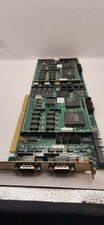
Vintage Cubix A2870 + 2x A2310 QL 2286 Video Module ISA Boards 1989 Untested
$207.92

Vintage HP 21MX 1000 M-Series Minicomputer Chassis Backplane Parts AS-IS
$325.99

Vintage Computer Keyboard Northgate OMNIKEY Ultra
$120.00

Lot of 2 Vintage Plextor PX-43CS SCSI CD-ROM Caddy Drives + 4 Caddies Used
$55.99

Original Vintage Old Style STANDARD Black CD Jewel Case (Heavy Duty) 90g Lot
$316.95
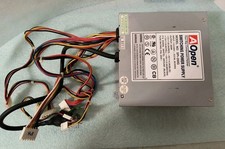
VINTAGE AOPEN MODEL SPI-200 200W AT POWER SUPPLY WITH SWITCH DS-PS-8
$34.95

VINTAGE ESS ES1868 16 BIT ISA SOUND CARD COMPAQ 247428-001 - USA SELLER RM2-SC
$24.95
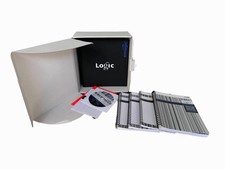
Vintage Emagic Logic 5 / Logic Audio 4.0 Studio Software Box Manuals Serial
$89.99
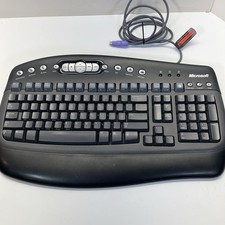
Vintage Microsoft Multimedia PS/2 Wired Computer Keyboard KB-0168 Black Tested
$26.95

Vintage Apple iMac G4 15" Lamp 700MHz 512MB Mac OS X 10.4.6 W/ Pro Speakers
$300.00



 Reply With Quote