-
Senior Member
registered user
Setting speed of irda for mobile phone transfers
I've recently bought a Sony-Ericsson K300i mobile from Tesco on "their" network (actually O2). A superb little phone at effectively £40 (discounted when you buy £20 of airtime at the same time, so you have to dish out £60).
It works very well with my desktop PC and a cheap Sigmatel based USB-to-irda dongle. (vendor/product 066f/4200 module is stir4200)and obexftp, some examples of commands are:-
To 'get' a file:-
obexftp -l Pictures (gives folder content)
obexftp -c Pictures -g "Picture(3).jpg"
or for a music file:-
obexftp -c Sounds -g "Sony Ericsson.mid"
and so on. make sure irda is started by using:-
/etc/init.d/irda start
To send a file to the mobile (put):-
obexftp -c Sounds -p "music001.mp3"
To transfer java games is a similar process, make sure the extension is '.jar' the use the following command:-
obexftp -p MobileInvaders.jar
When transfer is complete the phone will ask wether to save the file in Games or Applications, if it's compatable, then it will ask do you want top run it now?
Anyways, the problem I have is that the transfer is VERY slow, particularly with large (mp3) files - I've tried "setserial /dev/ircomm0 spd_vhi" but it makes no difference - does anyone know how to speed up the ir port?
Cheers.....
-
Senior Member
registered user
This is a hard one to answer straight away, as i do not know chipsets... i do not know if it is hardware limitations or some settings somewhere.
likely you see something like
irlap_change_speed(), setting speed to 9600
irlap_recv_discovery_xid_cmd(), discovery frame to short!
that means the ir port is set to 9600b/s there might be a configfile tochange this speed somewhere in /etc/
here is the link I think wil help you most.
http://www.linux.com/howtos/Infrared...irda-usb.shtml
about midway on the page you find the code
4.6.6. Setting up a Network (PPP)
You may start pppd with commandline options, but for me it's more convenient to have a configuration file /etc/ppp/peers/irda.
connect /bin/true
noauth
persist
debug
kdebug 7
nodetach
115200
local
/dev/ircomm0
192.168.0.2:192.168.0.3
Some note about the configuration: Yes the device name is correct, don't choose an USB device here. If the other IrDA device is a Linux laptop you may use the same configuration file and the same PPP options, without the last line, which sets the LOCAL and REMOTE IP address. The following entries are for debugging purposes and can be commented out when everything works fine:
here is the line i think may help
!!!!
115200 <-- this is the speed of the port, note this
!!!!
if this dos not help. try
man setserial .
http://www.die.net/doc/linux/man/man8/setserial.8.html
this can change the speed of serial ir devises, many USB devises wil work in similar way.
and check this out (irda manpage)
http://manpages.debian.net/cgi-bin/d...46&format=html
-
Senior Member
registered user
Many thanks for your suggestions - I'll follow up the links you have provided. Note by the way that quite a few mobile phones use obex and so the stuff I've written above doesn't just apply to the SE K300i but many other mobiles too - I hope this helps some people. Cheers, Stoo.....
-
Senior Member
registered user
Nope, just cannot get it to go faster! Never mind, I'm very pleased to be able to transfer files at all, and it's a good excuse to leave the thing transferring and go get a cup of tea! It seems I was quite lucky to get a USB-irda dongle based on the Sigmatel chip, lots of the other dongles use chips not supported by Linux.
Cheers, Stoo.....
Similar Threads
-
By play1962 in forum Hardware & Booting
Replies: 5
Last Post: 05-09-2006, 06:14 PM
-
By jason_pine in forum General Support
Replies: 4
Last Post: 11-02-2005, 04:21 PM
-
By Shrike in forum Laptops
Replies: 1
Last Post: 02-04-2004, 07:55 PM
-
By bansal in forum General Support
Replies: 0
Last Post: 08-26-2003, 04:29 PM
-
By in forum Hardware & Booting
Replies: 1
Last Post: 01-21-2003, 07:51 PM
 Posting Permissions
- You may not post new threads
- You may not post replies
- You may not post attachments
- You may not edit your posts
-
Forum Rules

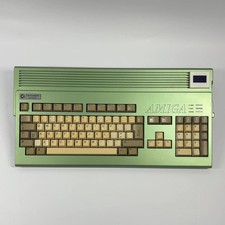
AMIGA Commodore A1200
$999.99

Framethrower, Amiga HDMI output via a PiStorm A500 A2000
$40.00

RGB2HDMI Amiga 500 UltraLong (Accelerator Friendly) HDMI Games, non-RTG A500
$50.00

DKB MegAChip for Amiga 2000/500 2MB Chip Ram expansion with 8375 Agnus Tested
$285.00

Commodore Amiga A1200 Vintage Computer Power Supply Mouse Bundle - Tested
$999.99
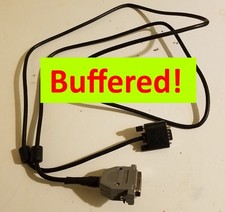
AMIGA DB23 RGB Female to VGA Male Buffered Cable 5 ft. - A1000 A2000 A3000 A4000
$38.00

Commodore Amiga 2000HD Vintage Personal Computer A2000
$599.99
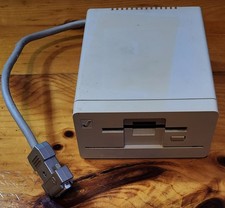
Commodore Amiga 1010 External 3.5” Floppy Drive A500 A1000 A2000 • Untested
$64.99
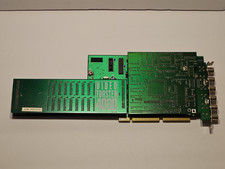
NewTek Video Toaster 4000 Commodore Amiga
$170.00
Commodore Amiga 2000 A2000 – Motherboard Repaired by Amiga of Rochester
$1099.99



 Reply With Quote