-
Dell LCD resolution problems - screen=1280x1024 drops to 800
I have a Dell 1907fp LCD monitor hooked to an ATI Radeon VE via DVI.
LCD native res. is 1280x1024. (desktop 1024x1280 rotated).
After default boot, screen resize says it is 1024x768;
rotate (orientation) is greyed out.
If I use the analog input, I get default 1152xwhatever resolution.
No option to increase to 1280.
If I specify screen=1280x1024 on boot, I get 800x600, can't change it.
I tried an older Dell LCD with an older ATI Rage 128 AGP card, always 1024x768.
All combinations work fine in WinXP at 1280x1024.
Rotate desktop to 1024x1280 works fine w latest ATI Windows driver.
How do I get 1280x1024 to work? (Knoppix 4.0.2)
-
Senior Member
registered user
I'm guessing, but this could be to do with the monitor's 'plug and play' (think for a monitor it's called 'DDC'). I had this sort of problem with a CRT monitor that would support 1280x1024 at 60Hz and also 1152x864 at 85Hz - Knoppix along with other distros chooses the latter setting as it's refresh rate of 85Hz is kinder to the eyes and ignores the higher resolution. The way I got over this was to start to boot Knoppix, enter screen=1280x1024 but before pressing the return, unplug the monitor..... No monitor plugged in, no DDC! When Knoppix has finished booting, plug the monitor back in. (NOT RECOMMENDED).
Very crude and I take NO responsibilty if this fuses your monitor, in my case my CRT monitor was worth about £15, not too much to gamble. I just thought you'd like to know what my thoughts were on this. As I say, this could be completely wrong..... if it is DDC, maybe there is a better way of overiding it?
Stoo.....
-
Senior Member
registered user
There is a cheat code "noddc" that has worked in the past for certain monitor issues with many distros. It's certainly worth a try rather than unplugging/replugging a monitor during the boot process.
-
tried
knoppix dma screen=1280x1024 depth=24 noddc
(Thanks ckadmin!)
got wallpaper, no kde. ctrl-alt-backspace to text root prompt.
(responding very slowly to kb; killed power)
<edit>
also tried
knoppix screen=1280x960 vsync=75
(ddc reports this mode as GTF. I don't know if Vid card will do it.)
No good. still 1024x768 76hz.
I found a hack that fixes the res if someone can tell me how to make it permanent:
---
knoppix 2 screen=1280x1024
(no GUI)
at root prompt,
joe /ramdisk/etc/X11/XF86Config
(edit the 1280x1024 100hz lines to)
# 1280x1024 @ 75.00 Hz (GTF) hsync: 80.17 kHz; pclk: 138.54 MHz
Modeline "1280x1024" 138.54 1280 1368 1504 1728 1024 1025 1028 1069 -HSync +Vsync
^k x to save
joe /ramdisk/etc/X11/XF86Config-4
(repeat)
startx
(after shutdown,)
reboot
---
This gets 1280x1024, just once. Rotate option still greyed out.
Screen #2 still greyed out (dual head video)
any ideas?
Similar Threads
-
By rspiteri in forum General Support
Replies: 1
Last Post: 05-22-2007, 05:27 PM
-
By kuhwallskee in forum Laptops
Replies: 0
Last Post: 11-08-2006, 09:13 AM
-
By ugo in forum Hardware & Booting
Replies: 10
Last Post: 11-14-2005, 08:40 AM
-
By pandamonium54 in forum Laptops
Replies: 0
Last Post: 07-10-2004, 01:20 AM
-
By iomari in forum Hardware & Booting
Replies: 3
Last Post: 06-12-2003, 06:31 PM
 Posting Permissions
- You may not post new threads
- You may not post replies
- You may not post attachments
- You may not edit your posts
-
Forum Rules


GIGABYTE A520M DS3H AC AMD AM4 Motherboard mATX
$59.99

Corsair RMe RM850e 850W 80 Plus Gold Fully Modular Low Noise Certified Refurb
$58.99

Gigabyte GA-B85M-D3H Motherboard
$54.99

ASUS PRIME Z890-P WIFI Z890 LGA 1851 ATX motherboard, Intel® Core™ Ultra Series
$235.99

Asus Prime B660M-A AC D4 Motherboard Intel LGA 1700 14th 13th 12th Gen DDR4
$79.99

GIGABYTE B365 HD3 LGA1151 Intel 9th Gen motherboard
$59.99

Intel H81 Motherboard M.2 NVMe LGA 1150 mATX w/ IO Shield (Random Slot Color)
$29.90

MSI B550M PRO-VDH Micro-ATX Motherboard - AMD AM4, Ryzen 5000/4000/3000 Ready, P
$71.49
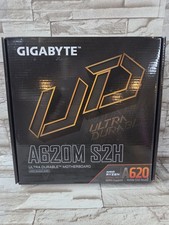
GIGABYTE - A620M S2H AM5 DDR5 M-ATX Motherboard
$65.00

HP Z440 WorkStation LGA 2011-3 DDR4 Desktop Motherboard 710324-002
$39.99



 Reply With Quote