

 Reply With Quote
2. You should read this first:
http://www.knoppix.net/docs/index.ph...masteringHowto
it will make things a bit clearer.
1. You could put the script in one of the rc.* directiories.


hi guys... i'm very new in linux. know nuts abt it and don't even know where to begin with until i found out abt the wonderful knoppix.
So easy to use, without the need to have deep understanding on how linux work. But it gets quite complex when i try to understand how knowppix executes.
Hope by posting my queries here, I can get an understanding on how i can do my stuffs on knoppix.
1. I would like to build a mp3 server-box. To auto execute the playlist each time i pop in the CD into my computer. I guess i can do it via some script ?? But the question is, how can i do it ?
2. The knoppix file system is in COMPRESSED into a 700Mb file. How can I update the startup script if EVERYTHING is already compressed into 1 file ? Can I disect it and make the changes ?
i hope to get some replies. thankQ.
2. You should read this first:
http://www.knoppix.net/docs/index.ph...masteringHowto
it will make things a bit clearer.
1. You could put the script in one of the rc.* directiories.
thanks for your prompt reply... yes i've read it... I'm still a little bit lost.
I understand that I can put the file in the RC-directory. But you can only see those directory when you boot into knoppix right ?
These RC-directories are compressed and it's directory structure is strored in the knoppix file(700Mb).
Question is, how can i edit the RC-Directory and then remaster it ?
hi Ghandalfar,
quick question. I would like to play the xmms program for the mp3 music.
How can i edit the RC so that it can auto-execute ?
hmm..
read the instructions on the above page how to extract cloop compressed ISO..
the step when you are chrooted.. there you can put files in rc.* but I'd recommend something else to you..
if you won't remove KDE you can put symlink to xmms in /etc/skel/.kde/Autostart/
it will start up on boot. If the playlist is always the same you could create simple script like this
----
#!/bin/sh
xmms -p /path/to/playlis.m3u
---
and put in the above directory.
thankQ. I'll give it a try...
 Posting Permissions


Vintage 1998 iMac G3 M4984 Mac OS + Keyboard Working but Needs Some Repair Read
$295.00

VINTAGE Apple Mac OS X Computer Monitor
$250.00

Vintage Apple iMac G4 15" Lamp 700MHz 512MB Mac OS X 10.4.6 W/ Pro Speakers
$300.00

Vintage Apple PowerBook 15” G4 “Aluminum” (1.25GHz/2gb/150gb/Tiger) 2
$109.99

185--Sonnet Crescendo G3 PPCG3-375-5-K-06 G3 Add-On Card for Vintage Mac
$90.00

Apple Macintosh Plus 1MB M0001A Vintage Computer **TURNS ON **
$99.99

Apple Macintosh Plus 1MB M0001A Vintage Computer Boots Up / Floppy Disk Stuck
$99.99
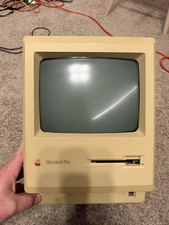
Apple Macintosh Plus 1MB M0001A Vintage Computer - Works
$169.99

Apple Power Macintosh PowerPC 7300/200 VTG w Keyboard Mouse Storage Drive Read
$199.99
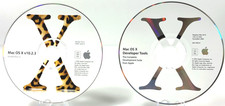
Vintage Mac OS X v10.2.3 Install Disc 2 and Mac OS X Developer Tools Untested
$17.99