

 Reply With Quote
See answers #3 and #4.


Hi all,
Im new to Knoppix and im using it just for testing purposes. My problem looks vry simple to me but its really sad tat ui cundt find a solution for sometme now. I wonder if its expcte behavior in Knoppix that the interfaces will go down (i mean wat we see in ifconfig) when we do a reboot of the Knoppix PC? I tried configuring eth0 and eth1 through the /etc/network/interfaces file but that didnt work either. After configuring i did a /etc/init.d/networking restart, but that did not help me. Between, I would not say Im doing it right, nd thats wat I want to know from the experts here.
My question is :
Like in Linux, would the interface be up once the knoppix box comes up after reboot. If not, wat we need to do to acheive this stuff.
Please let me know if you may need more info. Thanks in advance
See answers #3 and #4.
---
Verifying of md5 checksum and burning a CD at slow speed are important.
Hi thanks for the imediate response. I need more info. I have completd installation and knoppix is up and unning in my box. But my problem is with the interface. the interface goes down after a system reboot.
You posted this in the networking forum and never mentioned that you installed Knoppix. If you are running it as intended from a CD then my above advice is what I have to offer. If you have "installed" Knoppix, then my advice is that you are very lucky to have networking work at all, many people who "install" it find that networking is broken after an "install". I do not offer support for those who choose to "install" Knoppix. I am not qualified to do so. My advice is to install Debian, and you will likely find that Networking works as you would expect it to.Originally Posted by prashantr
---
Verifying of md5 checksum and burning a CD at slow speed are important.
[quote="Harry Kuhman My advice is to install Debian, and you will likely find that Networking works as you would expect it to.[/quote]
hey HArry,
Tats may be wat I am luking for. Knoppix is up and running. I have problems with Netdude even. Hope Installing debian would solve my issues. Ive heard this word Debian. But how do I go about installing debian? is that gonna be over Knoppix, or do I need to do a re-install. Any help would be greatly appreciated.
Debian is the intened for hard disk distro of Linux that Knoppix is based on. To install Debian you will start fresh, it's not an "update" to Knoppix. There are different releases of Debian, both for different hardware and versions that represent how much testing the parts that make it up have had. I would suggest installing Debian Etch. This is sometimes called the "testing" version, but Knoppix contains a lot of the testing version too, and without any of the fixes that have been included since Knoppix was released. There is a "stable" version, but it's getting pretty old, and the installer is not as user friendly. You can start reading about Debian here, and you can download the files to get started with Etch here. As long as you have a high speed connection that you can use to install I would suggest the net-install (the top line of images offered) and if you have a "typical" computer use the I386 version (but note that there are special versions for 64 bit systems or other hardware).
[quote=prashantr]Hi, I am new here, but I am using a Knoppix variant called Kanotix. It runs nearly exactly the same as Knoppix from CD, but can be easily installed to HD. Once installed it becomes basically Debian Sid (Sid being the "unstable" version). This is exactly what I used, and my box works great. I haven't had any problems to speak of, and I am using ndiswrapper to get my wireless card on the net. Any way, I love Knoppix (I think, but don't know, that Kanotix is nearly the same as Knoppix).
Hope this is helpful,
Jeremey Byers
 Posting Permissions


Vintage Apple iMac G3 “Sorry, no beige.” Wristwatch – Two Original Bands
$249.95
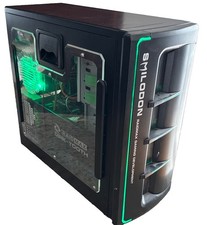
Vintage RaidMax Dirk-Tooth Smilodon Gaming Tower with Hardware-Green LED Lights
$199.00
VINTAGE Dell Dimension XPS D233-Pentium II-128MB Ram 13.5GB HDD Matrix GFx W98SE
$229.99
Vintage Toshiba Satellite 105CS Intel Pentium 16mB Ram Win 95 No Power Cords
$299.99

Original Vintage Old Style STANDARD Black CD Jewel Case (Heavy Duty) 90g Lot
$316.95

Dell XPS M1710 Intel Centrino Duo PP05XB 17" Vintage Gaming Laptop Lot of 2
$329.99
RAM-Tester for vintage RAM, 4816, 4164, 41256, 514402, and more - USA Seller
$35.00
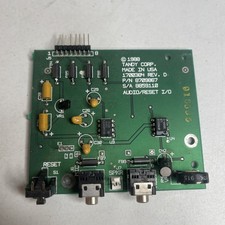
Vintage 1988 Tandy 1000 SL SL/2 Audio / Reset I/O Board P/N 8709867 Rev D
$34.77
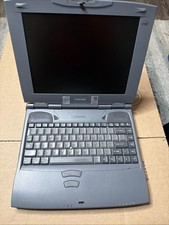
Vintage Toshiba Satellite 2590 CDT Intel Celeron 98 No Power Cords included
$150.00
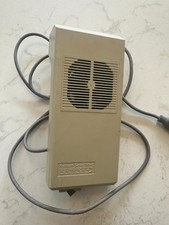
Kensington System Saver Fan for Vintage Early Mac WORKS
$119.00