

 Reply With Quote
Bad disc due to burning at high speed or, less likely, a marginal CD drive. See answer #1.


Im on a ghetto laptap, a thinkpad r31. Anyhow,hd is gone,waiting for newone, but in the meanwhile,want to use knoppix. The cd works on my other comp,but i get to the knoppix version3.4 screen etc, i hit enter, and most of the time it will sit at Loading Linux24..... Then it will restart,others i get lucky, and it gives me this:
Loading linux24........isolinuxisk error BB,AX = 4200, drive AC
.....Any ideas?
Bad disc due to burning at high speed or, less likely, a marginal CD drive. See answer #1.
---
Verifying of md5 checksum and burning a CD at slow speed are important.
Well it does work on my other comp, can't be bad...Any cheat i try to use it does the same thing, so i think your right with High speed burn, maybe my desktop can read it, notebook can't...
I guess you refuse to read the information linked to or to learn for the experience that we have from seeing others say this over and over again.Originally Posted by Imdbombboarder
---
Verifying of md5 checksum and burning a CD at slow speed are important.
i am 100% with harry. sounds like a marginal burn, try making a new one at 1-4Xspeed.
No, i have, im not sure on the Cd Drive, and so im not sure if it can run the speed the cd was burned at. This is a technical support forum, so lets try to keep the posts constructive.
The link I gave you inclued the text, written long before you made your post,:
If you refuse to accept what we learned long ago that is your choice, but the posting "so lets try to keep the posts constructive" isn't going to acomplish anything or make you a lot of friends. Quite frankly it makes you look like a trool, or worse.
- ...including information about what is the most common burning error that leads people to wrongly say "the disc must be good, it worked on a different system".
It may be the CDR media itself or the CD drive. I've seen different CDR brands burned on different CDR burners with being read with different CDROM drives on the very same system produce both corrupt & non-corrupt results. It is not easy to narrow down and I only discovered that the CDROM drive in 1 system was crap by swapping CDR media and drives.
Thanks underscore, ill try to just reburn it or something with another cd, on a standard or low write speed. And Harry, if you wouldn't of mentioned anything in the first place, we wouldn't even be having this problem
What the heck are you talking about, I not only pointed you to the Downloading FAQ that covers this in great detail but I also wrote "Bad disc due to burning at high speed or, less likely, a marginal CD drive"????? What more do you think I should have done for you?????
 Posting Permissions


Vintage Apple Macintosh Computer Travel Bag Tote Shoulder Side Bag with Strap
$299.00

Vintage 1994 Apple Power Macintosh 7100/80 Desktop No HDD No OS Powers On *READ
$99.99

Rare Vintage Apple Integer Basic Firmware Card A2B0010 Apple 1979
$79.00

Vintage Apple Macintosh IIsi Computer, Monitor, Keyboard & Mouse Complete Setup
$199.99
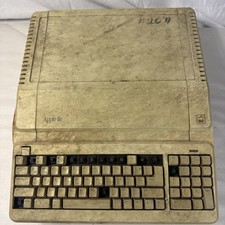
Vintage Apple IIe Platinum A2S2128 128K Computer Parts Repair Missing Keys
$100.00

Vintage Apple M1893 Power Supply PowerBook 500 520 540 550 AC Charger
$31.99

Vintage Apple PowerBook 15” G4 “Aluminum” (1.25GHz/2gb/150gb/Tiger)
$99.99
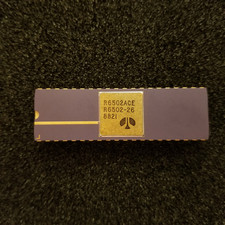
Vintage Apple I 6502A CPU: Kim 1, Pet, = (Synertek MOS), Unused, gold Ceramic
$299.99

Apple cloth fabric banner iBook tangerine orange New Old Stock Vintage
$99.00

Vintage Apple Multiple Scan 15av Display Monitor M4681
$299.99