

I need to login as root but I need to make a root password to do that. When I go to change the root password I get the change unix password input line but I can't type, the cursor blinks like I can type but no letters input. How do I fix this/get around it?
I already know about that. The problem is when I try to change the password the command box freezes.
Are you sure it freezes. Did you try writing something and pressing Enter? It's normal that you don't see anything while typing your password - it's meant to work that way.Originally Posted by K-Man
Code:knoppix@1[knoppix]$ sudo passwd Enter new UNIX password: # Enter your password and press Enter, you won't see anything while typing. Retype new UNIX password: # Enter your password again and press Enter, you won't see anything while typing. passwd: password updated successfully
 Posting Permissions


Dell 6P85J 4TB ST4000NM0063 7.2k 6Gb/s 3.5” SAS SED Hard Drive with Tray
$39.99

Western Digital HUS726T4TAL5204 4TB 7.2K SAS 12Gb/s 3.5" 512e HDD NetApp X375A
$64.00

Seagate ST8000NM0075 Enterprise Capacity 3.5 HDD 8TB SAS Hard Drive 8TB EXOS
$184.99

Toshiba DT01ACA100 1 TB 3.5" SATA III 3.5 in Desktop Hard Drive
$24.99

Dell ST6000NM0034 1HT27Z-150 NWCCG 6TB SAS 3.5 7.2K ENTERPRISE SERVER DRIVE
$68.99
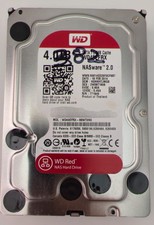
Western Digital WD Red 4TB NAS Hard Drive WD40EFRX SATA 64MB 3.5" HDD
$95.00

Seagate Barracuda ST1000DM003 1 TB SATA III 3.5 in Desktop Hard Drive
$23.99

Seagate ST3000NM0005 HDD 3TB SATA 6Gb/s 7.2K 3.5" 512 b/s
$59.00

New Western Digital WD40EFPX 68C6CN0 4TB 3.5" SATA III Internal NAS Red Plus HDD
$137.59

HGST Ultrastar HUS726040AL5210 4TB 7200RPM SAS 12Gb/s Enterprise HDD
$41.00


 Reply With Quote