-
Senior Member
registered user
It might be the way hardware is detected or the video drivers are selected. It might change from one boot to another. Just a thought. I would try using some of the cheatcodes to specify the video parameters while booting. Selecting the drivers, etc might give you a solution. There is a list of cheatcodes and some explanations located under the "Documentation" link at the top of the page. Another one you might try is noddc. I'm not sure if it's listed, but it has solved a few monitor issues for me in the past.
Similar Threads
-
By rick_write_taiwan in forum Hdd Install / Debian / Apt
Replies: 1
Last Post: 02-11-2005, 04:25 PM
-
By WedDa in forum The Lounge
Replies: 0
Last Post: 02-07-2005, 03:23 AM
-
By ultramagneus in forum General Support
Replies: 2
Last Post: 01-30-2005, 05:50 PM
-
By jackiechen858 in forum Customising & Remastering
Replies: 2
Last Post: 10-29-2004, 05:53 PM
-
By dtz in forum General Support
Replies: 2
Last Post: 07-16-2004, 07:10 AM
 Posting Permissions
- You may not post new threads
- You may not post replies
- You may not post attachments
- You may not edit your posts
-
Forum Rules


🔀 Juniper Networks EX2300-C-12P 12× Gigabit PoE+ • 2× 10G SFP+ Compact Switch ⚡
$109.99

Juniper EX2300 12-Port Gigabit PoE+ Managed Network Switch P/N: EX2300-C-12P
$149.99

Juniper Networks EX2300-48P 48-Port PoE Gigabit Switch (Renewed)
$345.97

Juniper QFX5100-48S-3AFI 48-Port SFP+ 6 QSFP+ 2x SFP/RJ-45 Management
$249.97

New Sealed Juniper EX4100-F-12P 12x 1GbE PoE 2x 10GbE uplinks 1 Year Warranty
$895.00
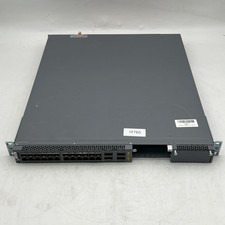
Juniper EX4600-40F-AFO 24-Port Dual PSU Network Switch
$164.98

Juniper Networks EX2300-48P 48-Port Gigabit PoE Managed Ethernet Switch
$79.99

Juniper QFX5120-48Y-AFO 48 x 1/10/25GB SFP28 + 8 x 40/100GB Switch w/Dual AC
$10499.99

New Juniper Networks EX3400-48P 48-Port PoE+ 4-Port SFP+ Ethernet Switch Sealed
$466.65

Juniper Mist AP33 Wireless Access Point White New Sealed 802.11ax WiFi 6
$50.00



 Reply With Quote