-
Boot problem
I have downloaded the knoppix live 4.0 2CD version, EN. I burnt it on a 700mb, 80 min CD-R at a 4x burning speed. When I Boot my com, I get the welcome screen "If you want to start knoppix press return etc." I press return, a black screen with a linux penguin turns up, and there it stays. I started up my xbox, and sat there playing for about 20 minutes. still same screen. Does knoppix take a heck of a lot time to boot, or is something wrong with my disc/com? I've tried running the TestCD command, then I get a black screen, and it stays black. Any ideas?
(This is my first post here. I do not intend to write alot here, but I will be here reading as much as I possibly can. I decided to include this little welcoming message in this post. Hello everyone)
-
Administrator
Site Admin-
Re: Boot problem

Originally Posted by
Neth
Does knoppix take a heck of a lot time to boot, or is something wrong with my disc/com?
Something is wrong. Knoppix should boot in just a few minutes, usually more than one but less than 5. I've only sen it take extremely long times on old memory starved systems (such as 64 meg P90s). The disc might be ok, you might need some "cheat codes" to help it through the boot process.
Did you verify the download with the md5 check (you didn't comment on that)? If not you could still do that if you still have the original ISO. Also read the cheat codes section of the wiki. I would suggest trying the dma and/or noacpi cheat codes. You might also try knoppix failsafe or try booting in expert mode.
-
Re: Boot problem
Originally Posted by
Harry Kuhman
Originally Posted by
Neth
Does knoppix take a heck of a lot time to boot, or is something wrong with my disc/com?
Something is wrong. Knoppix should boot in just a few minutes, usually more than one but less than 5. I've only sen it take extremely long times on old memory starved systems (such as 64 meg P90s). The disc might be ok, you might need some "cheat codes" to help it through the boot process.
Did you verify the download with the md5 check (you didn't comment on that)? If not you could still do that if you still have the original ISO. Also read the cheat codes section of the wiki. I would suggest trying the dma and/or noacpi cheat codes. You might also try knoppix failsafe or try booting in expert mode.
I just compared my MD5 check on my ISO file with WinMD5Sum, and it did not compare. I'll guess I'll just download it again and return to this thread again if I still have the same problem. Sorry about taking up your time
-
Administrator
Site Admin-
Re: Boot problem
Originally Posted by
Neth
I just compared my MD5 check on my ISO file with WinMD5Sum, and it did not compare. I'll guess I'll just download it again....
This is why I highly recommend BitTorrent over the mirrors, I have had bad downloads from the mirrors about 1/2 the time (so no assurances you will not have another bad one if you use the mirrors again), BitTorrent downloads have always been good for me. And faster than the mirrors. And depending on your corruption, BitTorrent can sometimes even repair bad downloads from a Mirror and prevent the need for a full download.
---
Verifying of md5 checksum and burning a CD at slow speed are important.
-
Re: Boot problem
Originally Posted by
Harry Kuhman
Originally Posted by
Neth
I just compared my MD5 check on my ISO file with WinMD5Sum, and it did not compare. I'll guess I'll just download it again....
This is why I highly recommend BitTorrent over the mirrors, I have had bad downloads from the mirrors about 1/2 the time (so no assurances you will not have another bad one if you use the mirrors again), BitTorrent downloads have always been good for me. And faster than the mirrors. And depending on your corruption, BitTorrent can sometimes even repair bad downloads from a Mirror and prevent the need for a full download.
I downloaded it from bittorrent.
-
Senior Member
registered user
Neth:
Just a quick thought. Does your system have enough memory to boot into KDE? You should have somewhere around 256Meg, or more, for it to work well.
When you re-download by Bittorrent, you can try letting it overwrite to the existing location and it should repair your file, if it is indeed corrupted. It's unusual for a torrent download to be corrupt, but it is possible.
-
Originally Posted by
ckamin
Neth:
Just a quick thought. Does your system have enough memory to boot into KDE? You should have somewhere around 256Meg, or more, for it to work well.
When you re-download by Bittorrent, you can try letting it overwrite to the existing location and it should repair your file, if it is indeed corrupted. It's unusual for a torrent download to be corrupt, but it is possible.
Well, I'm on 2048mb at the moment, so.
I've re-downloaded it now, I've checked it with MD5Summer, it's green. I'm going to burn it in a few mins.
-
Originally Posted by
Neth
Originally Posted by
ckamin
Neth:
Just a quick thought. Does your system have enough memory to boot into KDE? You should have somewhere around 256Meg, or more, for it to work well.
When you re-download by Bittorrent, you can try letting it overwrite to the existing location and it should repair your file, if it is indeed corrupted. It's unusual for a torrent download to be corrupt, but it is possible.
Well, I'm on 2048mb at the moment, so.
I've re-downloaded it now, I've checked it with MD5Summer, it's green. I'm going to burn it in a few mins.
Everything was great with the download. However, it still didn't work. I burnt at 4x on CD-R, and I get a black screen.
-
Senior Member
registered user
Have you tried any cheatcodes? Especially the ones that Harry mentioned previously? Run through some of them, like the nousb, noddc, failsafe, etc. You might have some hardware that is troublesome. It's just a matter of getting past it, if that is the problem.
-
Junior Member
registered user
KDE @ 1024x768x16 bit color
Originally Posted by
ckamin
Neth:
Just a quick thought. Does your system have enough memory to boot into KDE? You should have somewhere around 256Meg, or more, for it to work well.
Well, I don't think KDE needs 256 MB, I've once tried Knoppix on my gateway/router/server PC, with only 128 MB of RAM (and a whopping 2 MB graphics RAM on the PCI graphics card), and, well, it did run quite well, slow but stable and quite usable (KDE @ 1024x768x16 bit color). So it should work out even on old hardware.
Similar Threads
-
By sonsrey in forum Hardware & Booting
Replies: 3
Last Post: 03-10-2010, 03:49 PM
-
By destro in forum MS Windows & New to Linux
Replies: 4
Last Post: 04-01-2007, 11:08 PM
-
By sid_galt in forum Hardware & Booting
Replies: 39
Last Post: 11-27-2005, 10:02 PM
-
By codeforge in forum Customising & Remastering
Replies: 2
Last Post: 11-16-2004, 05:06 PM
-
By SK in forum General Support
Replies: 4
Last Post: 07-30-2003, 09:25 PM
 Posting Permissions
- You may not post new threads
- You may not post replies
- You may not post attachments
- You may not edit your posts
-
Forum Rules

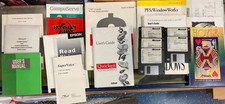
Vintage Computer Manuals and Disks - Windows 3.1, Epson, Quicken, and more
$101.99

🔥 RARE VINTAGE HP 2112A 21MX M-SERIES 16-BIT MINICOMPUTER HP
$299.99

🔥 RARE VINTAGE HP 2113A 21MX 1000 E-SERIES MINICOMPUTER CHASSIS BACKPLANE
$249.00

Lot of 2 Vintage Plextor PX-43CS SCSI CD-ROM Caddy Drives + 4 Caddies Used
$55.99

Original Vintage Old Style STANDARD Black CD Jewel Case (Heavy Duty) 90g Lot
$316.95
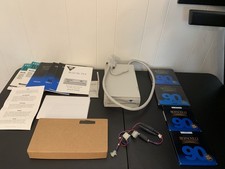
Vintage Iomega Bernoulli 90 PRO 90MB SCSI Removable Disk Drive + Extras
$124.99
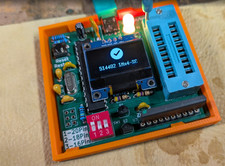
RAM-Tester for vintage RAM, 4816, 4164, 41256, 514402, and more - USA Seller
$35.00
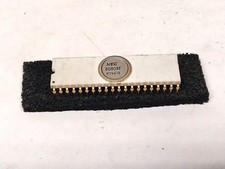
Nice White Ceramic NEC 8080A Microprocessor / Old Vintage Computer Gold IC Chip
$399.99

Vintage Jetway J-620BF Socket 370 Celeron AT Motherboard SiS 620 Brand New
$75.00

Vintage Hewlett Packard HP 13181-60074 Circuit Card Assembly / Interface Board.
$135.37



 Reply With Quote