

 Reply With Quote
Was the question too hard, too easy, or too confusing for me to deserve any replies ?
Disappointed Dysfuntional


Hi
Some time ago, i forgot the root-password to my ageold RH7.2.... I know, stupid me, but it does happen i guess...
In any case, the Grub is configured so that it will not allow single-user-mode, so i decided to try to boot into knoppix and from there mount the RedHat's Root partition and modify the shadow file to erase root's password. (or to copy it somewhere to crack it...)
Sounds like a good plan ?
The only thing is, Knoppix does not recognize the smart-array which houses the root partition of the RH.
I quite newbie in linux, so I would definitely appreciate help.
How do enable the CCISS partitions underk knoppix and where can I mount them once enabled ?
Do I need some extra modules (outside knoppix CD), and if so, where to get them and how to install them ?
Also, do i dare to poke around another filesystem's data, without risking breaking something ?
The system I am trying to recover is RH7.2 with kernel 2.4.9-21
The CCISS drive is Compaq Smart Array 523 Controller
Adaptec AIC-7899 Ultra 160/m Adapter
Adaptec AHA274X/284X/294X (EISA/ULB/PCI-Fast SCSI)
All help Greatly Appreciated !
~dysfunctional
Was the question too hard, too easy, or too confusing for me to deserve any replies ?
Disappointed Dysfuntional
Definitely too hard for me as I don't even know what CCISS mansAre you using one of those Proliant servers with HW raid?
Anyway if you still have the original install CD, try booting off it and see if it offers a rescue mode. Using this version guarantees you can chroot into your HD root FS (provided the HW is recognised), and then simply use "passwd" to reset root's password.
Hey Kirol
Unfortunately I do not have the original install-CD.s
And yes, that is exactly what i am referring to, compaq proliant Raid. Built under Smartarray.
What I really need to know is how can I mount the partitions when the knoppix cannot see the RAID-stack.
I understand that i would need to load the appropriate driver-module and mount the RAID by those means, but I dont know how to do it. And indeed what driver-module i should use ?
The current system uses the driver; Adaptec AIC7xxx driver version 5.4.2/5.2.0.... Would this work under knoppix's kernel ?
How do I know what module to try with ?
Also, does anyone have xperience on mounting a filesystem through another filesystem ? Shouldn't I be just able to mount and "passwd root" my problem away ?
Can I accidentally break something by doing this ? Im afraid I will fook up something if I go poking around another operating system's root folder...
Cheers !
 Posting Permissions


Crucial MX500 1TB 2.5" SATA III Internal SSD CT1000MX500SSD1
$102.99

Samsung 860 EVO 250GB SSD MZ-76E250 2.5" SATA III Solid State Drive -
$39.99

Netac 2TB 1TB 512GB 256GB Internal SSD 2.5inch SATAIII Solid State Drive lot
$549.00

Samsung 2.5" 870 EVO SSD SATA III 250GB 500GB 1TB Internet Solid State Drive Lot
$90.00

Samsung 256 GB Internal SATA SSD Fully Tested 50%-79% Health
$24.00

Fanxiang 256GB 512GB 1TB 2TB 4TB SSD Lot 2.5'' SATA Internal Solid State Drive
$42.99

Fanxiang 1/2/5/10Pcs 2.5'' SATA SSD Lot 1TB 2TB 4TB 512GB 256GB TLC Internal SSD
$129.99

2 PACK 128 GB SSD M.2 2280 SATA Solid State Drive Major Brands, Samsung, LiteON
$28.00
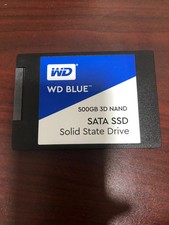
WD Blue 500GB 3D NAND 2.5” SATA III SSD
$40.00

Micron MTFDDAK256TBN 256 GB, Internal ,2.5" SSD
$23.00