-
Senior Member
registered user
Try first if you are able to write with sudo:
Code:
sudo touch /mnt/sda1/test
If that creates a file "test", then you can try this: Create a directory and set knoppix as it's owner. Then you can write to that directory normally:
Code:
sudo mkdir /mnt/sda1/data
sudo chown knoppix:knoppix /mnt/sda1/data
After that you should be able to write to /mnt/sda1/data normally.
ps. I don't know how to make it so that whole /mnt/sda1 can be written by a normal user, so this is what I normally use.
Similar Threads
-
By limeylew in forum General Support
Replies: 1
Last Post: 04-29-2009, 11:58 AM
-
By samhainbaphomet in forum General Support
Replies: 8
Last Post: 02-04-2005, 11:04 AM
-
By poundsmack in forum General Support
Replies: 8
Last Post: 10-23-2004, 10:02 AM
-
By none1 in forum Hdd Install / Debian / Apt
Replies: 11
Last Post: 01-07-2004, 12:55 AM
-
By phoward in forum General Support
Replies: 3
Last Post: 03-31-2003, 07:46 PM
 Posting Permissions
- You may not post new threads
- You may not post replies
- You may not post attachments
- You may not edit your posts
-
Forum Rules


Dell 6P85J 4TB ST4000NM0063 7.2k 6Gb/s 3.5” SAS SED Hard Drive with Tray
$39.99

Western Digital HUS726T4TAL5204 4TB 7.2K SAS 12Gb/s 3.5" 512e HDD NetApp X375A
$64.00

(ST8000NM0045) SEAGATE ENTERPRISE 8TB 7200RPM 4Kn SATA 6Gb/s 3.5" HARD DRIVE
$199.99

DELL 2TB Enterprise HDD (7200RPM, 3.5", SATA III, 128MB Cache) HUS722T2TALA600
$49.95

Seagate ST500DM009 BarraCuda 500 GB 3.5" SATA III Desktop Hard Drive
$14.99
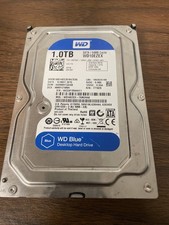
Western Digital WD Blue 1TB SATA 3.5in 7200RPM 64MB Internal HDD WD10EZEX
$14.99

HGST HUS724040ALA640 HDD 4TB SATA 6Gb/s 7.5K 3.5" 0F19459 512 b/s
$78.00

Dell ST6000NM0034 1HT27Z-150 NWCCG 6TB SAS 3.5 7.2K ENTERPRISE SERVER DRIVE
$68.99

Seagate ST12000NM0127 12TB 256MB 7200RPM 3.5" SATA 6.0Gb/s Enterprise Hard Drive
$318.99
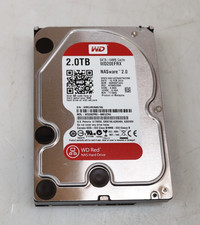
Western Digital 2TB WD20EFRX-68EUZN0 3.5" SATA Red NAS Hard Disk Drive
$69.99



 Reply With Quote